Virtual hand gesture mouse using a webcam

Overview

NonMouse

GitHub GitHub release (latest by date) zenn

日本語のREADMEはこちら

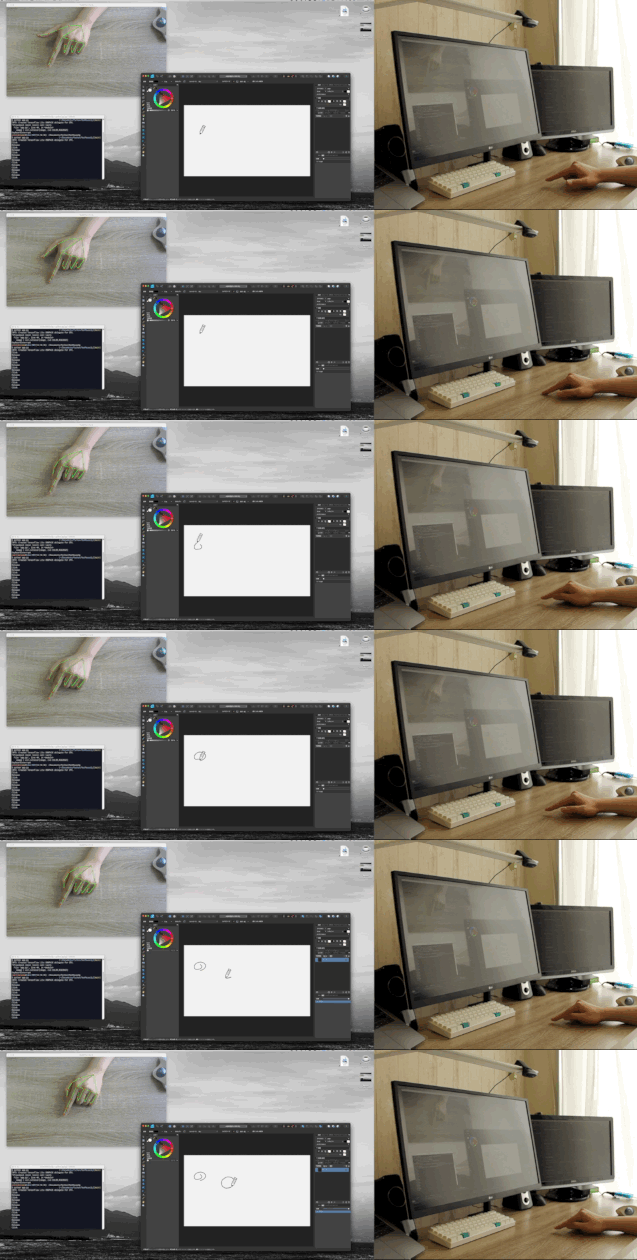
This is an application that allows you to use your hand itself as a mouse.
The program uses a web camera to recognize your hand and control the mouse cursor.

The video is available on Youtube

スクリーンショット 2021-09-13 午後5 33 21

スクリーンショット 2021-09-13 午後5 33 21

Feature

  • Entirely new mouse: a mouse with a software approach. It recognizes your hand and works as a mouse.
  • NonMouse can be invoked by the global hotkey even when this application is inactive.
  • Works well with typing
  • You can make it look like a touch display, by pointing the web camera at the display.
  • You can use the mouse wherever you want.
  • Just download from the latest release (windows, mac only)

Installation

📁 Run as executable file

Download the zip file that matches your environment from the latest release.

OR

🐍 Run as python

Run the following script.

$ git clone https://github.com/takeyamayuki/NonMouse
$ cd NonMouse
$ pip install -r requirements.txt

If you have trouble installing mediapipe, please visit the official website.

† For mac, you need to add the location where you want to run it, such as Terminal or VScode, to the Security and Privacy Accessibility and Cammera section in System Preferences.

Usage

1. Install a camera

The following three ways of placing the device are assumed.

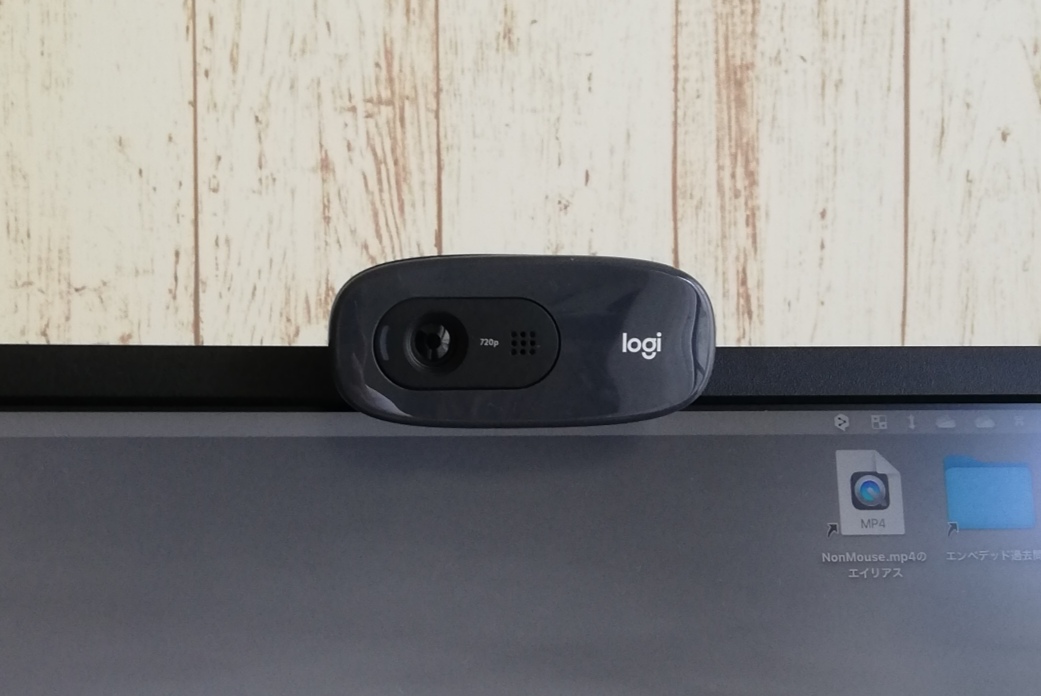
  • Normal: Place a webcam normally and point it at yourself (or use your laptop's built-in camera)

    Examples of installation methods Point the palm of your hand at the camera
    スクリーンショット 2021-09-13 午後5 33 21
    スクリーンショット 2021-09-13 午後5 33 21 スクリーンショット 2021-09-23 044041
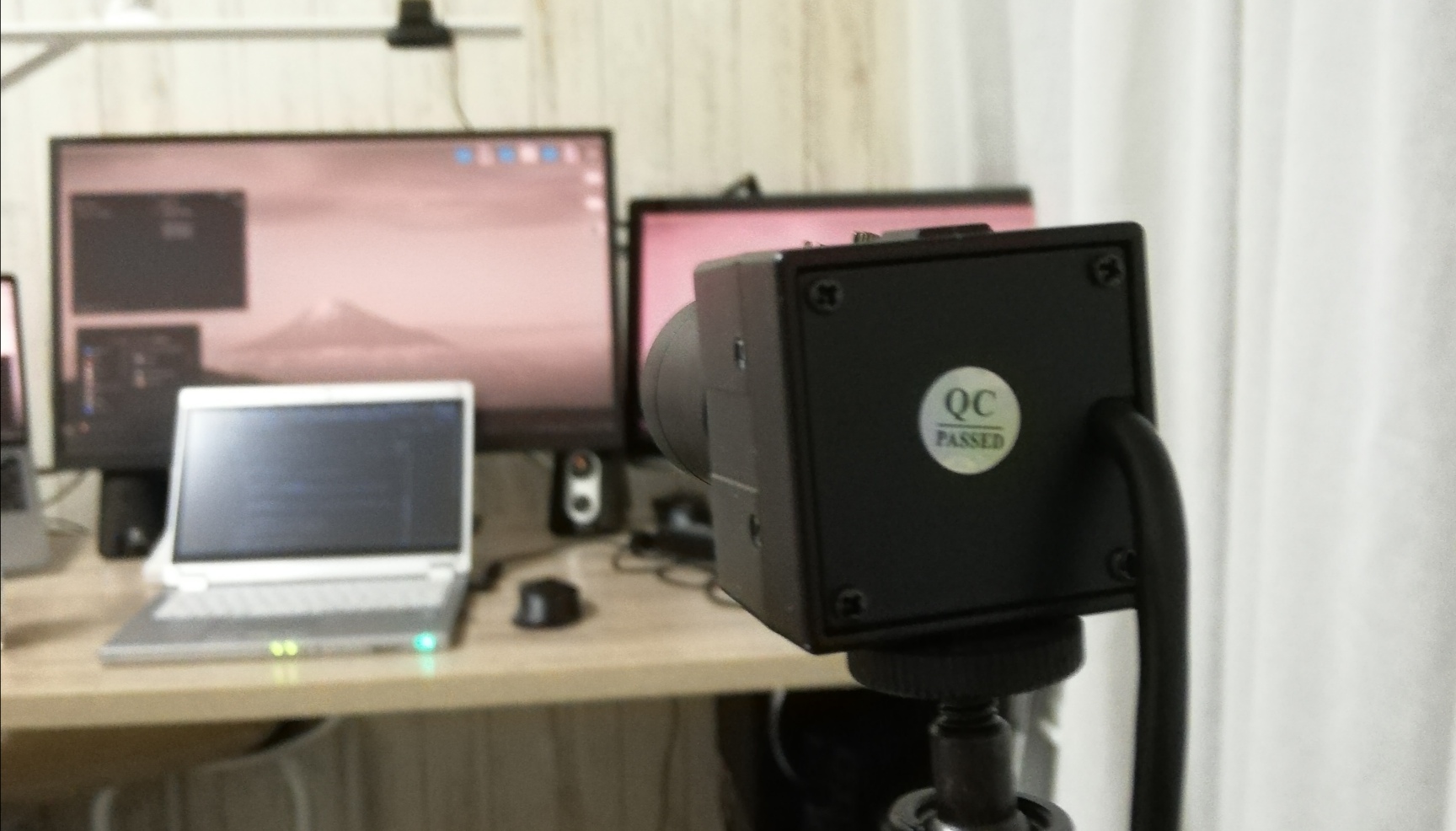
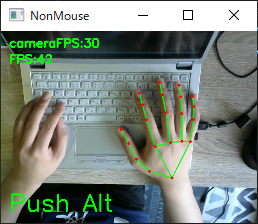
  • Above: Place it above your hand and point it towards your hand.

    An example of installation methods Point the back of your hand at the camera.
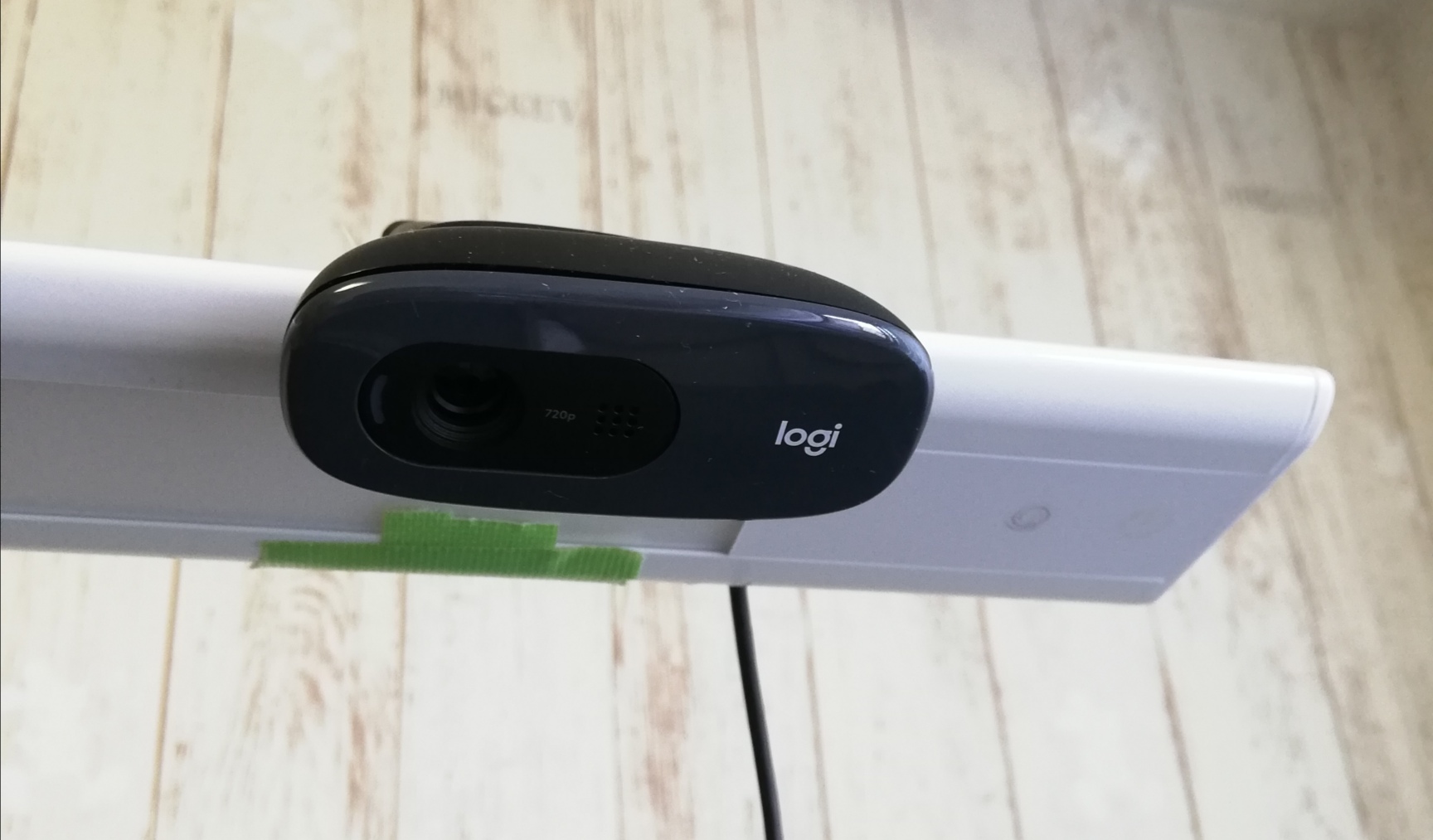
    スクリーンショット 2021-09-13 午後5 33 21 スクリーンショット 2021-09-23 044243
  • Behind: Place it behind you and point it at the display.

    An example of installation methods Point the back of your hand at the camera.
    スクリーンショット 2021-09-13 午後5 33 21 スクリーンショット 2021-09-23 044403

2. Run

  • Run the executable as described in the GitHub wiki.

    OR

  • Run the following script from the continuation of the installation.

    For windows, linux(global hotkey function does not work in linux.)

    $ python3 app.py

    For MacOS, you need execute permission.

    $ sudo python3 app.py

3. Settings

When you run the program, You will see a screen similar to the following. On this screen, you can set the camera and sensitivity.

スクリーンショット 2021-12-02 154251

  • Camera
    Select a camera device. If multiple cameras are connected, try them in order, starting with the smallest number.

  • How to place
    Select the location where you placed the camera. Place the camera in one of the following positions: Normal, Above, Behind in [ 📷 Install a Camera].

  • Sensitivity
    Set the sensitivity. If set too high, the mouse cursor will shake slightly.

When you are done with the settings, click continue. The camera image will then be displayed, and you can use NonMouse with the settings you selected.

4. Hand Movements

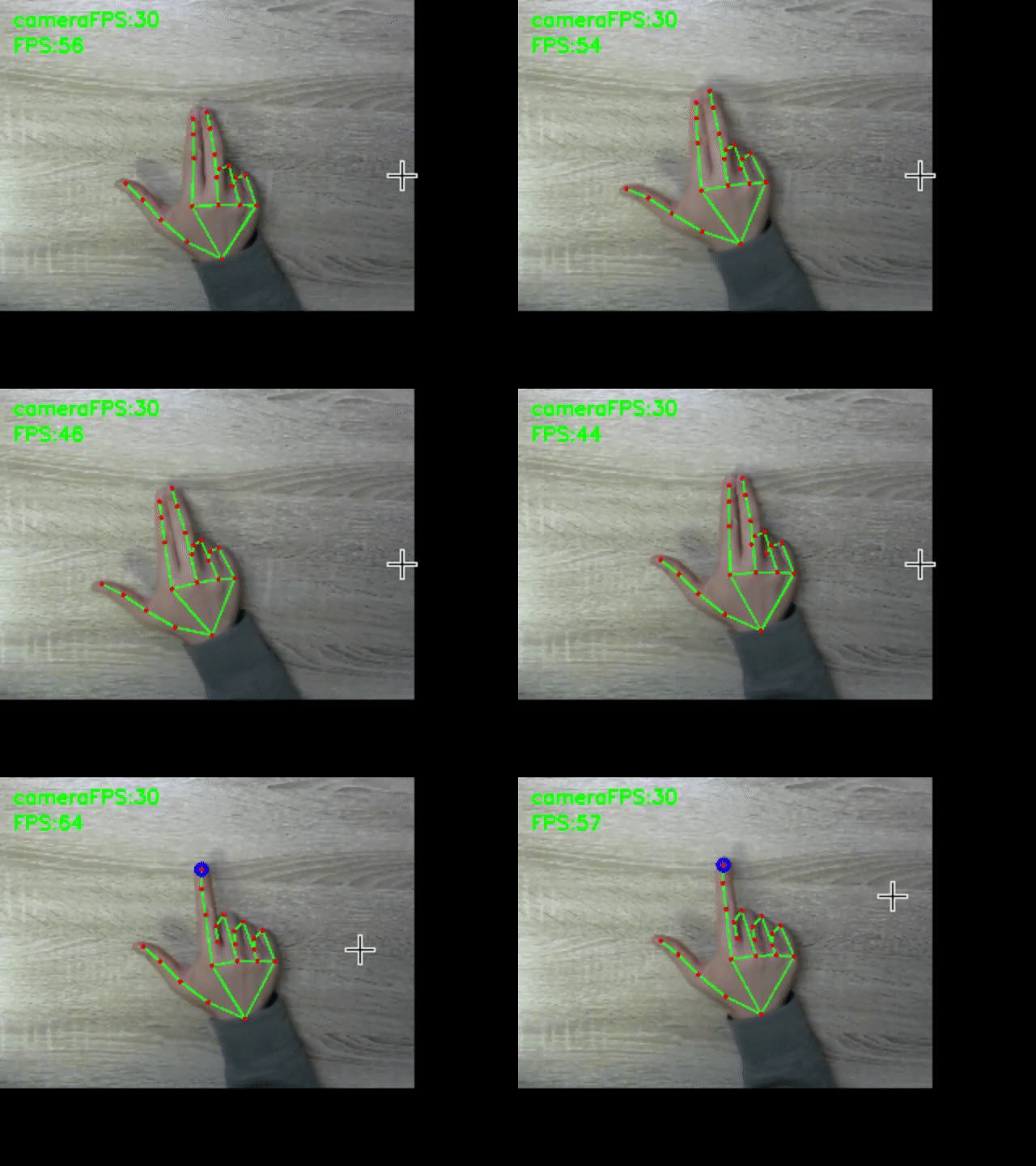
stop cursor left click right click scroll
aaa aaa aaa aaa

The following hand movements are enabled only when you hold down Alt(Windows), Command(MacOS). You can define your own global hotkeys by rewriting here. You can use this function even if the window is not active.This feature is only available on windows and mac.

  • cursor
    • Mouse cursor: tip of index finger → A blue circle will appear at the tip of your index finger.
    • Stop mouse cursor: Attach the tip of your index finger to the tip of your middle finger. → The blue circle disappears.
  • left click
    • Left click: Attach the fingertips of your thumb to the second joint of your index finger → A yellow circle will appear on the tip of your index finger.
    • Left click release: Release the thumb fingertip and the second joint of the index finger. → The yellow circle disappears.
    • Double click: Left click twice within 0.5 seconds.
  • other
    • Right click: Hold the click state for 1.5 second without moving the cursor. → A red circle will appear at the tip of your index finger.
    • Scroll: Scroll with the index finger with the index finger folded → a black circle will appear.

† Use it with a bright light at hand.
† Keep your hand as straight as possible to the camera.

5. Quit

Press Ctrl+C, when a terminal window is active.
Press close button(Valid only on windows, linux) or Esc key, when an application window is active.

Build

† The built binary files can be downloaded from latest realease.

In app-mac.spec and app-win.spec, change pathex to fit your environment.
Run the following scripts for each OS.

  • windows

    Copy and paste the location obtained by pip show mediapipe into datas, referring to what is written originally.
    Run the following script.

    $ pip show mediapipe
    ...
    Location: c:\users\namik\appdata\local\programs\python\python37\lib\site_packages
    ...
    #Copy and paste into the datas in app-win.spec
    $ pyinstaller app-win.spec
    ... ````
  • mac

    Create a venv environment and perform pip install, because the directory specified in datas is for an assumed venv environment.

    $ python3 -m venv venv
    $ . venv/bin/activate
    (venv)$ pip install -r requirements.txt
    (venv)$ pyinstaller app-mac.spec
Comments
  • error: PyObjC requires macOS to build

    error: PyObjC requires macOS to build

    Hello. When installing requirements on Linux I get this error:

    Collecting pyobjc-core==7.3
      Downloading pyobjc-core-7.3.tar.gz (684 kB)
         ━━━━━━━━━━━━━━━━━━━━━━━━━━━━━━━━━━━━━━━━ 684.2/684.2 KB 5.4 MB/s eta 0:00:00
      Preparing metadata (setup.py) ... error
      error: subprocess-exited-with-error
      
      × python setup.py egg_info did not run successfully.
      │ exit code: 1
      ╰─> [2 lines of output]
          running egg_info
          error: PyObjC requires macOS to build
          [end of output]
      
      note: This error originates from a subprocess, and is likely not a problem with pip.
    error: metadata-generation-failed
    
    × Encountered error while generating package metadata.
    ╰─> See above for output.
    
    opened by jbrepogmailcom 2
  • ZeroDivisionErrorでクラッシュする

    ZeroDivisionErrorでクラッシュする

    cfps = int(cap.get(cv2.CAP_PROP_FPS)) でcfpsが1になって if cfps < 30: cap.set(cv2.CAP_PROP_FRAME_WIDTH, cap_width) cap.set(cv2.CAP_PROP_FRAME_HEIGHT, cap_height) cfps = int(cap.get(cv2.CAP_PROP_FPS)) を通してもcfpsが1になり、 ran = int(cfps/10) でranが0になってしまい、ZeroDivisionErrorでクラッシュします。

    環境は以下の通りです PC: MacBook Pro 2020 Intel OS: macOS Monterey カメラ: Mac内蔵Webカメラ Pythonバージョン: 3.9.7

    opened by takpika 2
  • MacOS MontereyでカメラFPSが5Hz程度になる

    MacOS MontereyでカメラFPSが5Hz程度になる

    https://github.com/takeyamayuki/NonMouse/blob/1e7f7bc5e9f52a29196ae631b4cb7e83a910aa27/app.py#L117-L121

    cfps = int(cap.get(cv2.CAP_PROP_FPS))で取得するカメラのFPSが5Hzになってしまい、カーソルが小刻みに揺れてしまう。 これは恐らく、cv2の問題だと思われる。

    opened by takeyamayuki 0
  • How to set screen size?

    How to set screen size?

    Hello the mouse only works on left two thirds of the screen. I gues it has something to do with screen size, my lapto has 1920x1080. Can I reconfigure it somewhere?

    opened by jbrepogmailcom 1
  • カメラや手が傾くと、自分の指先移動量に対するマウス移動量が異なってしまう

    カメラや手が傾くと、自分の指先移動量に対するマウス移動量が異なってしまう

    たとえば、カメラを斜めに取り付けると、カメラに映る指は縦方向に圧縮されたものになり、当然移動量もその分小さくなる。 現在の自分の環境だと手に向けてまっすぐ取り付けられているので問題はないが、初めて使う人にとってはこのアプリケーションを使う上での大きな壁となる。

    「解決策」 まず、基準となる指の関節座標を用意しておく。 その基準となる座標群と現在の座標群を比較して手の傾き具合を求める。 それによって、dx,dy変える

    opened by takeyamayuki 0
Releases(2.6.0)
Official codebase for running the small, filtered-data GLIDE model from GLIDE: Towards Photorealistic Image Generation and Editing with Text-Guided Diffusion Models.

GLIDE This is the official codebase for running the small, filtered-data GLIDE model from GLIDE: Towards Photorealistic Image Generation and Editing w

OpenAI 2.9k Jan 04, 2023
A pytorch reproduction of { Co-occurrence Feature Learning from Skeleton Data for Action Recognition and Detection with Hierarchical Aggregation }.

A PyTorch Reproduction of HCN Co-occurrence Feature Learning from Skeleton Data for Action Recognition and Detection with Hierarchical Aggregation. Ch

Guyue Hu 210 Dec 31, 2022
A full pipeline AutoML tool for tabular data

HyperGBM Doc | 中文 We Are Hiring! Dear folks,we are offering challenging opportunities located in Beijing for both professionals and students who are k

DataCanvas 240 Jan 03, 2023
This is an official implementation of "Polarized Self-Attention: Towards High-quality Pixel-wise Regression"

Polarized Self-Attention: Towards High-quality Pixel-wise Regression This is an official implementation of: Huajun Liu, Fuqiang Liu, Xinyi Fan and Don

DeLightCMU 212 Jan 08, 2023
AAI supports interdisciplinary research to help better understand human, animal, and artificial cognition.

AnimalAI 3 AAI supports interdisciplinary research to help better understand human, animal, and artificial cognition. It aims to support AI research t

Matthew Crosby 58 Dec 12, 2022
Codes for “A Deeply Supervised Attention Metric-Based Network and an Open Aerial Image Dataset for Remote Sensing Change Detection”

DSAMNet The pytorch implementation for "A Deeply-supervised Attention Metric-based Network and an Open Aerial Image Dataset for Remote Sensing Change

Mengxi Liu 41 Dec 14, 2022
Style transfer, deep learning, feature transform

FastPhotoStyle License Copyright (C) 2018 NVIDIA Corporation. All rights reserved. Licensed under the CC BY-NC-SA 4.0 license (https://creativecommons

NVIDIA Corporation 10.9k Jan 02, 2023
[NeurIPS 2020] Code for the paper "Balanced Meta-Softmax for Long-Tailed Visual Recognition"

Balanced Meta-Softmax Code for the paper Balanced Meta-Softmax for Long-Tailed Visual Recognition Jiawei Ren, Cunjun Yu, Shunan Sheng, Xiao Ma, Haiyu

Jiawei Ren 65 Dec 21, 2022
Out-of-distribution detection using the pNML regret. NeurIPS2021

OOD Detection Load conda environment conda env create -f environment.yml or install requirements: while read requirement; do conda install --yes $requ

Koby Bibas 23 Dec 02, 2022
PyTorch implementation of the Pose Residual Network (PRN)

Pose Residual Network This repository contains a PyTorch implementation of the Pose Residual Network (PRN) presented in our ECCV 2018 paper: Muhammed

Salih Karagoz 289 Nov 28, 2022
A C implementation for creating 2D voronoi diagrams

Branch OSX/Linux Windows master dev jc_voronoi A fast C/C++ header only implementation for creating 2D Voronoi diagrams from a point set Uses Fortune'

Mathias Westerdahl 481 Dec 29, 2022
E-Ink Magic Calendar that automatically syncs to Google Calendar and runs off a battery powered Raspberry Pi Zero

MagInkCal This repo contains the code needed to drive an E-Ink Magic Calendar that uses a battery powered (PiSugar2) Raspberry Pi Zero WH to retrieve

2.8k Dec 28, 2022
DaReCzech is a dataset for text relevance ranking in Czech

Dataset DaReCzech is a dataset for text relevance ranking in Czech. The dataset consists of more than 1.6M annotated query-documents pairs,

Seznam.cz a.s. 8 Jul 26, 2022
Malware Analysis Neural Network project.

MalanaNeuralNetwork Description Malware Analysis Neural Network project. Table of Contents Getting Started Requirements Installation Clone Set-Up VENV

2 Nov 13, 2021
Experiments for distributed optimization algorithms

Network-Distributed Algorithm Experiments -- This repository contains a set of optimization algorithms and objective functions, and all code needed to

Boyue Li 40 Dec 04, 2022
BuildingNet: Learning to Label 3D Buildings

BuildingNet This is the implementation of the BuildingNet architecture described in this paper: Paper: BuildingNet: Learning to Label 3D Buildings Arx

16 Nov 07, 2022
Implementation of ICLR 2020 paper "Revisiting Self-Training for Neural Sequence Generation"

Self-Training for Neural Sequence Generation This repo includes instructions for running noisy self-training algorithms from the following paper: Revi

Junxian He 45 Dec 31, 2022
Official implementation for (Refine Myself by Teaching Myself : Feature Refinement via Self-Knowledge Distillation, CVPR-2021)

FRSKD Official implementation for Refine Myself by Teaching Myself : Feature Refinement via Self-Knowledge Distillation (CVPR-2021) Requirements Pytho

75 Dec 28, 2022
Pytorch code for our paper "Feedback Network for Image Super-Resolution" (CVPR2019)

Feedback Network for Image Super-Resolution [arXiv] [CVF] [Poster] Update: Our proposed Gated Multiple Feedback Network (GMFN) will appear in BMVC2019

Zhen Li 539 Jan 06, 2023
Implementation of ProteinBERT in Pytorch

ProteinBERT - Pytorch (wip) Implementation of ProteinBERT in Pytorch. Original Repository Install $ pip install protein-bert-pytorch Usage import torc

Phil Wang 92 Dec 25, 2022