AutoVideo: An Automated Video Action Recognition System

Overview

AutoVideo: An Automated Video Action Recognition System

Logo

AutoVideo is a system for automated video analysis. It is developed based on D3M infrastructure, which describes machine learning with generic pipeline languages. Currently, it focuses on video action recognition, supporting various state-of-the-art video action recognition algorithms. It also supports automated model selection and hyperparameter tuning. AutoVideo is developed by DATA Lab at Texas A&M University.

There are some other video analysis libraries out there, but this one is designed to be highly modular. AutoVideo is highly extendible thanks to the pipeline language, where each model is wrapped as a primitive with some hyperparameters. This allows us to easily support other algorithms for other video analysis tasks, which will be our future efforts. It is also convenient to search models and hyperparameters with the pipeline language.
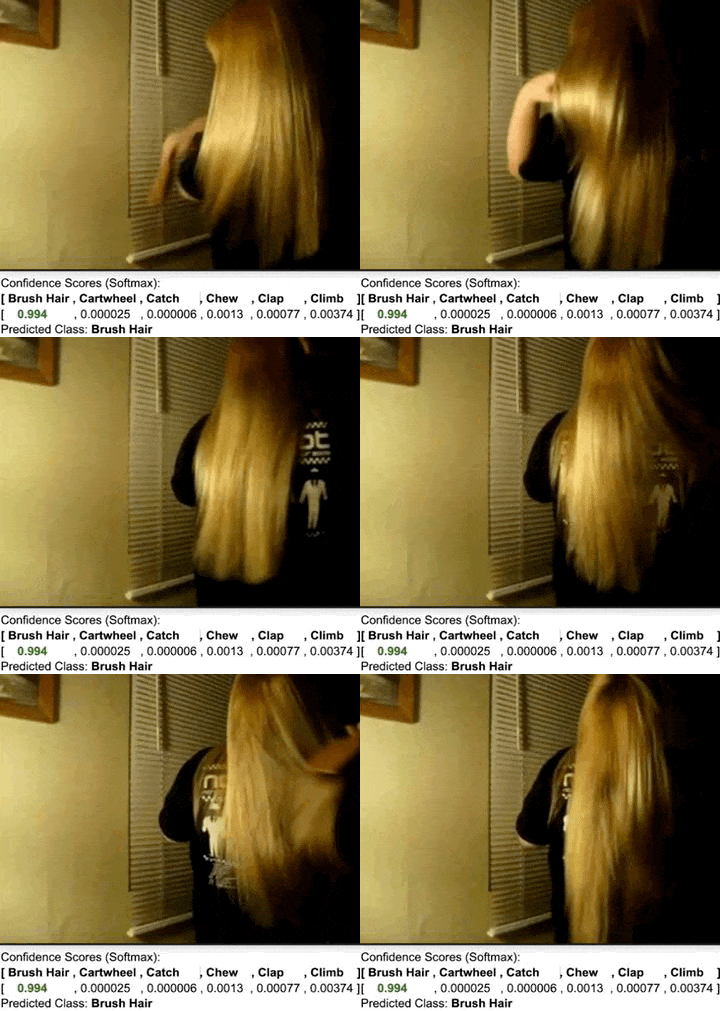
Demo

An overview of the library is shown as below. Each module in AutoVideo is wrapped as a primitive with some hyperparameters. A pipeline consists of a series of primitives from pre-processing to action recognition. AutoVideo is equipped with tuners to search models and hyperparameters. We welcome contributions to enrich AutoVideo with more primitives. You can find instructions in Contributing Guide.

Overview

Cite this work

If you find this repo useful, you may cite:

Zha, Daochen, et al. "AutoVideo: An Automated Video Action Recognition System." arXiv preprint arXiv:2108.0421 (2021).

@article{zha2021autovideo,
  title={AutoVideo: An Automated Video Action Recognition System},
  author={Zha, Daochen and Bhat, Zaid and Chen, Yi-Wei and Wang, Yicheng and Ding, Sirui and Jain, Anmoll and Bhat, Mohammad and Lai, Kwei-Herng and Chen, Jiaben and Zou, Na and Hu, Xia},
  journal={arXiv preprint arXiv:2108.04212},
  year={2021}
}

Installation

Make sure that you have Python 3.6 and pip installed. Currently the code is only tested in Linux system. First, install torch and torchvision with

pip3 install torch
pip3 install torchvision

To use the automated searching, you need to install ray-tune and hyperopt with

pip3 install 'ray[tune]' hyperopt

We recommend installing the stable version of autovideo with pip:

pip3 install autovideo

Alternatively, you can clone the latest version with

git clone https://github.com/datamllab/autovideo.git

Then install with

cd autovideo
pip3 install -e .

Toy Examples

To try the examples, you may download hmdb6 dataset, which is a subset of hmdb51 with only 6 classes. All the datasets can be downloaded from Google Drive. Then, you may unzip a dataset and put it in datasets.

Fitting and saving a pipeline

python3 examples/fit.py

Some important hyperparameters are as follows.

  • --alg: the supported algorithm. Currently we support tsn, tsm, i3d, eco, eco_full, c3d, r2p1d, and r3d.
  • --pretrained: whether loading pre-trained weights and fine-tuning.
  • --gpu: which gpu device to use. Empty string for CPU.
  • --data_dir: the directory of the dataset
  • --log_dir: the path for sainge the log
  • --save_dir: the path for saving the fitted pipeline

Loading a fitted pipeline and producing predictions

After fitting a pipeline, you can load a pipeline and make predictions.

python3 examples/produce.py

Some important hyperparameters are as follows.

  • --gpu: which gpu device to use. Empty string for CPU.
  • --data_dir: the directory of the dataset
  • --log_dir: the path for saving the log
  • --load_dir: the path for loading the fitted pipeline

Loading a fitted pipeline and recogonizing actions

After fitting a pipeline, you can also make predicitons on a single video. As a demo, you may download the fitted pipeline and the demo video from Google Drive. Then, you can use the following command to recogonize the action in the video:

python3 examples/recogonize.py

Some important hyperparameters are as follows.

  • --gpu: which gpu device to use. Empty string for CPU.
  • --video_path: the path of video file
  • --log_dir: the path for saving the log
  • --load_dir: the path for loading the fitted pipeline

Fitting and producing a pipeline

Alternatively, you can do fit and produce without saving the model with

python3 examples/fit_produce.py

Some important hyperparameters are as follows.

  • --alg: the supported algorithm.
  • --pretrained: whether loading pre-trained weights and fine-tuning.
  • --gpu: which gpu device to use. Empty string for CPU.
  • --data_dir: the directory of the dataset
  • --log_dir: the path for saving the log

Automated searching

In addition to running them by yourself, we also support automated model selection and hyperparameter tuning:

python3 examples/search.py

Some important hyperparameters are as follows.

  • --alg: the searching algorithm. Currently, we support random and hyperopt.
  • --num_samples: the number of samples to be tried
  • --gpu: which gpu device to use. Empty string for CPU.
  • --data_dir: the directory of the dataset

Supported Algorithms

Algorithms Primitive Path Paper
TSN autovideo/recognition/tsn_primitive.py Temporal Segment Networks: Towards Good Practices for Deep Action Recognition
TSM autovideo/recognition/tsm_primitive.py TSM: Temporal Shift Module for Efficient Video Understanding
R2P1D autovideo/recognition/r2p1d_primitive.py A Closer Look at Spatiotemporal Convolutions for Action Recognition
R3D autovideo/recognition/r3d_primitive.py Learning spatio-temporal features with 3d residual networks for action recognition
C3D autovideo/recognition/c3d_primitive.py Learning Spatiotemporal Features with 3D Convolutional Networks
ECO-Lite autovideo/recognition/eco_primitive.py ECO: Efficient Convolutional Network for Online Video Understanding
ECO-Full autovideo/recognition/eco_full_primitive.py ECO: Efficient Convolutional Network for Online Video Understanding
I3D autovideo/recognition/i3d_primitive.py Quo Vadis, Action Recognition? A New Model and the Kinetics Dataset

Advanced Usage

Beyond the above examples, you can also customize the configurations.

Configuring the hypereparamters

Each model in AutoVideo is wrapped as a primitive, which contains some hyperparameters. An example of TSN is here. All the hyperparameters can be specified when building the pipeline by passing a config dictionary. See examples/fit.py.

Configuring the search space

The tuner will search the best hyperparamter combinations within a search sapce to improve the performance. The search space can be defined with ray-tune. See examples/search.py.

Preparing datasets and benchmarking

The datasets must follow d3m format, which consists of a csv file and a media folder. The csv file should have three columns to specify the instance indices, video file names and labels. An example is as below

d3mIndex,video,label
0,Aussie_Brunette_Brushing_Hair_II_brush_hair_u_nm_np1_ri_med_3.avi,0
1,brush_my_hair_without_wearing_the_glasses_brush_hair_u_nm_np1_fr_goo_2.avi,0
2,Brushing_my_waist_lenth_hair_brush_hair_u_nm_np1_ba_goo_0.avi,0
3,brushing_raychel_s_hair_brush_hair_u_cm_np2_ri_goo_2.avi,0
4,Brushing_Her_Hair__[_NEW_AUDIO_]_UPDATED!!!!_brush_hair_h_cm_np1_le_goo_1.avi,0
5,Haarek_mmen_brush_hair_h_cm_np1_fr_goo_0.avi,0
6,Haarek_mmen_brush_hair_h_cm_np1_fr_goo_1.avi,0
7,Prelinger_HabitPat1954_brush_hair_h_nm_np1_fr_med_26.avi,0
8,brushing_hair_2_brush_hair_h_nm_np1_ba_med_2.avi,0

The media folder should contain video files. You may refer to our example hmdb6 dataset in Google Drive. We have also prepared hmdb51 and ucf101 in the Google Drive for benchmarking. Please read benchmark for more details. For some of the algorithms (C3D, R2P1D and R3D), if you want to load the pre-trained weights and fine-tune, you need to download the weights from Google Drive and put it to weights.

Acknowledgement

We gratefully acknowledge the Data Driven Discovery of Models (D3M) program of the Defense Advanced Research Projects Agency (DARPA).

Comments
  • Problem with generating fitted timelines

    Problem with generating fitted timelines

    Hi all!

    I'm running into some problems with generating fitted pipelines for the different algorithms available. So I was trying to run the following command:

    python3 examples/fit.py --alg tsn --pretrained --gpu 0,1 --data_dir datasets/hmdb6/ --log_path logs/tsn.txt --save_path fittted_timelines/TSN/

    And I got the following output.

    --> Running on the GPU

    Initializing TSN with base model: resnet50. TSN Configurations: input_modality: RGB num_segments: 3 new_length: 1 consensus_module: avg dropout_ratio: 0.8

    Downloading: "https://download.pytorch.org/models/resnet50-0676ba61.pth" to /home/myuser/.cache/torch/hub/checkpoints/resnet50-0676ba61.pth 100%|##########| 97.8M/97.8M [00:02<00:00, 40.4MB/s] Downloading: "https://open-mmlab.s3.ap-northeast-2.amazonaws.com/mmaction/models/kinetics400/tsn2d_kinetics400_rgb_r50_seg3_f1s1-b702e12f.pth" to /home/myuser/.cache/torch/hub/checkpoints/tsn2d_kinetics400_rgb_r50_seg3_f1s1-b702e12f.pth Traceback (most recent call last): File "/home/myuser/anaconda3/envs/autovideo/lib/python3.6/site-packages/d3m/runtime.py", line 1008, in _do_run_step self._run_step(step) File "/home/myuser/anaconda3/envs/autovideo/lib/python3.6/site-packages/d3m/runtime.py", line 998, in _run_step self._run_primitive(step) File "/home/myuser/anaconda3/envs/autovideo/lib/python3.6/site-packages/d3m/runtime.py", line 873, in _run_primitive multi_call_result = self._call_primitive_method(primitive.fit_multi_produce, fit_multi_produce_arguments) File "/home/myuser/anaconda3/envs/autovideo/lib/python3.6/site-packages/d3m/runtime.py", line 974, in _call_primitive_method raise error File "/home/myuser/anaconda3/envs/autovideo/lib/python3.6/site-packages/d3m/runtime.py", line 970, in _call_primitive_method result = method(**arguments) File "/home/myuser/anaconda3/envs/autovideo/lib/python3.6/site-packages/d3m/primitive_interfaces/base.py", line 532, in fit_multi_produce return self._fit_multi_produce(produce_methods=produce_methods, timeout=timeout, iterations=iterations, inputs=inputs, outputs=outputs) File "/home/myuser/anaconda3/envs/autovideo/lib/python3.6/site-packages/d3m/primitive_interfaces/base.py", line 559, in _fit_multi_produce fit_result = self.fit(timeout=timeout, iterations=iterations) File "/home/myuser/autovideo/autovideo/base/supervised_base.py", line 54, in fit self._init_model(pretrained = self.hyperparams['load_pretrained']) File "/home/myuser/autovideo/autovideo/recognition/tsn_primitive.py", line 206, in _init_model model_data = load_state_dict_from_url(pretrained_url) File "/home/myuser/anaconda3/envs/autovideo/lib/python3.6/site-packages/torch/hub.py", line 553, in load_state_dict_from_url download_url_to_file(url, cached_file, hash_prefix, progress=progress) File "/home/myuser/anaconda3/envs/autovideo/lib/python3.6/site-packages/torch/hub.py", line 419, in download_url_to_file u = urlopen(req) File "/home/myuser/anaconda3/envs/autovideo/lib/python3.6/urllib/request.py", line 223, in urlopen return opener.open(url, data, timeout) File "/home/myuser/anaconda3/envs/autovideo/lib/python3.6/urllib/request.py", line 532, in open response = meth(req, response) File "/home/myuser/anaconda3/envs/autovideo/lib/python3.6/urllib/request.py", line 642, in http_response 'http', request, response, code, msg, hdrs) File "/home/myuser/anaconda3/envs/autovideo/lib/python3.6/urllib/request.py", line 570, in error return self._call_chain(*args) File "/home/myuser/anaconda3/envs/autovideo/lib/python3.6/urllib/request.py", line 504, in _call_chain result = func(*args) File "/home/myuser/anaconda3/envs/autovideo/lib/python3.6/urllib/request.py", line 650, in http_error_default raise HTTPError(req.full_url, code, msg, hdrs, fp) urllib.error.HTTPError: HTTP Error 403: Forbidden

    The above exception was the direct cause of the following exception:

    Traceback (most recent call last): File "examples/fit.py", line 61, in run(args) File "examples/fit.py", line 49, in run pipeline=pipeline) File "/home/myuser/autovideo/autovideo/utils/axolotl_utils.py", line 55, in fit raise pipeline_result.error File "/home/myuser/anaconda3/envs/autovideo/lib/python3.6/site-packages/d3m/runtime.py", line 1039, in _run self._do_run() File "/home/myuser/anaconda3/envs/autovideo/lib/python3.6/site-packages/d3m/runtime.py", line 1025, in _do_run self._do_run_step(step) File "/home/myuser/anaconda3/envs/autovideo/lib/python3.6/site-packages/d3m/runtime.py", line 1017, in _do_run_step ) from error d3m.exceptions.StepFailedError: Step 5 for pipeline e61792eb-f54b-44ae-931c-f0f965c5e9de failed.

    As you can see, I'm having problems with an Access Denied to the .pth files hosted at Amazon Cloud. Do you have any ideas on how to fix this?

    opened by viniciusarasantos 6
  • Running Predictions with pertained weights

    Running Predictions with pertained weights

    Hi,

    I'm trying to benchmark the hmdb51 and ucf101 datasets with the pertained weights available on Google Drive. I'm unfamiliar with axolotl library and am a little confused on how to populate fitted_pipeline['runtime'] if I don't try fitting using example/fit.py. Do you have any suggestions on how to accomplish this?

    Thank you, Rohita

    opened by nmochar2 2
  • About deprecated functions and current examples

    About deprecated functions and current examples

    opened by aendrs 1
  • AssertionError: assert os.path.exists(NO_SPLIT_TABULAR_SPLIT_PIPELINE_PATH)

    AssertionError: assert os.path.exists(NO_SPLIT_TABULAR_SPLIT_PIPELINE_PATH)

    I am trying to run the given example of hmbd6 but getting error :

    Traceback (most recent call last):
      File "examples/fit.py", line 56, in <module>
        run(args)
      File "examples/fit.py", line 20, in run
        from autovideo.utils import set_log_path, logger
      File "/content/autovideo/autovideo/__init__.py", line 4, in <module>
        from .utils import build_pipeline, fit, produce, fit_produce, produce_by_path, compute_accuracy_with_preds
      File "/content/autovideo/autovideo/utils/__init__.py", line 2, in <module>
        from .axolotl_utils import *
      File "/content/autovideo/autovideo/utils/axolotl_utils.py", line 12, in <module>
        from axolotl.backend.simple import SimpleRunner
      File "/usr/local/lib/python3.7/dist-packages/axolotl/backend/simple.py", line 5, in <module>
        from d3m import runtime as runtime_module
      File "/usr/local/lib/python3.7/dist-packages/d3m/runtime.py", line 23, in <module>
        from d3m.contrib import pipelines as contrib_pipelines
      File "/usr/local/lib/python3.7/dist-packages/d3m/contrib/pipelines/__init__.py", line 13, in <module>
        assert os.path.exists(NO_SPLIT_TABULAR_SPLIT_PIPELINE_PATH)
    AssertionError
    

    Running on Google colab. Code :

    !git clone https://github.com/datamllab/autovideo.git
    
    %cd autovideo
    !pip3 install -e .
    
    !gdown --id 1nLTjp6l6UucXEy8_eOM5Zj4Q1m79OhmT
    !unzip hmdb6.zip -d datasets
    
    !python3 examples/fit.py --alg tsn --data_dir datasets/hmdb6/ --gpu "cuda"
    

    How to resolve it?

    opened by akshay-gupta123 1
  • examples/recogonize.py does not work out of the box.

    examples/recogonize.py does not work out of the box.

    Minimum size of dataset is 4, I have the following hack in produce_by_path that works.

    # minimum size is 4
    dataset = {
        'd3mIndex': [0,1,2,3],
        'video': [video_name,video_name,video_name,video_name],
        'label': [0,0,0,0]
    }
    
    opened by danieltanfh95 3
  • Does not work with latest torch

    Does not work with latest torch

    works with torch==1.9.0 , torchvision==0.10.0 because torchvision has deprecated Scale in favour of Resize but d3m does not support it yet, so need to downgrade to torchvision<0.12.0 for this repo to work.

    opened by danieltanfh95 0
  • d3m exceptions StepFailedError

    d3m exceptions StepFailedError

    d3m.exceptions.StepFailedError: Step 7 for pipeline c43355b7-0e87-499f-a9f2-defc56b6713a failed

    I have trained this model using fit.py on your given dataset and saved weights in the weights directory than I run produce.py these two files run smoothly. But when I try to run recognize.py it gives me this exception.

    opened by muneebsaif 3
  • from autovideo import extract_frames is nor working

    from autovideo import extract_frames is nor working

    when i ran

    "from autovideo import extract_frames"

    I get following error

    "ImportError: cannot import name 'extract_frames' from 'autovideo' (/Volumes/Disk-Data/pose estimation/autovideo-main/autovideo/init.py)"

    opened by amitvermanit 10
  • Doubt about TSM temporal shift

    Doubt about TSM temporal shift

    Hi,

    First of all, I'd like to congratulate about this repo, we've found this very useful. While training TSM, we've discovered that the parameter is_shift is by default false. Also, the import there cannot be resolved since the original make_temporal_shift code is not integrated into this repo.

    Without is_shift enabled, does that mean that we're using a vanilla 2D Resnet50 and averaging the output of every input image in the sequence? Am I missing anything? The original contribution of TSM was this special temporal shift in the internal feature maps of any 2D CNN model.

    Thanks in advance.

    opened by alejandrosatis 1
Releases(1.2.1)
Owner
Data Analytics Lab at Texas A&M University
We develop automated and interpretable machine learning algorithms/systems with understanding of their theoretical properties.
Data Analytics Lab at Texas A&M University
Wider-Yolo Kütüphanesi ile Yüz Tespit Uygulamanı Yap

WIDER-YOLO : Yüz Tespit Uygulaması Yap Wider-Yolo Kütüphanesinin Kullanımı 1. Wider Face Veri Setini İndir Train Dataset Val Dataset Test Dataset Not:

Kadir Nar 6 Aug 22, 2022
Code for our CVPR 2021 Paper "Rethinking Style Transfer: From Pixels to Parameterized Brushstrokes".

Rethinking Style Transfer: From Pixels to Parameterized Brushstrokes (CVPR 2021) Project page | Paper | Colab | Colab for Drawing App Rethinking Style

CompVis Heidelberg 153 Jan 04, 2023
EFENet: Reference-based Video Super-Resolution with Enhanced Flow Estimation

EFENet EFENet: Reference-based Video Super-Resolution with Enhanced Flow Estimation Code is a bit messy now. I woud clean up soon. For training the EF

Yaping Zhao 19 Nov 05, 2022
Pure python PEMDAS expression solver without using built-in eval function

pypemdas Pure python PEMDAS expression solver without using built-in eval function. Supports nested parenthesis. Supported operators: + - * / ^ Exampl

1 Dec 22, 2021
Code for Ditto: Building Digital Twins of Articulated Objects from Interaction

Ditto: Building Digital Twins of Articulated Objects from Interaction Zhenyu Jiang, Cheng-Chun Hsu, Yuke Zhu CVPR 2022, Oral Project | arxiv News 2022

UT Robot Perception and Learning Lab 78 Dec 22, 2022
Codebase for the paper titled "Continual learning with local module selection"

This repository contains the codebase for the paper Continual Learning via Local Module Composition. Setting up the environemnt Create a new conda env

Oleksiy Ostapenko 20 Dec 10, 2022
Pytorch library for end-to-end transformer models training and serving

Pytorch library for end-to-end transformer models training and serving

Mikhail Grankin 768 Jan 01, 2023
PFLD pytorch Implementation

PFLD-pytorch Implementation of PFLD A Practical Facial Landmark Detector by pytorch. 1. install requirements pip3 install -r requirements.txt 2. Datas

zhaozhichao 669 Jan 02, 2023
Leaderboard, taxonomy, and curated list of few-shot object detection papers.

Leaderboard, taxonomy, and curated list of few-shot object detection papers.

Gabriel Huang 70 Jan 07, 2023
An ever-growing playground of notebooks showcasing CLIP's impressive zero-shot capabilities.

Playground for CLIP-like models Demo Colab Link GradCAM Visualization Naive Zero-shot Detection Smarter Zero-shot Detection Captcha Solver Changelog 2

Kevin Zakka 101 Dec 30, 2022
Yolov5 deepsort inference,使用YOLOv5+Deepsort实现车辆行人追踪和计数,代码封装成一个Detector类,更容易嵌入到自己的项目中

使用YOLOv5+Deepsort实现车辆行人追踪和计数,代码封装成一个Detector类,更容易嵌入到自己的项目中。

813 Dec 31, 2022
Sequential model-based optimization with a `scipy.optimize` interface

Scikit-Optimize Scikit-Optimize, or skopt, is a simple and efficient library to minimize (very) expensive and noisy black-box functions. It implements

Scikit-Optimize 2.5k Jan 04, 2023
2D Time independent Schrodinger equation solver for arbitrary shape of well

Schrodinger Well Python Python solver for timeless Schrodinger equation for well with arbitrary shape https://imgur.com/a/jlhK7OZ Pictures of circular

WeightAn 24 Nov 18, 2022
Simple and Robust Loss Design for Multi-Label Learning with Missing Labels

Simple and Robust Loss Design for Multi-Label Learning with Missing Labels Official PyTorch Implementation of the paper Simple and Robust Loss Design

Xinyu Huang 28 Oct 27, 2022
DeepSpeed is a deep learning optimization library that makes distributed training easy, efficient, and effective.

DeepSpeed+Megatron trained the world's most powerful language model: MT-530B DeepSpeed is hiring, come join us! DeepSpeed is a deep learning optimizat

Microsoft 8.4k Dec 28, 2022
Equivariant layers for RC-complement symmetry in DNA sequence data

Equi-RC Equivariant layers for RC-complement symmetry in DNA sequence data This is a repository that implements the layers as described in "Reverse-Co

7 May 19, 2022
The backbone CSPDarkNet of YOLOX.

YOLOX-Backbone The backbone CSPDarkNet of YOLOX. In this project, you can enjoy: CSPDarkNet-S CSPDarkNet-M CSPDarkNet-L CSPDarkNet-X CSPDarkNet-Tiny C

Jianhua Yang 9 Aug 22, 2022
GLNet for Memory-Efficient Segmentation of Ultra-High Resolution Images

GLNet for Memory-Efficient Segmentation of Ultra-High Resolution Images Collaborative Global-Local Networks for Memory-Efficient Segmentation of Ultra-

VITA 298 Dec 12, 2022
iris - Open Source Photos Platform Powered by PyTorch

Open Source Photos Platform Powered by PyTorch. Submission for PyTorch Annual Hackathon 2021.

Omkar Prabhu 137 Sep 10, 2022
This is the official implementation of the paper "Object Propagation via Inter-Frame Attentions for Temporally Stable Video Instance Segmentation".

ObjProp Introduction This is the official implementation of the paper "Object Propagation via Inter-Frame Attentions for Temporally Stable Video Insta

Anirudh S Chakravarthy 6 May 03, 2022