

Plot, scatter plots and histograms in the terminal using braille dots

Overview

Plotille

CircleCI Coverage Status Language grade: Python Tested CPython Versions Tested PyPy Versions PyPi version PyPi license

Plot, scatter plots and histograms in the terminal using braille dots, with (almost) no dependancies. Plot with color or make complex figures - similar to a very small sibling to matplotlib. Or use the canvas to plot dots and lines yourself.

Install:

pip install plotille

Similar to other libraries:

  • like drawille, but focused on graphing – plus X/Y-axis.
  • like termplot, but with braille (finer dots), left to right histogram and linear interpolation for plotting function.
  • like termgraph (not on pypi), but very different style.
  • like terminalplot, but with braille, X/Y-axis, histogram, linear interpolation.

Basic support for timeseries plotting is provided with release 3.2: for any X or Y values you can also add datetime.datetime, pendulum.datetime or numpy.datetime64 values. Labels are generated respecting the difference of x_limits and y_limits.

Documentation

In [1]: import plotille
In [2]: import numpy as np
In [3]: X = np.sort(np.random.normal(size=1000))

Figure

To construct plots the recomended way is to use a Figure:

In [12]: plotille.Figure?
Init signature: plotille.Figure()
Docstring:
Figure class to compose multiple plots.

Within a Figure you can easily compose many plots, assign labels to plots
and define the properties of the underlying Canvas. Possible properties that
can be defined are:

    width, height: int    Define the number of characters in X / Y direction
                          which are used for plotting.
    x_limits: float       Define the X limits of the reference coordinate system,
                          that will be plottered.
    y_limits: float       Define the Y limits of the reference coordinate system,
                          that will be plottered.
    color_mode: str       Define the used color mode. See `plotille.color()`.
    with_colors: bool     Define, whether to use colors at all.
    background: multiple  Define the background color.
    x_label, y_label: str Define the X / Y axis label.

Basically, you create a Figure, define the properties and add your plots. Using the show() function, the Figure generates the plot using a new canvas:

In [13] fig = plotille.Figure()
In [14] fig.width = 60
In [15] fig.height = 30
In [16] fig.set_x_limits(min_=-3, max_=3)
In [17] fig.set_y_limits(min_=-1, max_=1)
In [18] fig.color_mode = 'byte'
In [19] fig.plot([-0.5, 1], [-1, 1], lc=25, label='First line')
In [20] fig.scatter(X, np.sin(X), lc=100, label='sin')
In [21] fig.plot(X, (X+2)**2 , lc=200, label='square')
In [22] print(fig.show(legend=True))

The available plotting functions are:

# create a plot with linear interpolation between points
Figure.plot(self, X, Y, lc=None, interp='linear', label=None)
# create a scatter plot with no interpolation between points
Figure.scatter(self, X, Y, lc=None, label=None)
# create a histogram over X
Figure.histogram(self, X, bins=160, lc=None)

Other interesting functions are:

# remove all plots from the figure
Figure.clear(self)
# Create a canvas, plot the registered plots and return the string for displaying the plot
Figure.show(self, legend=False)

Graphing:

There are some utility functions for fast graphing of single plots.

Plot:

In [4]: plotille.plot?
Signature:
plt.plot(
    X,
    Y,
    width=80,
    height=40,
    X_label='X',
    Y_label='Y',
    linesep='\n',
    interp='linear',
    x_min=None,
    x_max=None,
    y_min=None,
    y_max=None,
    lc=None,
    bg=None,
    color_mode='names',
    origin=True,
)
Docstring:
Create plot with X , Y values and linear interpolation between points

Parameters:
    X: List[float]         X values.
    Y: List[float]         Y values. X and Y must have the same number of entries.
    width: int             The number of characters for the width (columns) of the canvas.
    hight: int             The number of characters for the hight (rows) of the canvas.
    X_label: str           Label for X-axis.
    Y_label: str           Label for Y-axis. max 8 characters.
    linesep: str           The requested line seperator. default: os.linesep
    interp: Optional[str]  Specify interpolation; values None, 'linear'
    x_min, x_max: float    Limits for the displayed X values.
    y_min, y_max: float    Limits for the displayed Y values.
    lc: multiple           Give the line color.
    bg: multiple           Give the background color.
    color_mode: str        Specify color input mode; 'names' (default), 'byte' or 'rgb'
                           see plotille.color.__docs__
    origin: bool           Whether to print the origin. default: True

Returns:
    str: plot over `X`, `Y`.

In [5]: print(plotille.plot(X, np.sin(X), height=30, width=60))

Scatter:

In [6]: plotille.scatter?
Signature:
plt.scatter(
    X,
    Y,
    width=80,
    height=40,
    X_label='X',
    Y_label='Y',
    linesep='\n',
    x_min=None,
    x_max=None,
    y_min=None,
    y_max=None,
    lc=None,
    bg=None,
    color_mode='names',
    origin=True,
)
Docstring:
Create scatter plot with X , Y values

Basically plotting without interpolation:
    `plot(X, Y, ... , interp=None)`

Parameters:
    X: List[float]       X values.
    Y: List[float]       Y values. X and Y must have the same number of entries.
    width: int           The number of characters for the width (columns) of the canvas.
    hight: int           The number of characters for the hight (rows) of the canvas.
    X_label: str         Label for X-axis.
    Y_label: str         Label for Y-axis. max 8 characters.
    linesep: str         The requested line seperator. default: os.linesep
    x_min, x_max: float  Limits for the displayed X values.
    y_min, y_max: float  Limits for the displayed Y values.
    lc: multiple         Give the line color.
    bg: multiple         Give the background color.
    color_mode: str      Specify color input mode; 'names' (default), 'byte' or 'rgb'
                         see plotille.color.__docs__
    origin: bool         Whether to print the origin. default: True

Returns:
    str: scatter plot over `X`, `Y`.

In [7]: print(plotille.scatter(X, np.sin(X), height=30, width=60))

Hist:

Inspired by crappyhist (link is gone, but I made a gist).

In [8]: plotille.hist?
Signature: plotille.hist(X, bins=40, width=80, log_scale=False, linesep='\n', lc=None, bg=None, color_mode='names')
Docstring:
Create histogram over `X` from left to right

The values on the left are the center of the bucket, i.e. `(bin[i] + bin[i+1]) / 2`.
The values on the right are the total counts of this bucket.

Parameters:
    X: List[float]  The items to count over.
    bins: int       The number of bins to put X entries in (rows).
    width: int      The number of characters for the width (columns).
    log_scale: bool Scale the histogram with `log` function.
    linesep: str    The requested line seperator. default: os.linesep
    lc: multiple         Give the line color.
    bg: multiple         Give the background color.
    color_mode: str      Specify color input mode; 'names' (default), 'byte' or 'rgb'
                         see plotille.color.__docs__

Returns:
    str: histogram over `X` from left to right.

In [9]: print(plotille.hist(np.random.normal(size=10000)))

Histogram:

There is also another more 'usual' histogram function available:

In [10]: plotille.histogram?
Signature: plotille.histogram(X, bins=160, width=80, height=40, X_label='X', Y_label='Counts', linesep='\n', x_min=None, x_max=None, y_min=None, y_max=None, lc=None, bg=None, color_mode='names')
Docstring:
Create histogram over `X`

In contrast to `hist`, this is the more `usual` histogram from bottom
to up. The X-axis represents the values in `X` and the Y-axis is the
corresponding frequency.

Parameters:
    X: List[float]  The items to count over.
    bins: int       The number of bins to put X entries in (columns).
    height: int     The number of characters for the height (rows).
    X_label: str    Label for X-axis.
    Y_label: str    Label for Y-axis. max 8 characters.
    linesep: str    The requested line seperator. default: os.linesep
    x_min, x_max: float  Limits for the displayed X values.
    y_min, y_max: float  Limits for the displayed Y values.
    lc: multiple         Give the line color.
    bg: multiple         Give the background color.
    color_mode: str      Specify color input mode; 'names' (default), 'byte' or 'rgb'
                         see plotille.color.__docs__

Returns:
    str: histogram over `X`.

In [11]: print(plotille.histogram(np.random.normal(size=10000)))

Canvas:

The underlying plotting area is modeled as the Canvas class:

In [12]: plotille.Canvas?
Init signature: plotille.Canvas(width, height, xmin=0, ymin=0, xmax=1, ymax=1, background=None, color_mode='names')
Docstring:
A canvas object for plotting braille dots

A Canvas object has a `width` x `height` characters large canvas, in which it
can plot indivitual braille point, lines out of braille points, rectangles,...
Since a full braille character has 2 x 4 dots (⣿), the canvas has `width` * 2, `height` * 4
dots to plot into in total.

It maintains two coordinate systems: a reference system with the limits (xmin, ymin)
in the lower left corner to (xmax, ymax) in the upper right corner is transformed
into the canvas discrete, i.e. dots, coordinate system (0, 0) to (`width` * 2, `height` * 4).
It does so transparently to clients of the Canvas, i.e. all plotting functions
only accept coordinates in the reference system. If the coordinates are outside
the reference system, they are not plotted.
Init docstring:
Initiate a Canvas object

Parameters:
    width: int            The number of characters for the width (columns) of the canvas.
    hight: int            The number of characters for the hight (rows) of the canvas.
    xmin, ymin: float     Lower left corner of reference system.
    xmax, ymax: float     Upper right corner of reference system.
    background: multiple  Background color of the canvas.
    color_mode: str       The color-mode for all colors of this canvas; either 'names' (default)
                          'rgb' or 'byte'. See `plotille.color()`.

Returns:
    Canvas object

The most interesting functions are:

point:

Signature: plotille.Canvas.point(self, x, y, set_=True, color=None)
Docstring:
Put a point into the canvas at (x, y) [reference coordinate system]

Parameters:
    x: float         x-coordinate on reference system.
    y: float         y-coordinate on reference system.
    set_: bool       Whether to plot or remove the point.
    color: multiple  Color of the point.

line:

In [14]: plotille.Canvas.line?
Signature: plotille.Canvas.line(self, x0, y0, x1, y1, set_=True, color=None)
Docstring:
Plot line between point (x0, y0) and (x1, y1) [reference coordinate system].

Parameters:
    x0, y0: float    Point 0
    x1, y1: float    Point 1
    set_: bool       Whether to plot or remove the line.
    color: multiple  Color of the line.

rect:

In [15]: Canvas.rect?
Signature: plotille.Canvas.rect(self, xmin, ymin, xmax, ymax, set_=True, color=None)
Docstring:
Plot rectangle with bbox (xmin, ymin) and (xmax, ymax) [reference coordinate system].

Parameters:
    xmin, ymin: float  Lower left corner of rectangle.
    xmax, ymax: float  Upper right corner of rectangle.
    set_: bool         Whether to plot or remove the rect.
    color: multiple    Color of the rect.

plot:

In [16]: Canvas.plot?
Signature: plotille.Canvas.plot(self, x_axis=False, y_axis=False, y_label='Y', x_label='X', linesep='\n')
Docstring:
Transform canvas into `print`-able string

Parameters:
    x_axis: bool  Add a X-axis at the bottom.
    y_axis: bool  Add a Y-axis to the left.
    y_label: str  Label for Y-axis. max 8 characters.
    x_label: str  Label for X-axis.
    linesep: str  The requested line seperator. default: os.linesep

Returns:
    unicode: The cancas as a string.

You can use it for example to plot a house in the terminal:

In [17]: c = Canvas(width=40, height=20)
In [18]: c.rect(0.1, 0.1, 0.6, 0.6)
In [19]: c.line(0.1, 0.1, 0.6, 0.6)
In [20]: c.line(0.1, 0.6, 0.6, 0.1)
In [21]: c.line(0.1, 0.6, 0.35, 0.8)
In [22]: c.line(0.35, 0.8, 0.6, 0.6)
In [23]: print(c.plot())

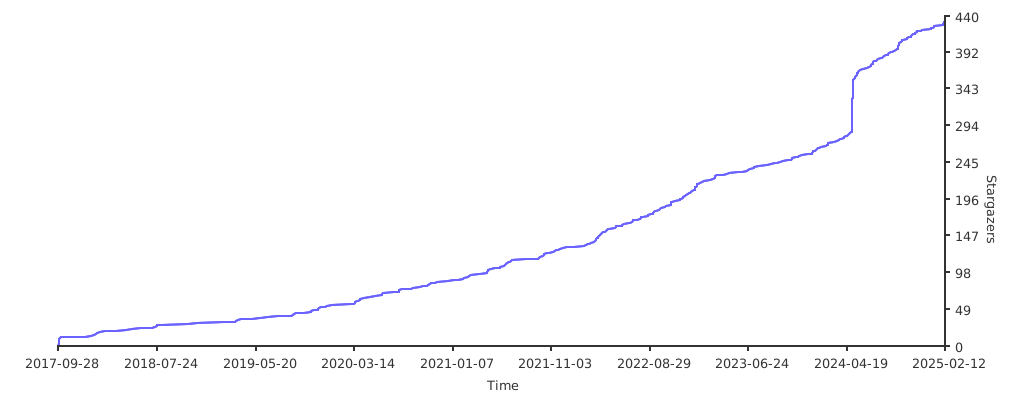
Stargazers over time

Stargazers over time

Comments
  • Integer values for X axis

    Integer values for X axis

    First of all let me thank you for this tool. I've been using it to graph a lot of things lately, and it rocks!

    Something that I've noticed in many of my graphs is that the X axis values quickly become unreadable. An example of a graph I'm seeing now:

    0.00000   178.77778 357.55556 536.33333 715.11111 893.88889 1072.666671251.444441430.222221609.00000
    

    x

    I was wondering if it would be possible to tell plotille to just print the integer values for the X axis (without the decimal part) and set a min spacing (2 spaces maybe?) between the values.

    opened by andresriancho 9
  • Four quandrant scatter plot misalignment

    Four quandrant scatter plot misalignment

    Versions: plotille 3.6 Python 3.6.4 :: Anaconda custom (64-bit) Windows 10 Version 1809

    Environment: Jupyter Lab Version 0.35.3

    When plotting many points axes separators tend to become misaligned. Below is an example running a provided example script. This looks like a fantastic tool, would appreciate any help. Thank you.

    image

    opened by FinFighter 7
  • Add support for drawing histogram with pre-aggregated (buckets + counts) data

    Add support for drawing histogram with pre-aggregated (buckets + counts) data

    Background, Context

    A lot of Python libraries such as OpenTelemetry Metrics API (https://github.com/open-telemetry/opentelemetry-specification/blob/main/specification/metrics/sdk.md) support histograms.

    The problem is that those libraries expose pre-aggregated data (counts for each bucket) and not raw data. This is done intentionally since storing raw data could be very expensive in terms of memory usage in case there are a lot of samples.

    Here is an example of data available by OpenTelemetry metrics Histogram view:

     {
      'attributes': {},
       'bucket_counts': [1945, 0, 0, 0, 0, 0, 10555, 798, 0, 28351, 0],
       'count': 41649,
       'explicit_bounds': [10, 50, 100, 200, 300, 500, 800, 1000, 2000, 10000],
     }
    

    As you can see, we get we get counts for each bucket. Buckets go from (n[i], n[i+1]) whereas first item is -infinity and the last item is +infinity. In this example, buckets would look something like this: [(-inf, 10), (11, 20), (21, 50), ..., (10000, +inf)].

    Proposed Change / Implementation

    In this change I added a new function for graphing data which is already split into counts and bins.

    This pull request is not final (I just copied the existing code + made small change to show how it should work), I just wanted to get the discussion going (with some code and examples) so we can agree on the API which should be exposed.

    With the sample data above, this new function and bins which look like this:

    counts = bucket_counts
    bins = [float("+inf")]
    bins.extend(explicit_bounds)
    bins.append(float("+inf"))
    

    We get the following histogram:

            bucket       | ________________________________________________________________________________ Total Counts
    [inf     ,       10) | ⣿⣿⣿⣿⣿⣿⣿⣿⣿⠆⠀⠀⠀⠀⠀⠀⠀⠀⠀⠀⠀⠀⠀⠀⠀⠀⠀⠀⠀⠀⠀⠀⠀⠀⠀⠀⠀⠀⠀⠀⠀⠀⠀⠀⠀⠀⠀⠀⠀⠀⠀⠀⠀⠀⠀⠀⠀⠀⠀⠀⠀⠀⠀⠀⠀⠀⠀⠀⠀⠀⠀⠀⠀⠀⠀⠀⠀⠀⠀⠀⠀ 3269
    [10      ,       50) | ⠀⠀⠀⠀⠀⠀⠀⠀⠀⠀⠀⠀⠀⠀⠀⠀⠀⠀⠀⠀⠀⠀⠀⠀⠀⠀⠀⠀⠀⠀⠀⠀⠀⠀⠀⠀⠀⠀⠀⠀⠀⠀⠀⠀⠀⠀⠀⠀⠀⠀⠀⠀⠀⠀⠀⠀⠀⠀⠀⠀⠀⠀⠀⠀⠀⠀⠀⠀⠀⠀⠀⠀⠀⠀⠀⠀⠀⠀⠀⠀⠀ 0
    [50      ,      100) | ⠀⠀⠀⠀⠀⠀⠀⠀⠀⠀⠀⠀⠀⠀⠀⠀⠀⠀⠀⠀⠀⠀⠀⠀⠀⠀⠀⠀⠀⠀⠀⠀⠀⠀⠀⠀⠀⠀⠀⠀⠀⠀⠀⠀⠀⠀⠀⠀⠀⠀⠀⠀⠀⠀⠀⠀⠀⠀⠀⠀⠀⠀⠀⠀⠀⠀⠀⠀⠀⠀⠀⠀⠀⠀⠀⠀⠀⠀⠀⠀⠀ 0
    [100     ,      200) | ⠀⠀⠀⠀⠀⠀⠀⠀⠀⠀⠀⠀⠀⠀⠀⠀⠀⠀⠀⠀⠀⠀⠀⠀⠀⠀⠀⠀⠀⠀⠀⠀⠀⠀⠀⠀⠀⠀⠀⠀⠀⠀⠀⠀⠀⠀⠀⠀⠀⠀⠀⠀⠀⠀⠀⠀⠀⠀⠀⠀⠀⠀⠀⠀⠀⠀⠀⠀⠀⠀⠀⠀⠀⠀⠀⠀⠀⠀⠀⠀⠀ 0
    [200     ,      300) | ⠀⠀⠀⠀⠀⠀⠀⠀⠀⠀⠀⠀⠀⠀⠀⠀⠀⠀⠀⠀⠀⠀⠀⠀⠀⠀⠀⠀⠀⠀⠀⠀⠀⠀⠀⠀⠀⠀⠀⠀⠀⠀⠀⠀⠀⠀⠀⠀⠀⠀⠀⠀⠀⠀⠀⠀⠀⠀⠀⠀⠀⠀⠀⠀⠀⠀⠀⠀⠀⠀⠀⠀⠀⠀⠀⠀⠀⠀⠀⠀⠀ 0
    [300     ,      500) | ⣿⣿⣿⣿⣿⠆⠀⠀⠀⠀⠀⠀⠀⠀⠀⠀⠀⠀⠀⠀⠀⠀⠀⠀⠀⠀⠀⠀⠀⠀⠀⠀⠀⠀⠀⠀⠀⠀⠀⠀⠀⠀⠀⠀⠀⠀⠀⠀⠀⠀⠀⠀⠀⠀⠀⠀⠀⠀⠀⠀⠀⠀⠀⠀⠀⠀⠀⠀⠀⠀⠀⠀⠀⠀⠀⠀⠀⠀⠀⠀⠀ 1890
    [500     ,      800) | ⣿⣿⣿⣿⣿⣿⣿⣿⣿⣿⣿⣿⣿⣿⣿⣿⣿⣿⣿⣿⣿⣿⣿⣿⣿⣿⣿⡇⠀⠀⠀⠀⠀⠀⠀⠀⠀⠀⠀⠀⠀⠀⠀⠀⠀⠀⠀⠀⠀⠀⠀⠀⠀⠀⠀⠀⠀⠀⠀⠀⠀⠀⠀⠀⠀⠀⠀⠀⠀⠀⠀⠀⠀⠀⠀⠀⠀⠀⠀⠀⠀ 9706
    [800     ,     1000) | ⠀⠀⠀⠀⠀⠀⠀⠀⠀⠀⠀⠀⠀⠀⠀⠀⠀⠀⠀⠀⠀⠀⠀⠀⠀⠀⠀⠀⠀⠀⠀⠀⠀⠀⠀⠀⠀⠀⠀⠀⠀⠀⠀⠀⠀⠀⠀⠀⠀⠀⠀⠀⠀⠀⠀⠀⠀⠀⠀⠀⠀⠀⠀⠀⠀⠀⠀⠀⠀⠀⠀⠀⠀⠀⠀⠀⠀⠀⠀⠀⠀ 0
    [1000    ,     2000) | ⣿⣿⣿⣿⣿⣿⣿⣿⣿⣿⣿⣿⣿⣿⣿⣿⣿⣿⣿⣿⣿⣿⣿⣿⡗⠀⠀⠀⠀⠀⠀⠀⠀⠀⠀⠀⠀⠀⠀⠀⠀⠀⠀⠀⠀⠀⠀⠀⠀⠀⠀⠀⠀⠀⠀⠀⠀⠀⠀⠀⠀⠀⠀⠀⠀⠀⠀⠀⠀⠀⠀⠀⠀⠀⠀⠀⠀⠀⠀⠀⠀ 8709
    [2000    ,    10000) | ⣿⣿⣿⣿⣿⣿⣿⣿⣿⣿⣿⣿⣿⣿⣿⣿⣿⣿⣿⣿⣿⣿⣿⣿⣿⣿⣿⣿⣿⣿⣿⣿⣿⣿⣿⣿⣿⣿⣿⣿⣿⣿⣿⣿⣿⣿⣿⣿⣿⣿⣿⣿⣿⣿⣿⣿⣿⣿⣿⣿⣿⣿⣿⣿⣿⣿⣿⣿⣿⣿⣿⣿⣿⣿⣿⣿⣿⣿⣿⣿⠀ 28213
    [10000   ,      inf) | ⠀⠀⠀⠀⠀⠀⠀⠀⠀⠀⠀⠀⠀⠀⠀⠀⠀⠀⠀⠀⠀⠀⠀⠀⠀⠀⠀⠀⠀⠀⠀⠀⠀⠀⠀⠀⠀⠀⠀⠀⠀⠀⠀⠀⠀⠀⠀⠀⠀⠀⠀⠀⠀⠀⠀⠀⠀⠀⠀⠀⠀⠀⠀⠀⠀⠀⠀⠀⠀⠀⠀⠀⠀⠀⠀⠀⠀⠀⠀⠀⠀ 0
    ‾‾‾‾‾‾‾‾‾‾‾‾‾‾‾‾‾‾‾‾‾‾‾‾‾‾‾‾‾‾‾‾‾‾‾‾‾‾‾‾‾‾‾‾‾‾‾‾‾‾‾‾‾‾‾‾‾‾‾‾‾‾‾‾‾‾‾‾‾‾‾‾‾‾‾‾‾‾‾‾‾‾‾‾‾‾‾‾‾‾‾‾‾‾‾‾‾‾‾‾‾‾‾‾‾‾‾‾‾‾‾‾‾
    

    Feedback is welcome, especially on naming and things like that.

    TODO

    • [ ] Agree on the API / implementation
    • [ ] Finish implementing changes
    • [ ] Tests
    • [ ] Documentation
    • [ ] Examples
    opened by Kami 6
  • Accept `datetime.date` as X input

    Accept `datetime.date` as X input

    For time series plotting, python's built in datetime.datetime class is much appreciated! However, sometimes datetime.date is more convenient. Could these be accepted as input as well?

    feature request 
    opened by acarl005 6
  • Make y-values exakt or approximate values of the data inputs

    Make y-values exakt or approximate values of the data inputs

    I have the Issue, that the y-values spread unevenly, so that I have no clue what the actual values are. Here is the output

     (Usage)   ^
          1042 |
           975 | ⠀⠀⠀⠀⠀⠀⠀⠀⠀⠀⠀⠀⠀⠀⠀⠀⠀⠀⠀⠀⠀⠀⠀⠀⠀⠀⠀⠀⠀⠀⠀⠀⠀⠀⠀⠀⠀⠀⠀⠀⠀⠀⠀⠀⠀⠀⠀⠀⠀⠀⠀⠀⠀⠀⠀
           908 | ⠀⡖⠒⠒⠒⠒⠒⠒⠒⠒⠒⠒⠒⠒⠒⠒⠒⠒⠒⠒⠒⠒⠒⠒⠒⠒⠒⠒⠒⠒⠒⠒⠒⠒⠒⠒⠒⠒⠒⠒⠒⠒⠒⠒⠒⠒⠒⠒⠒⠒⠁⠀⠀⠀⠀
           840 | ⠀⡇⠀⠀⠀⠀⠀⠀⠀⠀⠀⠀⠀⠀⠀⠀⠀⠀⠀⠀⠀⠀⠀⠀⠀⠀⠀⠀⠀⠀⠀⠀⠀⠀⠀⠀⠀⠀⠀⠀⠀⠀⠀⠀⠀⠀⠀⠀⠀⠀⠀⠀⠀⠀⠀
           773 | ⠀⡇⠀⠀⠀⠀⠀⠀⠀⠀⠀⠀⠀⠀⠀⠀⠀⠀⠀⠀⠀⠀⠀⠀⠀⠀⠀⠀⠀⠀⠀⠀⠀⠀⠀⠀⠀⠀⠀⠀⠀⠀⠀⠀⠀⠀⠀⠀⠀⠀⠀⠀⠀⠀⠀
           706 | ⢀⠇⠀⠀⠀⠀⠀⠀⠀⠀⠀⠀⠀⠀⠀⠀⠀⠀⠀⠀⠀⠀⠀⠀⠀⠀⠀⠀⠀⠀⠀⠀⠀⠀⠀⠀⠀⠀⠀⠀⠀⠀⠀⠀⠀⠀⠀⠀⠀⠀⠀⠀⠀⠀⠀
           639 | ⢸⠀⠀⠀⠀⠀⠀⠀⠀⠀⠀⠀⠀⠀⠀⠀⠀⠀⠀⠀⠀⠀⠀⠀⠀⠀⠀⠀⠀⠀⠀⠀⠀⠀⠀⠀⠀⠀⠀⠀⠀⠀⠀⠀⠀⠀⠀⠀⠀⠀⠀⠀⠀⠀⠀
           571 | ⢸⠀⠀⠀⠀⠀⠀⠀⠀⠀⠀⠀⠀⠀⠀⠀⠀⠀⠀⠀⠀⠀⠀⠀⠀⠀⠀⠀⠀⠀⠀⠀⠀⠀⠀⠀⠀⠀⠀⠀⠀⠀⠀⠀⠀⠀⠀⠀⠀⠀⠀⠀⠀⠀⠀
           504 | ⢸⠀⠀⠀⠀⠀⠀⠀⠀⠀⠀⠀⠀⠀⠀⠀⠀⠀⠀⠀⠀⠀⠀⠀⠀⠀⠀⠀⠀⠀⠀⠀⠀⠀⠀⠀⠀⠀⠀⠀⠀⠀⠀⠀⠀⠀⠀⠀⠀⠀⠀⠀⠀⠀⠀
           437 | ⢸⠀⠀⠀⠀⠀⠀⠀⠀⠀⠀⠀⠀⠀⠀⠀⠀⠀⠀⠀⠀⠀⠀⠀⠀⠀⠀⠀⠀⠀⠀⠀⠀⠀⠀⠀⠀⠀⠀⠀⠀⠀⠀⠀⠀⠀⠀⠀⠀⠀⠀⠀⠀⠀⠀
           370 | ⢸⠀⠀⠀⠀⠀⠀⠀⠀⠀⠀⠀⠀⠀⠀⠀⠀⠀⠀⠀⠀⠀⠀⠀⠀⠀⠀⠀⠀⠀⠀⠀⠀⠀⠀⠀⠀⠀⠀⠀⠀⠀⠀⠀⠀⠀⠀⠀⠀⠀⠀⠀⠀⠀⠀
           302 | ⢸⠀⠀⠀⠀⠀⠀⠀⠀⠀⠀⠀⠀⠀⠀⠀⠀⠀⠀⠀⠀⠀⠀⠀⠀⠀⠀⠀⠀⠀⠀⠀⠀⠀⠀⠀⠀⠀⠀⠀⠀⠀⠀⠀⠀⠀⠀⠀⠀⠀⠀⠀⠀⠀⠀
           235 | ⡜⠀⠀⠀⠀⠀⠀⠀⠀⠀⠀⠀⠀⠀⠀⠀⠀⠀⠀⠀⠀⠀⠀⠀⠀⠀⠀⠀⠀⠀⠀⠀⠀⠀⠀⠀⠀⠀⠀⠀⠀⠀⠀⠀⠀⠀⠀⠀⠀⠀⠀⠀⠀⠀⠀
           168 | ⡇⠀⠀⠀⠀⠀⠀⠀⠀⠀⠀⠀⠀⠀⠀⠀⠀⠀⠀⠀⠀⠀⠀⠀⠀⠀⠀⠀⠀⠀⠀⠀⠀⠀⠀⠀⠀⠀⠀⠀⠀⠀⠀⠀⠀⠀⠀⠀⠀⠀⠀⠀⠀⠀⠀
           101 | ⡇⠀⠀⠀⠀⠀⠀⠀⠀⠀⠀⠀⠀⠀⠀⠀⠀⠀⠀⠀⠀⠀⠀⠀⠀⠀⠀⠀⠀⠀⠀⠀⠀⠀⠀⠀⠀⠀⠀⠀⠀⠀⠀⠀⠀⠀⠀⠀⠀⠀⠀⠀⠀⠀⠀
            34 | ⡇⠀⠀⠀⠀⠀⠀⠀⠀⠀⠀⠀⠀⠀⠀⠀⠀⠀⠀⠀⠀⠀⠀⠀⠀⠀⠀⠀⠀⠀⠀⠀⠀⠀⠀⠀⠀⠀⠀⠀⠀⠀⠀⠀⠀⠀⠀⠀⠀⠀⠀⠀⠀⠀⠀
    -----------|-|---------|---------|---------|---------|---------|-> (Time)
               | 20:37:58  21:41:04  22:44:11  23:47:17  00:50:24  01:53:30 
    

    In my case I have values in Megabytes and I want to spread them over datetime objects, which works perfectly fine, but as you see, it looks like the usage in MB stagnates at 908, which is not true, because it stagnates at 945 MB.

    It would be nice to have an option which makes the y-ticks around those values in a certain range. My attempt would be to check which values appear more often and then to adjust a y-value at that point which should be something like the average of all points 5-10% of the total range .

    for example [0, 10, 20, 20, 21, 25, 30, 32, 40, 44, 50]

    the range is 50-0 = 50 10% of 50 is 5

    for 0 and 10 nothing needs to be changed (20+20+21+25)/4 = 21.5 , now remove those four values (30+32)/2 = 31, same here (40+44)/2 = 42, same here 50 stays like it is

    the y-values should look like [0, 10, 21.5 , 21, 42, 50]

    I think an option for this would smoothen a lot of plots

    feature request 
    opened by mathisloevenich 5
  • Not getting the graph as required

    Not getting the graph as required

    Sir, I am searching for a library to draw graph in terminal and I found this library and used this, but the output is not getting as required. Please help out.

    The code I used (which is given in readme of your library)

    import  plotille
    import numpy as np 
    X = np.sort(np.random.normal(size=1000))
    fig = plotille.Figure() 
    fig.width = 60 
    fig.height = 30 
    fig.set_x_limits(min_=-3, max_=3)
    fig.set_y_limits(min_=-1, max_=1) 
    fig.color_mode = 'byte' 
    fig.plot([-0.5, 1], [-1, 1], lc=25, label='First line')
    fig.scatter(X, np.sin(X), lc=100, label='sin')  
    fig.plot(X, (X+2)**2 , lc=200, label='square')
    print(fig.show(legend=True))
    

    The output what I got

    The actual output (shown in read me)

    Why I am getting the extra braille dots? Please help me. Waiting for your replay.

    Thank you.

    opened by pradeepu1995 5
  • Two plots side-by-side

    Two plots side-by-side

    Hi! I found this package very useful, thank you!

    There is one thing I actually try to figure out without any success. How do I print two plots side-by-side, I mean like :framed_picture: :framed_picture:

    Here is my code, but I have no success in making all lines same length:(

    import os, sys
    
    import plotille
    import numpy as np
    
    x = np.linspace(0, 1, 100)
    
    y = 2*x
    plot1 = plotille.plot(x, y,
        lc='red', height=5, width=40, X_label='x', Y_label='T',
        x_min=0, x_max=1, y_min=np.min(y), y_max=np.max(y))
    
    y = np.exp(-x)
    plot2 = plotille.plot(x, y,
        lc='green', height=5, width=40, X_label='t', Y_label='T',
        x_min=0, x_max=1, y_min=np.min(y), y_max=np.max(y))
    
    print(plot1)
    print(plot2)
    
    plot = (os.linesep).join(l1.ljust(60) + l2.ljust(60) for (l1, l2) in zip(plot1.split(os.linesep), plot2.split(os.linesep)))
    
    print(plot)
    

    and here is what I get изображение

    opened by xtotdam 4
  • Draw vertical or horizontal lines on plots

    Draw vertical or horizontal lines on plots

    Drawing arbitrary vertical or horizontal lines on plot (scatter plots or histograms) is generally very useful, something analogous to this in matplotlib.

    feature request 
    opened by acarl005 4
  • weird spike at zero

    weird spike at zero

    Cool library! I'm trying to plot some simple data, but the result has an odd spike at 0 on the x-axis: sys.stderr.write(plotille.plot(np.arange(len(diff)).tolist(), diff.tolist(), x_min=0, height=20, X_label="Frame #", Y_label='Lag-Time (ms)'))

    (Lag-Time (ms)) ^
    180.205040 |
    172.148096 | ⡇⠀⠀⠀⠀⠀⠀⠀⠀⠀⠀⠀⠀⠀⠀⠀⠀⠀⠀⠀⠀⠀⠀⠀⠀⠀⠀⠀⠀⠀⠀⠀⠀⠀⠀⠀⠀⠀⠀⠀⠀⠀⠀⠀⠀⠀⠀⠀⠀⠀⠀⠀⠀⠀⠀⠀⠀⠀⠀⠀⠀⠀⠀⠀⠀⠀⠀⠀⠀⠀⠀⠀⠀⠀⠀⠀⠀⠀⠀⠀
    164.091152 | ⡇⠀⠀⠀⠀⠀⠀⠀⠀⠀⠀⠀⠀⠀⠀⠀⠀⠀⠀⠀⠀⠀⠀⠀⠀⠀⠀⠀⠀⠀⠀⢠⠀⠀⠀⠀⠀⠀⠀⠀⠀⠀⠀⠀⠀⠀⠀⠀⠀⠀⠀⠀⠀⠀⠀⠀⠀⠀⠀⠀⠀⠀⠀⠀⠀⠀⠀⠀⠀⠀⠀⠀⠀⠀⠀⠀⠀⠀⠀⠀
    156.034208 | ⡇⠀⠀⠀⠀⠀⠀⠀⠀⠀⠀⠀⠀⠀⠀⠀⠀⠀⠀⠀⠀⠀⠀⠀⠀⠀⠀⠀⠀⠀⠀⢸⠀⠀⠀⠀⠀⠀⠀⠀⠀⠀⠀⠀⠀⠀⠀⠀⠀⠀⠀⠀⠀⠀⠀⠀⠀⠀⠀⠀⠀⠀⠀⠀⠀⠀⠀⠀⠀⠀⠀⠀⠀⠀⠀⠀⠀⠀⠀⠀
    147.977264 | ⡇⠀⠀⠀⠀⠀⠀⠀⠀⠀⠀⠀⠀⠀⠀⠀⠀⠀⠀⠀⠀⠀⠀⠀⠀⠀⠀⠀⠀⠀⠀⢸⠀⠀⠀⠀⠀⠀⠀⠀⠀⠀⠀⠀⠀⠀⠀⠀⠀⠀⠀⠀⠀⠀⠀⠀⠀⠀⠀⠀⠀⠀⠀⠀⠀⠀⠀⠀⠀⠀⠀⠀⠀⠀⠀⠀⠀⠀⠀⠀
    139.920320 | ⡇⠀⠀⠀⠀⠀⠀⠀⠀⠀⠀⠀⠀⠀⠀⠀⠀⠀⠀⠀⠀⠀⠀⠀⠀⠀⠀⠀⠀⠀⠀⢸⠀⠀⠀⠀⠀⠀⠀⠀⠀⠀⠀⠀⠀⠀⠀⠀⠀⠀⠀⠀⠀⠀⠀⠀⠀⠀⠀⠀⠀⠀⠀⠀⠀⠀⠀⠀⠀⠀⠀⠀⠀⠀⠀⠀⠀⠀⠀⠀
    131.863376 | ⡇⠀⠀⠀⠀⠀⠀⠀⠀⠀⠀⠀⠀⠀⠀⠀⠀⠀⠀⠀⠀⠀⠀⠀⠀⠀⠀⠀⠀⠀⠀⢸⠀⠀⠀⠀⠀⠀⠀⠀⠀⠀⠀⠀⠀⠀⠀⠀⠀⠀⠀⠀⠀⠀⠀⠀⠀⠀⠀⠀⠀⠀⠀⠀⠀⠀⠀⠀⠀⠀⠀⠀⠀⠀⠀⠀⠀⠀⠀⠀
    123.806432 | ⡇⠀⠀⠀⠀⠀⠀⠀⠀⠀⠀⠀⠀⠀⠀⠀⠀⠀⠀⠀⠀⠀⠀⠀⠀⠀⠀⠀⠀⠀⠀⢸⠀⠀⠀⠀⠀⠀⠀⠀⠀⠀⠀⠀⠀⠀⠀⠀⠀⠀⠀⠀⠀⠀⠀⠀⠀⠀⠀⠀⠀⠀⠀⠀⠀⠀⠀⠀⠀⠀⠀⠀⠀⠀⠀⠀⠀⠀⠀⠀
    115.749488 | ⡇⠀⠀⠀⠀⠀⠀⠀⠀⠀⠀⠀⠀⠀⠀⠀⠀⠀⠀⠀⠀⠀⠀⠀⠀⠀⠀⠀⠀⠀⠀⢸⠀⠀⠀⠀⠀⠀⠀⠀⠀⠀⠀⠀⠀⠀⠀⠀⠀⠀⠀⠀⠀⠀⠀⠀⠀⠀⠀⠀⠀⠀⠀⠀⠀⠀⠀⠀⠀⠀⠀⠀⠀⠀⠀⠀⠀⠀⠀⠀
    107.692544 | ⡇⠀⠀⠀⠀⠀⠀⠀⠀⠀⠀⠀⠀⠀⠀⠀⠀⠀⠀⠀⠀⠀⠀⠀⠀⠀⠀⠀⠀⠀⠀⢸⠀⠀⠀⠀⠀⠀⠀⠀⠀⠀⠀⠀⠀⠀⠀⠀⠀⠀⠀⠀⠀⠀⠀⠀⠀⠀⠀⠀⠀⠀⠀⠀⠀⠀⠀⠀⠀⠀⠀⠀⠀⠀⠀⠀⠀⠀⠀⠀
    99.6356000 | ⡇⠀⠀⠀⢀⠀⠀⠀⠀⠀⠀⠀⠀⠀⠀⠀⠀⠀⠀⠀⢀⠀⠀⡀⠀⠀⡀⡀⠀⠀⠀⢸⢀⠀⡀⠀⠀⠀⡀⠀⠀⠀⠀⠀⠀⠀⠀⠀⣀⣀⠀⠀⡀⠀⠀⣀⠀⣀⢀⣀⣀⠀⡀⠀⢀⢀⠀⠀⢀⣀⡀⠀⡀⠀⠀⠀⠀⠀⠀⠀
    91.5786560 | ⡇⠀⠀⠀⢸⠀⠀⠀⠀⠀⠀⠀⠀⠀⠀⠀⠀⠀⠀⠀⢸⠀⠀⡇⠀⠀⡇⡇⠀⠀⠀⢸⣿⠀⡇⠀⠀⠀⡇⠀⠀⠀⠀⠀⠀⠀⠀⠀⣿⣿⠀⠀⡇⠀⠀⣿⠀⣿⢸⣿⣿⠀⡇⠀⢸⢸⠀⠀⢸⣿⡇⠀⡇⠀⠀⠀⠀⠀⠀⠀
    83.5217120 | ⡇⠀⠀⠀⢸⠀⠀⠀⠀⠀⠀⠀⠀⠀⠀⠀⠀⠀⠀⠀⢸⠀⠀⡇⠀⠀⡇⡇⠀⠀⠀⢸⣿⠀⡇⠀⠀⠀⡇⠀⠀⠀⠀⠀⠀⠀⠀⠀⣿⣿⠀⠀⡇⠀⠀⣿⠀⣿⢸⣿⣿⠀⡇⠀⢸⢸⠀⠀⢸⣿⡇⠀⡇⠀⠀⠀⠀⠀⠀⠀
    75.4647680 | ⡇⠀⠀⠀⢸⠀⠀⠀⠀⠀⠀⠀⠀⠀⠀⠀⠀⠀⠀⠀⢸⠀⠀⡇⠀⠀⡇⡇⠀⠀⠀⢸⣿⠀⡇⠀⠀⠀⡇⠀⠀⠀⠀⠀⠀⠀⠀⠀⣿⣿⠀⠀⡇⠀⠀⣿⠀⣿⢸⣿⣿⠀⡇⠀⢸⢸⠀⠀⢸⣿⡇⠀⡇⠀⠀⠀⠀⠀⠀⠀
    67.4078240 | ⡇⢀⡀⢀⢸⠀⣀⠀⢀⠀⠀⡀⢀⠀⣀⠀⡀⣀⣀⢀⣸⣀⣀⣇⣀⣀⣇⣇⣀⣀⣀⣸⣿⣀⡇⣀⢀⢀⣇⣀⣀⣀⣀⣀⣀⣀⣀⣀⣿⣿⣀⣀⣇⣀⣀⣿⡀⣿⣸⣿⣿⡀⣇⣀⣸⣸⣀⣀⣸⣿⡇⣀⣇⠀⠀⠀⠀⠀⠀⠀
    59.3508800 | ⡇⢸⡇⢸⢸⠀⣿⠀⢸⠀⠀⣿⣿⡇⣿⢸⡇⣿⣿⣿⣿⣿⣿⣿⣿⣿⣿⣿⣿⣿⣿⣿⣿⣿⡇⣿⢸⢸⣿⣿⣿⣿⣿⣿⣿⣿⣿⣿⣿⣿⣿⣿⣿⣿⣿⣿⣿⣿⣿⣿⣿⣿⣿⣿⣿⣿⣿⣿⣿⣿⡇⣿⣿⠀⠀⠀⠀⠀⠀⠀
    51.2939360 | ⡇⢸⡇⢸⢸⠀⣿⠀⢸⠀⠀⣿⣿⡇⣿⢸⡇⣿⣿⣿⣿⣿⣿⣿⣿⣿⣿⣿⣿⣿⣿⣿⣿⣿⡇⣿⢸⢸⣿⣿⣿⣿⣿⣿⣿⣿⣿⣿⣿⣿⣿⣿⣿⣿⣿⣿⣿⣿⣿⣿⣿⣿⣿⣿⣿⣿⣿⣿⣿⣿⡇⣿⣿⠀⠀⠀⠀⠀⠀⠀
    43.2369920 | ⡇⢸⡇⢸⢸⠀⣿⠀⢸⠀⠀⣿⣿⡇⣿⢸⡇⣿⣿⣿⣿⣿⣿⣿⣿⣿⣿⣿⣿⣿⣿⣿⣿⣿⡇⣿⢸⢸⣿⣿⣿⣿⣿⣿⣿⣿⣿⣿⣿⣿⣿⣿⣿⣿⣿⣿⣿⣿⣿⣿⣿⣿⣿⣿⣿⣿⣿⣿⣿⣿⡇⣿⣿⠀⠀⠀⠀⠀⠀⠀
    35.1800480 | ⡇⢸⣇⢸⢸⠀⣿⢀⢸⠀⣀⣿⣿⡇⣿⣸⡇⣿⣿⣿⣿⣿⣿⣿⣿⣿⣿⣿⣿⣿⣿⣿⣿⣿⡇⣿⣸⢸⣿⣿⣿⣿⣿⣿⣿⣿⣿⣿⣿⣿⣿⣿⣿⣿⣿⣿⣿⣿⣿⣿⣿⣿⣿⣿⣿⣿⣿⣿⣿⣿⡇⣿⣿⠀⠀⠀⠀⠀⠀⠀
    27.1231040 | ⡏⠉⠉⠉⠉⠉⠉⠉⠉⠉⠉⠉⠉⠉⠉⠉⠉⠉⠉⠉⠉⠉⠉⠉⠉⠉⠉⠉⠉⠉⠉⠉⠉⠉⠉⠉⠉⠉⠉⠉⠉⠉⠉⠉⠉⠉⠉⠉⠉⠉⠉⠉⠉⠉⠉⠉⠉⠉⠉⠉⠉⠉⠉⠉⠉⠉⠉⠉⠉⠉⠉⠉⠉⠀⠀⠀⠀⠀⠀⠀
    19.0661600 | ⡇⠀⠀⠀⠀⠀⠀⠀⠀⠀⠀⠀⠀⠀⠀⠀⠀⠀⠀⠀⠀⠀⠀⠀⠀⠀⠀⠀⠀⠀⠀⠀⠀⠀⠀⠀⠀⠀⠀⠀⠀⠀⠀⠀⠀⠀⠀⠀⠀⠀⠀⠀⠀⠀⠀⠀⠀⠀⠀⠀⠀⠀⠀⠀⠀⠀⠀⠀⠀⠀⠀⠀⠀⠀⠀⠀⠀⠀⠀⠀
    -----------|-|---------|---------|---------|---------|---------|---------|---------|---------|-> (Frame #)
               | 0         869.96250 1739.9250 2609.8875 3479.8500 4349.8125 5219.7750 6089.7375 6959.7000
    

    Compared to matplotlib: plt.plot(np.arange(len(diff)).tolist(), diff.tolist())

    Figure_1

    opened by quantumdot 4
  • Some ideas for optimization.

    Some ideas for optimization.

    Well, I've made a small library for resampling data to use on functions plot and scatter of plotille. https://github.com/carlosplanchon/plotilleresample """ Rationale:

    • I want to optimize plot and scatter function of plotille. """ I came up with two ideas for you and plotille. 1 - Make optimizations before rendering to avoid useless computations. 2 - Separate Canvas module so it can be used as a dependency on plotille, maybe drawille, and potentially on other projects.
    opened by carlosplanchon 4
  • hex colors not showing up when parsing terminal results

    hex colors not showing up when parsing terminal results

    Hi, we are trying to figure out why we are not getting hex values for the plotille results when parsing the output with hd on a terminal, do you know why this might happen ?

    example :

    I plot, setting all lines to 4bit "names" / "bright-green" the output on the terminal is correct, with all lines in green.

    But when I parse it with hd I get no color code in hex :

    echo ⢀⡏⠀⠀⠀⠀⠀⠀⠀⠀⠀⠀⠀⠀⠀⡇⠀⠀⢰⠃⡎⠀⠀⠀⠀⠀⠀⠀⠀⠀⠀ | hd
    00000000  e2 a2 80 e2 a1 8f e2 a0  80 e2 a0 80 e2 a0 80 e2  |................|
    00000010  a0 80 e2 a0 80 e2 a0 80  e2 a0 80 e2 a0 80 e2 a0  |................|
    00000020  80 e2 a0 80 e2 a0 80 e2  a0 80 e2 a0 80 e2 a1 87  |................|
    00000030  e2 a0 80 e2 a0 80 e2 a2  b0 e2 a0 83 e2 a1 8e e2  |................|
    00000040  a0 80 e2 a0 80 e2 a0 80  e2 a0 80 e2 a0 80 e2 a0  |................|
    00000050  80 e2 a0 80 e2 a0 80 e2  a0 80 e2 a0 80 0a        |..............|
    0000005e
    

    do you know why this happens ?

    opened by chromafunk 3
  • [Feature Request] Treemaps

    [Feature Request] Treemaps

    I suggest adding treemap as a type of graph that plotille can draw with a single utility function, akin to scatter and hist. If this sounds like something that would suit the project, I'd gladly work on this, so feel free to assign the issue to me.

    opened by wojciech-graj 1
Releases(v5.0.0)
Owner
Tammo Ippen
Tammo Ippen
Simple python implementation with matplotlib to manually fit MIST isochrones to Gaia DR2 color-magnitude diagrams

Simple python implementation with matplotlib to manually fit MIST isochrones to Gaia DR2 color-magnitude diagrams

Karl Jaehnig 7 Oct 22, 2022
100 data puzzles for pandas, ranging from short and simple to super tricky (60% complete)

100 pandas puzzles Puzzles notebook Solutions notebook Inspired by 100 Numpy exerises, here are 100* short puzzles for testing your knowledge of panda

Alex Riley 1.9k Jan 08, 2023
A programming language built on top of Python to easily allow Swahili speakers to get started with programming without ever knowing English

pyswahili A programming language built over Python to easily allow swahili speakers to get started with programming without ever knowing english pyswa

Jordan Kalebu 72 Dec 15, 2022
Flame Graphs visualize profiled code

Flame Graphs visualize profiled code

Brendan Gregg 14.1k Jan 03, 2023
Visualization ideas for data science

Nuance I use Nuance to curate varied visualization thoughts during my data scientist career. It is not yet a package but a list of small ideas. Welcom

Li Jiangchun 16 Nov 03, 2022
Analytical Web Apps for Python, R, Julia, and Jupyter. No JavaScript Required.

Dash Dash is the most downloaded, trusted Python framework for building ML & data science web apps. Built on top of Plotly.js, React and Flask, Dash t

Plotly 17.9k Dec 31, 2022
Interactive Dashboard for Visualizing OSM Data Change

Dashboard and intuitive data downloader for more interactive experience with interpreting osm change data.

1 Feb 20, 2022
erdantic is a simple tool for drawing entity relationship diagrams (ERDs) for Python data model classes

erdantic is a simple tool for drawing entity relationship diagrams (ERDs) for Python data model classes. Diagrams are rendered using the venerable Graphviz library.

DrivenData 129 Jan 04, 2023
A tool for creating SVG timelines from simple JSON input.

A tool for creating SVG timelines from simple JSON input.

Jason Reisman 432 Dec 30, 2022
Numerical methods for ordinary differential equations: Euler, Improved Euler, Runge-Kutta.

Numerical methods Numerical methods for ordinary differential equations are methods used to find numerical approximations to the solutions of ordinary

Aleksey Korshuk 5 Apr 29, 2022
Manim is an animation engine for explanatory math videos.

A community-maintained Python framework for creating mathematical animations.

12.4k Dec 30, 2022
SummVis is an interactive visualization tool for text summarization.

SummVis is an interactive visualization tool for analyzing abstractive summarization model outputs and datasets.

Robustness Gym 246 Dec 08, 2022
Mathematical learnings with Lean, for those of us who wish we knew more of both!

Lean for the Inept Mathematician This repository contains source files for a number of articles or posts aimed at explaining bite-sized mathematical c

Julian Berman 8 Feb 14, 2022
This is a web application to visualize various famous technical indicators and stocks tickers from user

Visualizing Technical Indicators Using Python and Plotly. Currently facing issues hosting the application on heroku. As soon as I am able to I'll like

4 Aug 04, 2022
Lightspin AWS IAM Vulnerability Scanner

Red-Shadow Lightspin AWS IAM Vulnerability Scanner Description Scan your AWS IAM Configuration for shadow admins in AWS IAM based on misconfigured den

Lightspin 90 Dec 14, 2022
Schema validation just got Pythonic

Schema validation just got Pythonic schema is a library for validating Python data structures, such as those obtained from config-files, forms, extern

Vladimir Keleshev 2.7k Jan 06, 2023
Simple Python interface for Graphviz

Simple Python interface for Graphviz

Sebastian Bank 1.3k Dec 26, 2022
View part of your screen in grayscale or simulated color vision deficiency.

monolens View part of your screen in grayscale or filtered to simulate color vision deficiency. Watch the demo on YouTube. Install with pip install mo

Hans Dembinski 31 Oct 11, 2022
Eulera Dashboard is an easy and intuitive way to get a quick feel of what’s happening on the world’s market.

an easy and intuitive way to get a quick feel of what’s happening on the world’s market ! Eulera dashboard is a tool allows you to monitor historical

Salah Eddine LABIAD 4 Nov 25, 2022
A shimmer pre-load component for Plotly Dash

dash-loading-shimmer A shimmer pre-load component for Plotly Dash Installation Get it with pip: pip install dash-loading-extras Or maybe you prefer Pi

Lucas Durand 4 Oct 12, 2022