ffmpeg-python: Python bindings for FFmpeg


Overview
There are tons of Python FFmpeg wrappers out there but they seem to lack complex filter support. ffmpeg-python works well for simple as well as complex signal graphs.
Quickstart
Flip a video horizontally:
import ffmpeg
stream = ffmpeg.input('input.mp4')
stream = ffmpeg.hflip(stream)
stream = ffmpeg.output(stream, 'output.mp4')
ffmpeg.run(stream)
Or if you prefer a fluent interface:
import ffmpeg
(
    ffmpeg
    .input('input.mp4')
    .hflip()
    .output('output.mp4')
    .run()
)
API reference
Complex filter graphs
FFmpeg is extremely powerful, but its command-line interface gets really complicated rather quickly - especially when working with signal graphs and doing anything more than trivial.
Take for example a signal graph that looks like this:
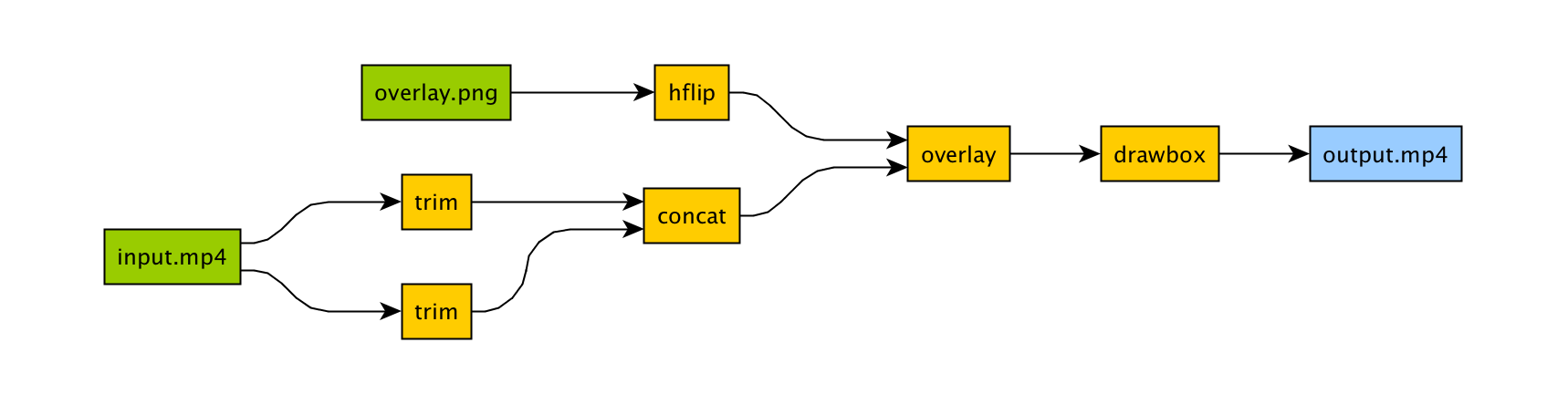
The corresponding command-line arguments are pretty gnarly:
ffmpeg -i input.mp4 -i overlay.png -filter_complex "[0]trim=start_frame=10:end_frame=20[v0];\
    [0]trim=start_frame=30:end_frame=40[v1];[v0][v1]concat=n=2[v2];[1]hflip[v3];\
    [v2][v3]overlay=eof_action=repeat[v4];[v4]drawbox=50:50:120:120:red:t=5[v5]"\
    -map [v5] output.mp4
Maybe this looks great to you, but if you're not an FFmpeg command-line expert, it probably looks alien.
If you're like me and find Python to be powerful and readable, it's easier with ffmpeg-python:
import ffmpeg

in_file = ffmpeg.input('input.mp4')
overlay_file = ffmpeg.input('overlay.png')
(
    ffmpeg
    .concat(
        in_file.trim(start_frame=10, end_frame=20),
        in_file.trim(start_frame=30, end_frame=40),
    )
    .overlay(overlay_file.hflip())
    .drawbox(50, 50, 120, 120, color='red', thickness=5)
    .output('out.mp4')
    .run()
)
ffmpeg-python takes care of running ffmpeg with the command-line arguments that correspond to the above filter diagram, in familiar Python terms.
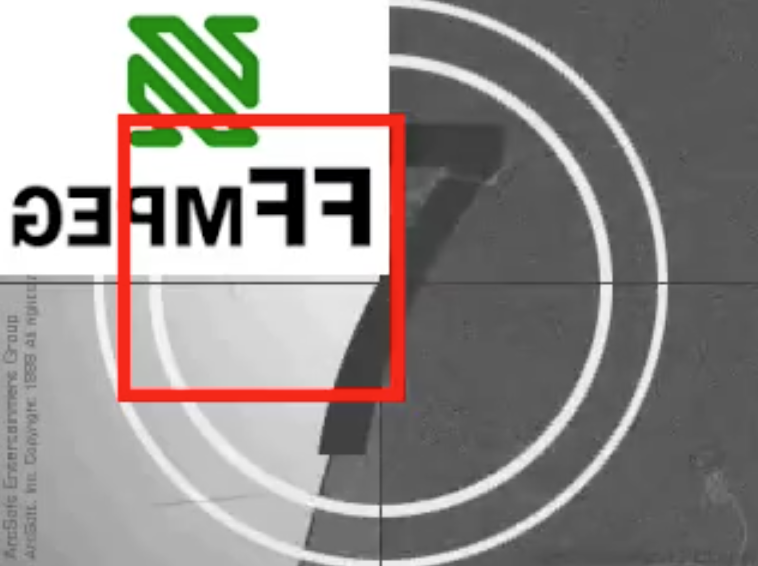
Real-world signal graphs can get a heck of a lot more complex, but ffmpeg-python handles arbitrarily large (directed-acyclic) signal graphs.
Installation
The latest version of ffmpeg-python can be acquired via a typical pip install:
pip install ffmpeg-python
Or the source can be cloned and installed from locally:
git clone [email protected]:kkroening/ffmpeg-python.git
pip install -e ./ffmpeg-python
Examples
When in doubt, take a look at the examples to see if there's something that's close to whatever you're trying to do.
Here are a few:
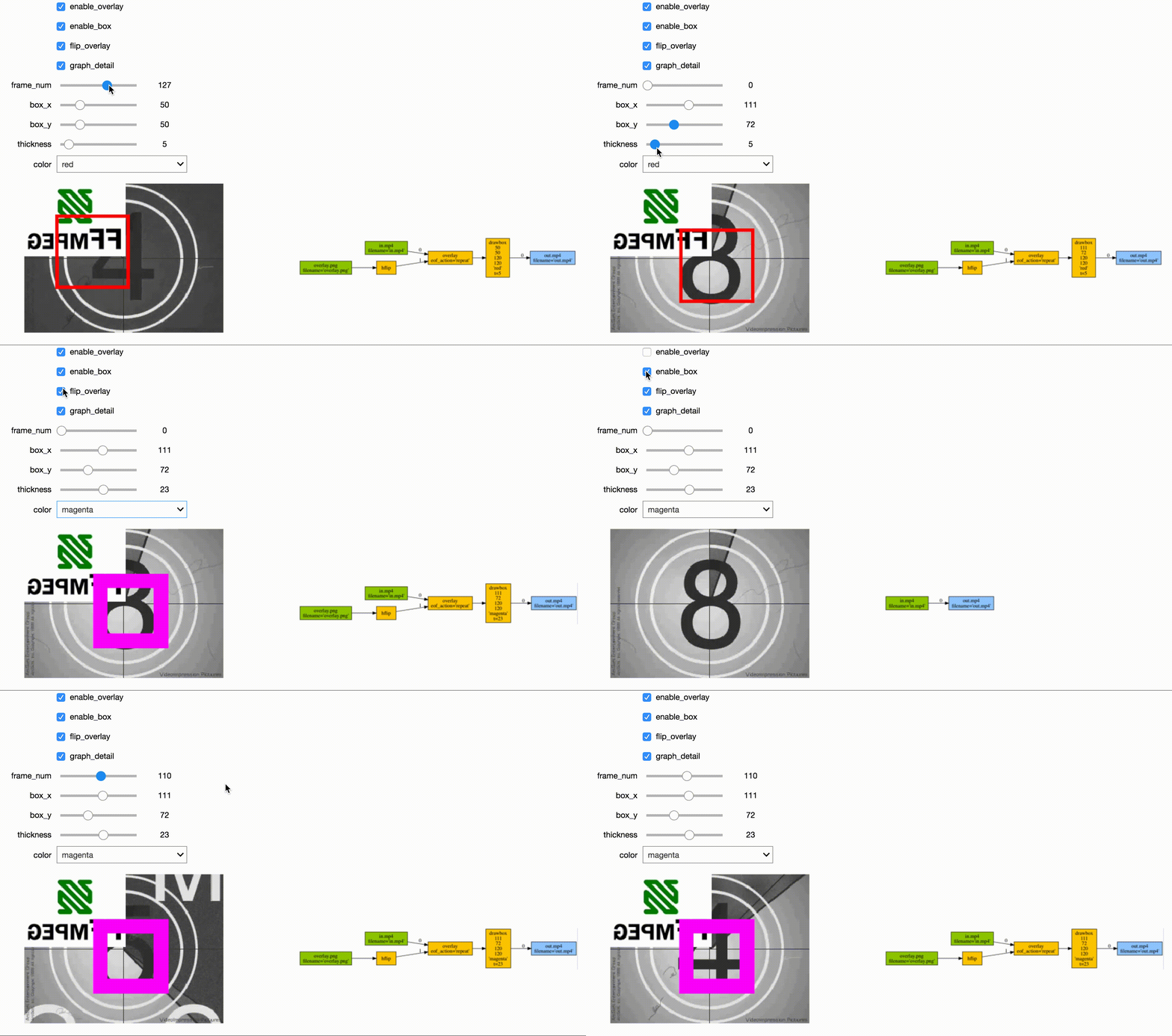
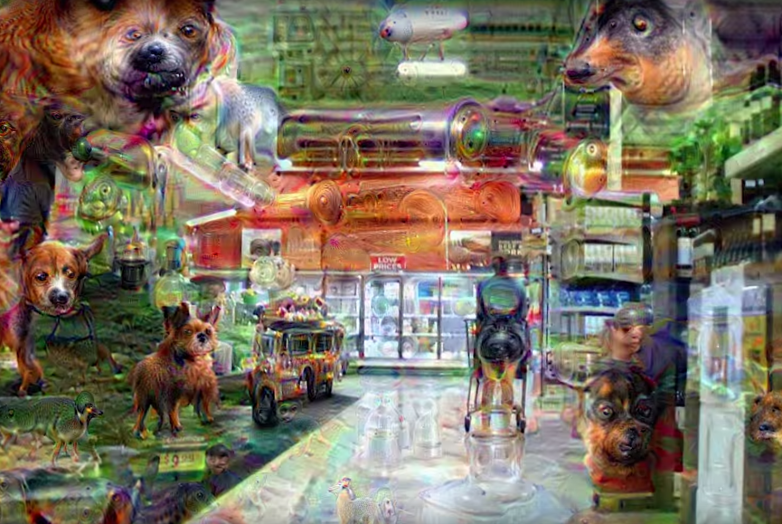
See the Examples README for additional examples.
Custom Filters
Don't see the filter you're looking for? While ffmpeg-python includes shorthand notation for some of the most commonly used filters (such as concat), all filters can be referenced via the .filter operator:
stream = ffmpeg.input('dummy.mp4')
stream = ffmpeg.filter(stream, 'fps', fps=25, round='up')
stream = ffmpeg.output(stream, 'dummy2.mp4')
ffmpeg.run(stream)
Or fluently:
(
    ffmpeg
    .input('dummy.mp4')
    .filter('fps', fps=25, round='up')
    .output('dummy2.mp4')
    .run()
)
Special option names:
Arguments with special names such as -qscale:v (variable bitrate), -b:v (constant bitrate), etc. can be specified as a keyword-args dictionary as follows:
(
    ffmpeg
    .input('in.mp4')
    .output('out.mp4', **{'qscale:v': 3})
    .run()
)
Multiple inputs:
Filters that take multiple input streams can be used by passing the input streams as an array to ffmpeg.filter:
main = ffmpeg.input('main.mp4')
logo = ffmpeg.input('logo.png')
(
    ffmpeg
    .filter([main, logo], 'overlay', 10, 10)
    .output('out.mp4')
    .run()
)
Multiple outputs:
Filters that produce multiple outputs can be used with .filter_multi_output:
split = (
    ffmpeg
    .input('in.mp4')
    .filter_multi_output('split')  # or `.split()`
)
(
    ffmpeg
    .concat(split[0], split[1].reverse())
    .output('out.mp4')
    .run()
)
(In this particular case, .split() is the equivalent shorthand, but the general approach works for other multi-output filters)
String expressions:
Expressions to be interpreted by ffmpeg can be included as string parameters and reference any special ffmpeg variable names:
(
    ffmpeg
    .input('in.mp4')
    .filter('crop', 'in_w-2*10', 'in_h-2*20')
    .input('out.mp4')
)
When in doubt, refer to the existing filters, examples, and/or the official ffmpeg documentation.
Frequently asked questions
Why do I get an import/attribute/etc. error from import ffmpeg?
Make sure you ran pip install ffmpeg-python and not pip install ffmpeg or pip install python-ffmpeg.
Why did my audio stream get dropped?
Some ffmpeg filters drop audio streams, and care must be taken to preserve the audio in the final output. The .audio and .video operators can be used to reference the audio/video portions of a stream so that they can be processed separately and then re-combined later in the pipeline.
This dilemma is intrinsic to ffmpeg, and ffmpeg-python tries to stay out of the way while users may refer to the official ffmpeg documentation as to why certain filters drop audio.
As usual, take a look at the examples (Audio/video pipeline in particular).
How can I find out the used command line arguments?
You can run stream.get_args() before stream.run() to retrieve the command line arguments that will be passed to ffmpeg. You can also run stream.compile() that also includes the ffmpeg executable as the first argument.
How do I do XYZ?
Take a look at each of the links in the Additional Resources section at the end of this README. If you look everywhere and can't find what you're looking for and have a question that may be relevant to other users, you may open an issue asking how to do it, while providing a thorough explanation of what you're trying to do and what you've tried so far.
Issues not directly related to ffmpeg-python or issues asking others to write your code for you or how to do the work of solving a complex signal processing problem for you that's not relevant to other users will be closed.
That said, we hope to continue improving our documentation and provide a community of support for people using ffmpeg-python to do cool and exciting things.
Contributing

One of the best things you can do to help make ffmpeg-python better is to answer open questions in the issue tracker. The questions that are answered will be tagged and incorporated into the documentation, examples, and other learning resources.
If you notice things that could be better in the documentation or overall development experience, please say so in the issue tracker. And of course, feel free to report any bugs or submit feature requests.
Pull requests are welcome as well, but it wouldn't hurt to touch base in the issue tracker or hop on the Matrix chat channel first.
Anyone who fixes any of the open bugs or implements requested enhancements is a hero, but changes should include passing tests.
Running tests
git clone [email protected]:kkroening/ffmpeg-python.git
cd ffmpeg-python
virtualenv venv
. venv/bin/activate  # (OS X / Linux)
venv\bin\activate    # (Windows)
pip install -e .[dev]
pytest

 111 Dec 15, 2022
 155 Nov 28, 2022
 1 Aug 23, 2022
 10 Sep 29, 2022
 17 Nov 23, 2021
 9 Nov 13, 2022
 2 Oct 02, 2022
 8.2k Dec 26, 2022
 7 Sep 15, 2022
 380 Jan 08, 2023
 32 Sep 16, 2021
 2 Jun 04, 2022
 3.1k Jan 01, 2023
 2 Oct 21, 2021
 9 Oct 15, 2022
 1 Dec 05, 2021
 1 Nov 06, 2021
 542 Dec 03, 2022
 1 Dec 04, 2021