Bring RGB to life in Neovim
Change your RGB devices' color depending on Neovim's mode.
Fast and asynchronous plugin to live your vim-life to the fullest.
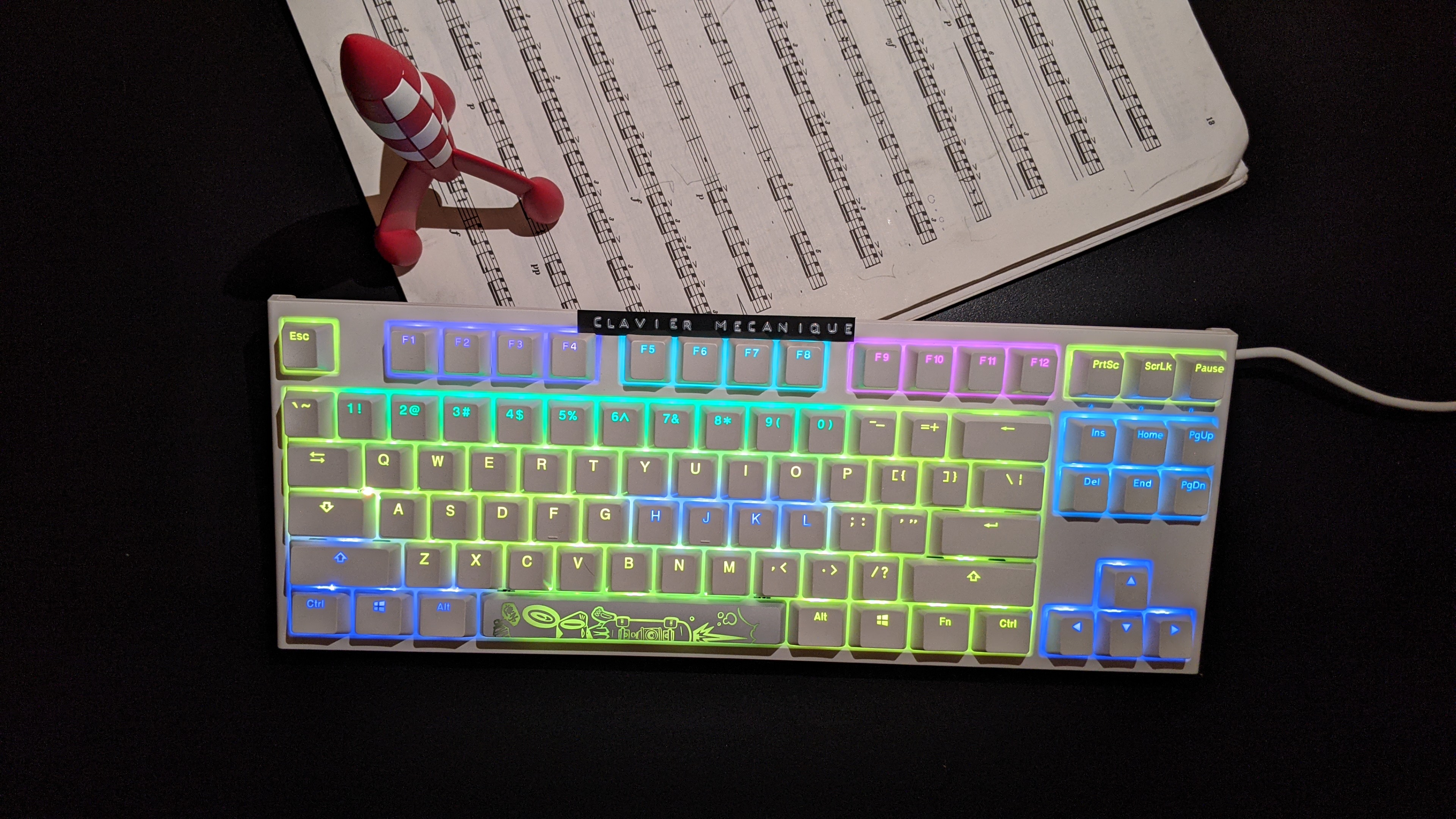 |
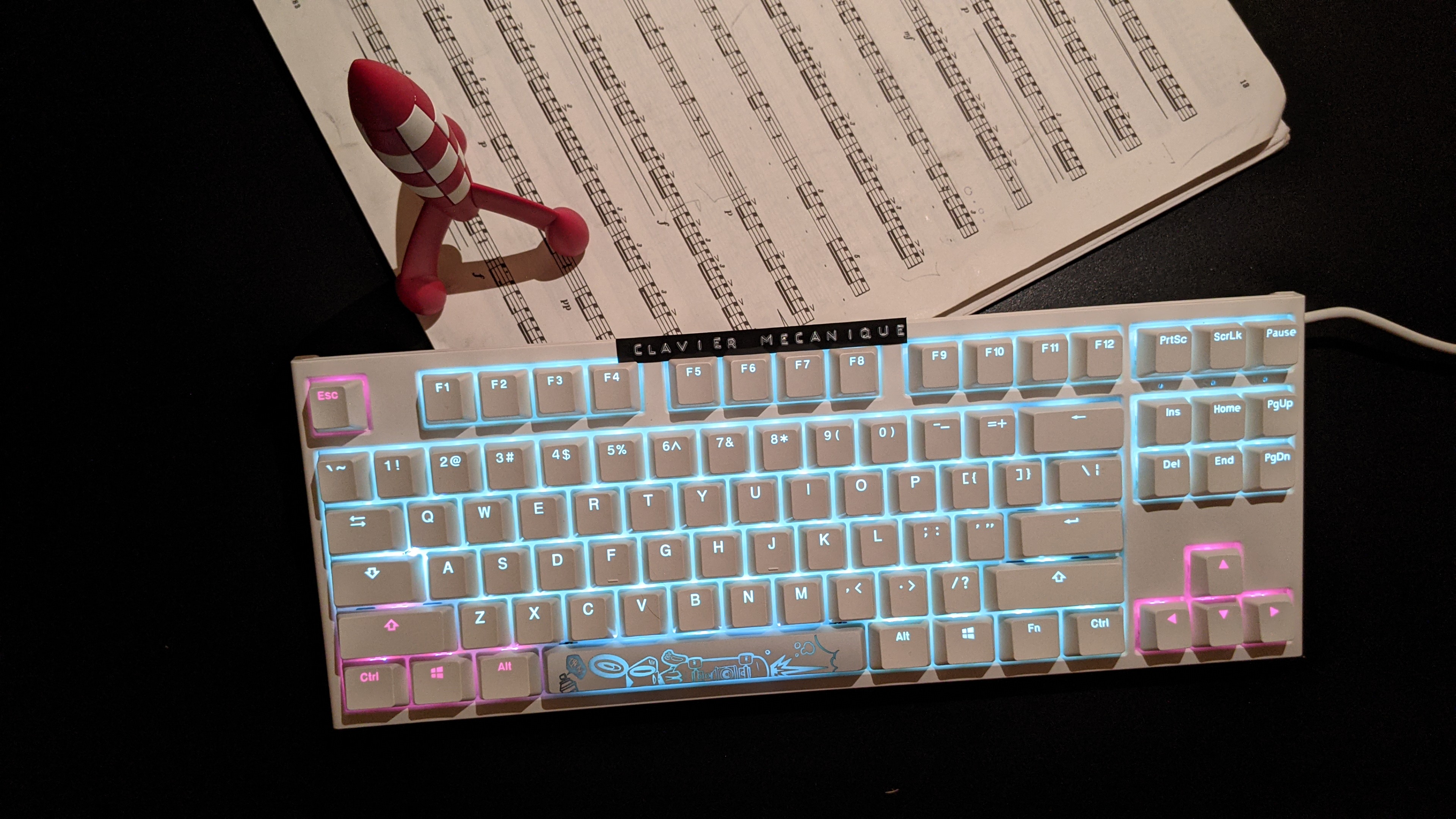 |
|---|---|
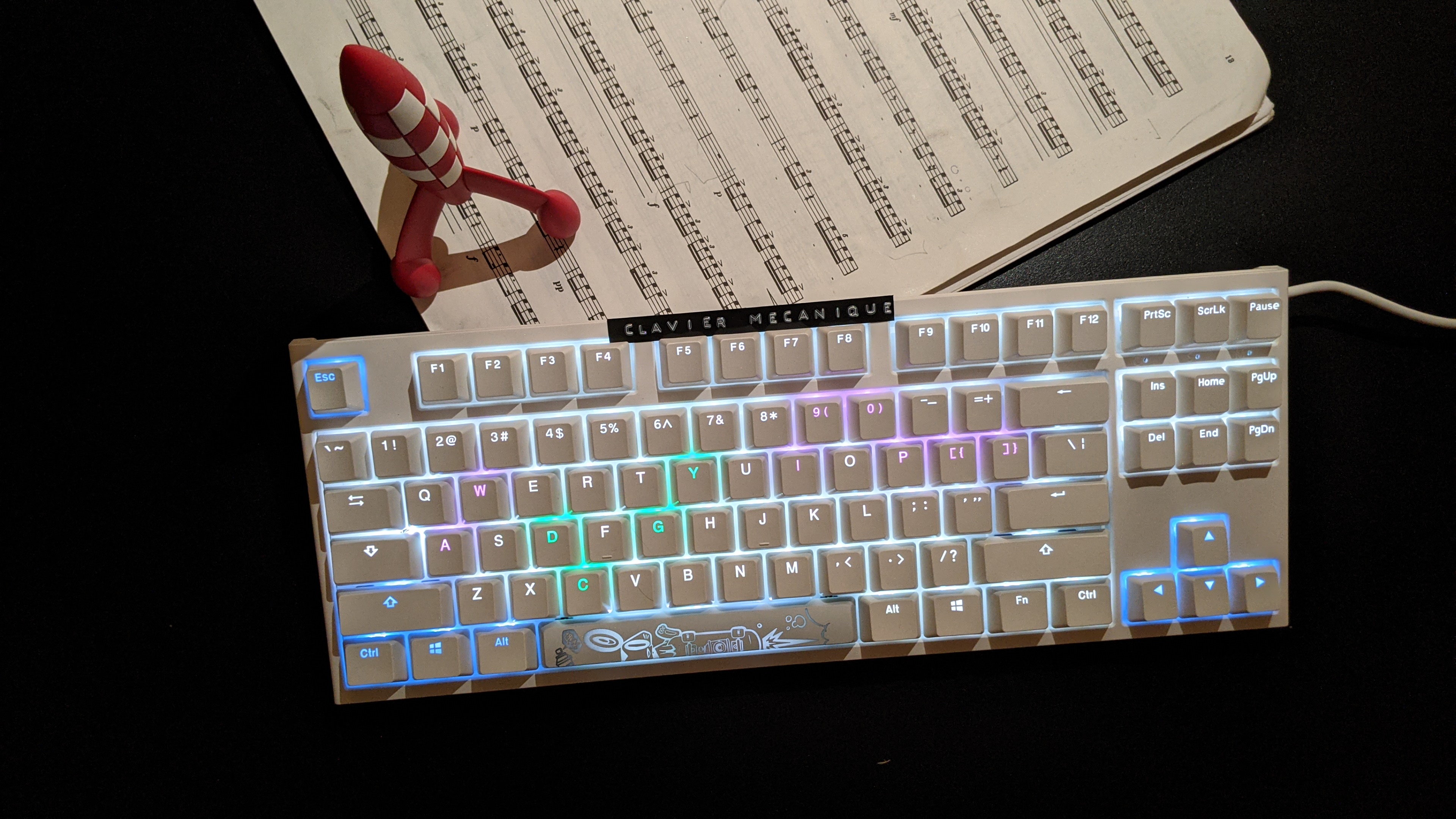 |
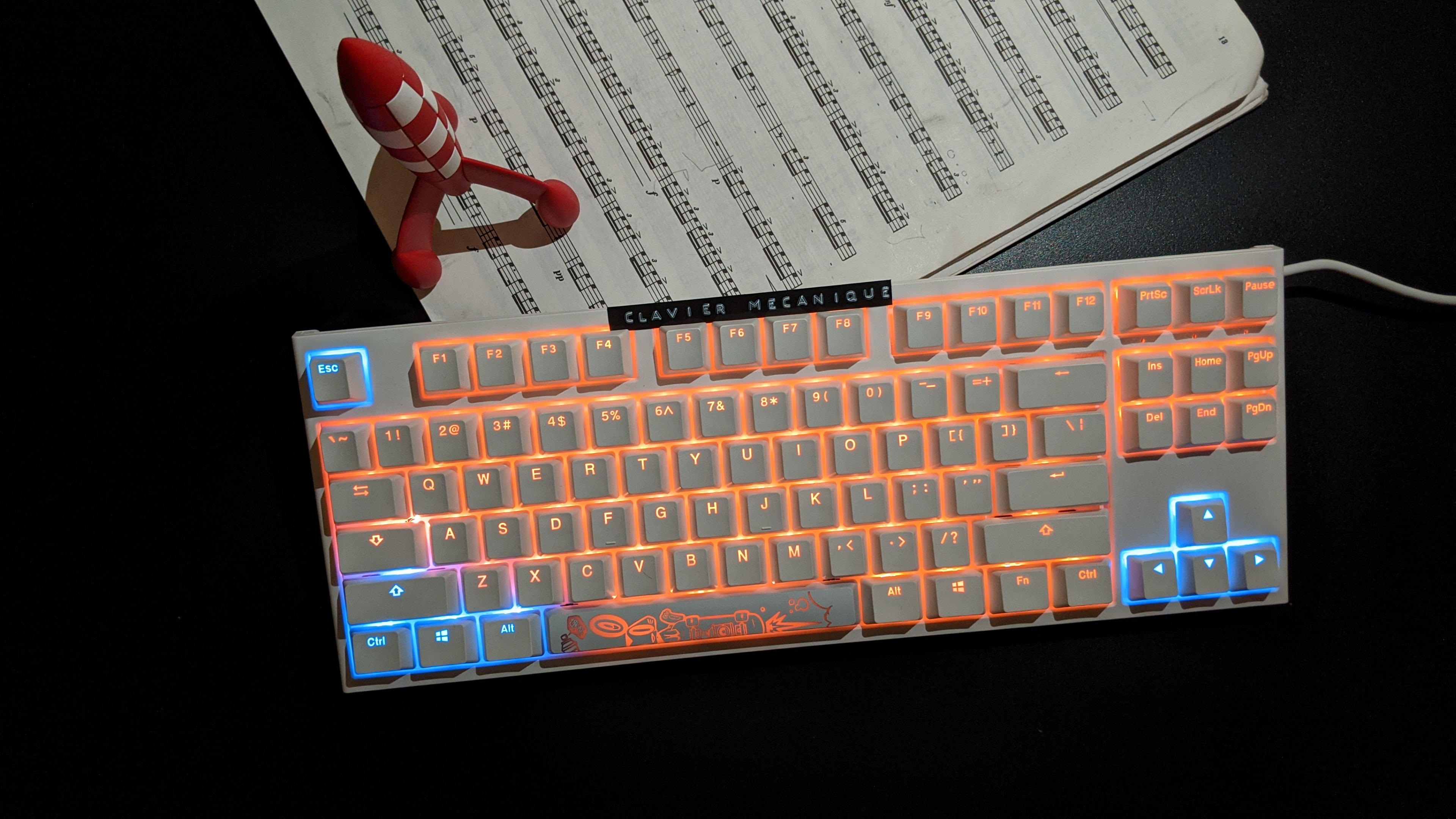 |
Why?
-
🌍 Universal: works with all devices supported by OpenRGB -
🚀 Fast: snappy and completely asynchronous -
💎 Reliable: multiple vim instances are supported -
❤️ Flexible: each mode's colors are customizable
Installation
Make sure to have the following plugin in your vimrc:
Plug 'antoinemadec/openrgb.nvim', {'do': 'UpdateRemotePlugins'}
Install:
- OpenRGB : this is the RGB server
- openrgb-python : this is the RGB client
Setup
Make sure the OpenRGB server is running:
openrgb --server
And add the folowing in your vimrc :
- if you don't use any statusline plugin, add this in your vimrc:
function OpenRGBStatuslineFunc()
  if g:openrgb_is_ready
    call OpenRGBChangeColorFromMode(mode())
  endif
  return ''
endfunction

if empty(&statusline)
  set statusline=%<%f\ %h%m%r%=%-14.(%l,%c%V%)\ %P
endif
set statusline+=%{OpenRGBStatuslineFunc()}

autocmd FocusGained * call OpenRGBChangeColorFromMode(mode(), 1)
- if you use lightline, add this in your vimrc:
" default lightline values
let g:lightline = {}
let g:lightline.active = {
      \ 'left': [ [ 'mode', 'paste' ],
      \           [ 'readonly', 'filename', 'modified' ] ],
      \ 'right': [ [ 'lineinfo' ],
      \            [ 'percent' ],
      \            [ 'fileformat', 'fileencoding', 'filetype' ] ] }
let g:lightline.inactive = {
      \ 'left': [ [ 'filename' ] ],
      \ 'right': [ [ 'lineinfo' ],
      \            [ 'percent' ] ] }
let g:lightline.tabline = {
      \ 'left': [ [ 'tabs' ] ],
      \ 'right': [ [ 'close' ] ] }

" openrgb modifications
let g:lightline.active.left[0][0] = 'mymode'
let g:lightline.component_function = {'mymode': 'MyMode'}
function MyMode() abort
  if g:openrgb_is_ready
    call OpenRGBChangeColorFromMode(mode())
  endif
  return lightline#mode()
endfunction
autocmd FocusGained * call OpenRGBChangeColorFromMode(mode(), 1)
Customization
If you don't like the default RGB colors, here is how to change it:
" default dict
let s:default_dict = {
      \ 'main_color': '#000000',
      \ 'led_names': [[]],
      \ 'led_colors': []
      \ }
let g:openrgb_mode_dict = {}
for mode in ['n', 'v', 'V', '�', 'i', 'R', 'c', 'r', 't', 'default']
  let g:openrgb_mode_dict[mode] = copy(s:default_dict)
endfor

" customize dict:
"     - if dict[mode] is not found, it falls back to dict['default']
"     - each group of keys in 'led_names' are lit using the same color
"     - look at 'g:openrgb_led_names' to see the available 'led_names'
"     - if empty(led_colors):
"           colors are assigned automatically
"       else:
"           led_colors are used
" -- normal
let g:openrgb_mode_dict['n']['main_color'] = '#ffff00'
let g:openrgb_mode_dict['n']['led_names'] = [
      \ ['Key: Right Arrow', 'Key: Left Arrow', 'Key: Up Arrow', 'Key: Down Arrow'],
      \ ['Key: H', 'Key: J', 'Key: K', 'Key: L'],
      \ ['Key: Left Control', 'Key: Left Windows', 'Key: Left Alt', 'Key: Left Shift'],
      \ ['Key: Insert', 'Key: Delete', 'Key: Home', 'Key: End', 'Key: Page Up', 'Key: Page Down'],
      \ ['Key: F1', 'Key: F2', 'Key: F3', 'Key: F4'],
      \ ['Key: F5', 'Key: F6', 'Key: F7', 'Key: F8'],
      \ ['Key: F9', 'Key: F10', 'Key: F11', 'Key: F12'],
      \ ['Key: 0', 'Key: 1', 'Key: 2', 'Key: 3', 'Key: 4', 'Key: 5', 'Key: 6', 'Key: 7', 'Key: 8', 'Key: 9'],
      \ ]
" -- insert
let g:openrgb_mode_dict['i']['main_color'] = '#007020'
let g:openrgb_mode_dict['i']['led_names'] = [
      \ ['Key: F', 'Key: R'],
      \ ['Key: A', 'Key: N'],
      \ ['Key: C', 'Key: E'],
      \ ]
let g:openrgb_mode_dict['i']['led_colors'] = [
      \ '#0000ff',
      \ '#ffffff',
      \ '#ff0000'
      \ ]
Here is the API if you want to trigger color changes manually:
" calling OpenRGBChangeColor() using 'g:openrgb_mode_dict' info
OpenRGBChangeColorFromMode(mode, force)
" calling OpenRGBChangeColor() directly
call OpenRGBChangeColor(main_color, led_names, led_colors, force)
License
MIT

 946 Dec 30, 2022
 15.6k Jan 03, 2023
 144 Jan 06, 2023
 166 Dec 29, 2022
 24.5k Jan 09, 2023
 0 Oct 06, 2022
 14 Nov 07, 2022
 6 Mar 31, 2022
 2 Jan 15, 2022
 77 Dec 21, 2022
 243 Dec 20, 2022
 1 Dec 16, 2021
 47 Dec 28, 2022
 23 Dec 26, 2022
 4 May 23, 2022
 2 Apr 11, 2022
 6 Dec 27, 2022
 82 Jan 05, 2023
 0 Feb 14, 2022