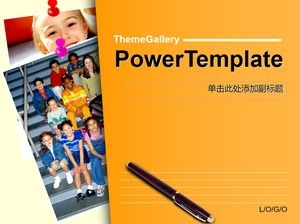
Free Powerpoint Template for Professional Business Presentation
File Size: 1.78MB Download times: 126
About this PPT Template Professional Business Presentation
Download Free Google slides PPT Template
Dark Blue Stripes Presentation
If you need to make a professional corporate presentation you should use this free template. The green and blue color palette gives credibility to your message, but you can also change it if you need to adapt it to your brand. Impress your colleagues, boss or teacher effortlessly with this design.
This free business presentation template features:
- Fully editable. Easy to change colors, text and photos
- 25 different slides with tips to improve your presentation. Choose the layouts that best fit your content. Add, delete or re-order slide pages based on your needs
- Includes specific slides to present projects, make a marketing or business plan
- Serious and professional design with blue and green color palette
- Feature-rich theme with examples of styles for graphs, charts and tables
- It includes a customizable icon family with 80 different icons and a world map (you can change sizes and colors).
- Use as a Google Slides theme or download as PowerPoint template and edit on your computer.
- 16:9 screen layout (Can change to 4:3 with a click, but some graphic assets may not work well)

This Presentation template is fully customizable as per the requirement. You can change the color schemes, icons, and text boxes. You can explore other pages in Slides Geek to explore various designs related to timeline, business agenda, process flow etc. Including those unique and professional infographic designs can enhance the visualization of your presentation created with this free pptx template. Create best presentation and slide decks using Microsoft PowerPoint and Google Slides.
PPTX PROVIDES YOU BEST POWERPOINT PRESENTATIONS FOR BUSINESS
Rules & Tips for Building Powerful & Engaging Presentation Slides
- Start with writing your speech outline, not with creating slides
- Use more images and fewer text
- Use high-quality images
- Keep the main target on YOU and your presentation, not the PowerPoint
- Your presentation should be legible from anywhere within the room