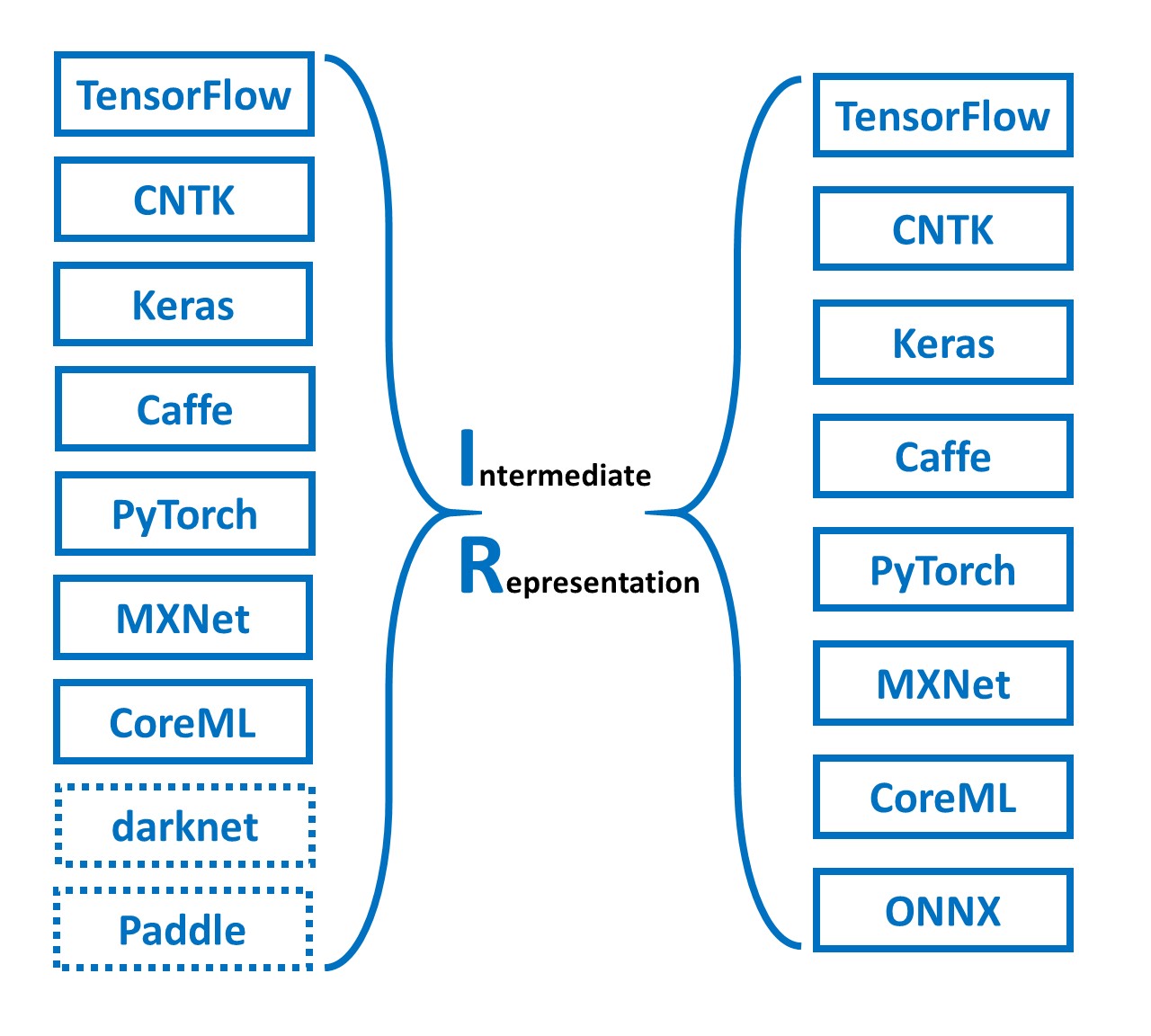
Simple ONNX operation generator. Simple Operation Generator for ONNX.

Overview

sog4onnx

Simple ONNX operation generator. Simple Operation Generator for ONNX.

https://github.com/PINTO0309/simple-onnx-processing-tools

Downloads GitHub PyPI CodeQL

Key concept

  • Variable, Constant, Operation and Attribute can be generated externally.
  • Allow Opset to be specified externally.
  • No check for consistency of Operations within the tool, as new OPs are added frequently and the definitions of existing OPs change with each new version of ONNX's Opset.
  • Only one OP can be defined at a time, and the goal is to generate free ONNX graphs using a combination of snc4onnx, sne4onnx, snd4onnx and scs4onnx.
  • List of parameters that can be specified: https://github.com/onnx/onnx/blob/main/docs/Operators.md

1. Setup

1-1. HostPC

### option
$ echo export PATH="~/.local/bin:$PATH" >> ~/.bashrc \
&& source ~/.bashrc

### run
$ pip install -U onnx \
&& python3 -m pip install -U onnx_graphsurgeon --index-url https://pypi.ngc.nvidia.com \
&& pip install -U sog4onnx

1-2. Docker

### docker pull
$ docker pull pinto0309/sog4onnx:latest

### docker build
$ docker build -t pinto0309/sog4onnx:latest .

### docker run
$ docker run --rm -it -v `pwd`:/workdir pinto0309/sog4onnx:latest
$ cd /workdir

2. CLI Usage

$ sog4onnx -h

usage: sog4onnx [-h]
  --op_type OP_TYPE
  --opset OPSET
  --op_name OP_NAME
  [--input_variables NAME TYPE VALUE]
  [--output_variables NAME TYPE VALUE]
  [--attributes NAME DTYPE VALUE]
  [--output_onnx_file_path OUTPUT_ONNX_FILE_PATH]
  [--non_verbose]

optional arguments:
  -h, --help
        show this help message and exit

  --op_type OP_TYPE
        ONNX OP type.
        https://github.com/onnx/onnx/blob/main/docs/Operators.md

  --opset OPSET
        ONNX opset number.

  --op_name OP_NAME
        OP name.

  --input_variables NAME DTYPE VALUE
        input_variables can be specified multiple times.
        --input_variables variable_name numpy.dtype shape
        https://github.com/onnx/onnx/blob/main/docs/Operators.md

        e.g.
        --input_variables i1 float32 [1,3,5,5] \
        --input_variables i2 int32 [1] \
        --input_variables i3 float64 [1,3,224,224]

  --output_variables NAME DTYPE VALUE
        output_variables can be specified multiple times.
        --output_variables variable_name numpy.dtype shape
        https://github.com/onnx/onnx/blob/main/docs/Operators.md

        e.g.
        --output_variables o1 float32 [1,3,5,5] \
        --output_variables o2 int32 [1] \
        --output_variables o3 float64 [1,3,224,224]

  --attributes NAME DTYPE VALUE
        attributes can be specified multiple times.
        dtype is one of "float32" or "float64" or "int32" or "int64" or "str".
        --attributes name dtype value
        https://github.com/onnx/onnx/blob/main/docs/Operators.md

        e.g.
        --attributes alpha float32 1.0 \
        --attributes beta float32 1.0 \
        --attributes transA int32 0 \
        --attributes transB int32 0

  --output_onnx_file_path OUTPUT_ONNX_FILE_PATH
        Output onnx file path.
        If not specified, a file with the OP type name is generated.

        e.g. op_type="Gemm" -> Gemm.onnx

  --non_verbose
        Do not show all information logs. Only error logs are displayed.

3. In-script Usage

$ python
>>> from sog4onnx import generate
>>> help(generate)
Help on function generate in module sog4onnx.onnx_operation_generator:

generate(
  op_type: str,
  opset: int,
  op_name: str,
  input_variables: dict,
  output_variables: dict,
  attributes: Union[dict, NoneType] = None,
  output_onnx_file_path: Union[str, NoneType] = '',
  non_verbose: Union[bool, NoneType] = False
) -> onnx.onnx_ml_pb2.ModelProto

    Parameters
    ----------
    op_type: str
        ONNX op type.
        See below for the types of OPs that can be specified.
        https://github.com/onnx/onnx/blob/main/docs/Operators.md

        e.g. "Add", "Div", "Gemm", ...

    opset: int
        ONNX opset number.

        e.g. 11

    op_name: str
        OP name.

    input_variables: Optional[dict]
        Specify input variables for the OP to be generated.
        See below for the variables that can be specified.
        https://github.com/onnx/onnx/blob/main/docs/Operators.md
        {"input_var_name1": [numpy.dtype, shape], "input_var_name2": [dtype, shape], ...}

        e.g.
        input_variables = {
          "name1": [np.float32, [1,224,224,3]],
          "name2": [np.bool_, [0]],
          ...
        }

    output_variables: Optional[dict]
        Specify output variables for the OP to be generated.
        See below for the variables that can be specified.
        https://github.com/onnx/onnx/blob/main/docs/Operators.md
        {"output_var_name1": [numpy.dtype, shape], "output_var_name2": [dtype, shape], ...}

        e.g.
        output_variables = {
          "name1": [np.float32, [1,224,224,3]],
          "name2": [np.bool_, [0]],
          ...
        }

    attributes: Optional[dict]
        Specify output attributes for the OP to be generated.
        See below for the attributes that can be specified.
        When specifying Tensor format values, specify an array converted to np.ndarray.
        https://github.com/onnx/onnx/blob/main/docs/Operators.md
        {"attr_name1": value1, "attr_name2": value2, "attr_name3": value3, ...}

        e.g.
        attributes = {
          "alpha": 1.0,
          "beta": 1.0,
          "transA": 0,
          "transB": 0
        }
        Default: None

    output_onnx_file_path: Optional[str]
        Output of onnx file path.
        If not specified, no .onnx file is output.
        Default: ''

    non_verbose: Optional[bool]
        Do not show all information logs. Only error logs are displayed.
        Default: False

    Returns
    -------
    single_op_graph: onnx.ModelProto
        Single op onnx ModelProto

4. CLI Execution

$ sog4onnx \
--op_type Gemm \
--opset 1 \
--op_name gemm_custom1 \
--input_variables i1 float32 [1,2,3] \
--input_variables i2 float32 [1,1] \
--input_variables i3 int32 [0] \
--output_variables o1 float32 [1,2,3] \
--attributes alpha float32 1.0 \
--attributes beta float32 1.0 \
--attributes transA int32 0 \
--attributes transB int32 0

5. In-script Execution

import numpy as np
from sog4onnx import generate

single_op_graph = generate(
    op_type = 'Gemm',
    opset = 1,
    op_name = "gemm_custom1",
    input_variables = {
      "i1": [np.float32, [1,2,3]],
      "i2": [np.float32, [1,1]],
      "i3": [np.int32, [0]],
    },
    output_variables = {
      "o1": [np.float32, [1,2,3]],
    },
    attributes = {
      "alpha": 1.0,
      "beta": 1.0,
      "broadcast": 0,
      "transA": 0,
      "transB": 0,
    },
    non_verbose = True,
)

6. Sample

6-1. opset=1, Gemm

$ sog4onnx \
--op_type Gemm \
--opset 1 \
--op_name gemm_custom1 \
--input_variables i1 float32 [1,2,3] \
--input_variables i2 float32 [1,1] \
--input_variables i3 int32 [0] \
--output_variables o1 float32 [1,2,3] \
--attributes alpha float32 1.0 \
--attributes beta float32 1.0 \
--attributes transA int32 0 \
--attributes transB int32 0
--non_verbose

image image

6-2. opset=11, Add

$ sog4onnx \
--op_type Add \
--opset 11 \
--op_name add_custom1 \
--input_variables i1 float32 [1,2,3] \
--input_variables i2 float32 [1,2,3] \
--output_variables o1 float32 [1,2,3] \
--non_verbose

image image

6-3. opset=11, NonMaxSuppression

$ sog4onnx \
--op_type NonMaxSuppression \
--opset 11 \
--op_name nms_custom1 \
--input_variables boxes float32 [1,6,4] \
--input_variables scores float32 [1,1,6] \
--input_variables max_output_boxes_per_class int64 [1] \
--input_variables iou_threshold float32 [1] \
--input_variables score_threshold float32 [1] \
--output_variables selected_indices int64 [3,3] \
--attributes center_point_box int64 1

image image

6-4. opset=11, Constant

$ sog4onnx \
--op_type Constant \
--opset 11 \
--op_name const_custom1 \
--output_variables boxes float32 [1,6,4] \
--attributes value float32 \
[[\
[0.5,0.5,1.0,1.0],\
[0.5,0.6,1.0,1.0],\
[0.5,0.4,1.0,1.0],\
[0.5,10.5,1.0,1.0],\
[0.5,10.6,1.0,1.0],\
[0.5,100.5,1.0,1.0]\
]]

image

7. Reference

  1. https://github.com/onnx/onnx/blob/main/docs/Operators.md
  2. https://docs.nvidia.com/deeplearning/tensorrt/onnx-graphsurgeon/docs/index.html
  3. https://github.com/NVIDIA/TensorRT/tree/main/tools/onnx-graphsurgeon
  4. https://github.com/PINTO0309/sne4onnx
  5. https://github.com/PINTO0309/snd4onnx
  6. https://github.com/PINTO0309/snc4onnx
  7. https://github.com/PINTO0309/scs4onnx
  8. https://github.com/PINTO0309/PINTO_model_zoo

8. Issues

https://github.com/PINTO0309/simple-onnx-processing-tools/issues

You might also like...
Multiple types of NN model optimization environments. It is possible to directly access the host PC GUI and the camera to verify the operation. Intel iHD GPU (iGPU) support. NVIDIA GPU (dGPU) support.

mtomo Multiple types of NN model optimization environments. It is possible to directly access the host PC GUI and the camera to verify the operation.

Complete system for facial identity system. Include one-shot model, database operation, features visualization, monitoring

Complete system for facial identity system. Include one-shot model, database operation, features visualization, monitoring

Accelerated SMPL operation, commonly used in generate 3D human mesh, STAR included.

SMPL2 An enchanced and accelerated SMPL operation which commonly used in 3D human mesh generation. It takes a poses, shapes, cam_trans as inputs, outp

Liecasadi - liecasadi implements Lie groups operation written in CasADi

liecasadi liecasadi implements Lie groups operation written in CasADi, mainly di

A code generator from ONNX to PyTorch code

onnx-pytorch Generating pytorch code from ONNX. Currently support onnx==1.9.0 and torch==1.8.1. Installation From PyPI pip install onnx-pytorch From

Simple node deletion tool for onnx.

snd4onnx Simple node deletion tool for onnx. I only test very miscellaneous and limited patterns as a hobby. There are probably a large number of bugs

MMdnn is a set of tools to help users inter-operate among different deep learning frameworks. E.g. model conversion and visualization. Convert models between Caffe, Keras, MXNet, Tensorflow, CNTK, PyTorch Onnx and CoreML.

MMdnn MMdnn is a comprehensive and cross-framework tool to convert, visualize and diagnose deep learning (DL) models. The "MM" stands for model manage

PyTorch ,ONNX and TensorRT implementation of YOLOv4

PyTorch ,ONNX and TensorRT implementation of YOLOv4

YOLOv5 in PyTorch > ONNX > CoreML > TFLite
YOLOv5 in PyTorch ONNX CoreML TFLite

This repository represents Ultralytics open-source research into future object detection methods, and incorporates lessons learned and best practices evolved over thousands of hours of training and evolution on anonymized client datasets. All code and models are under active development, and are subject to modification or deletion without notice.

Comments
  • Small fixes to README

    Small fixes to README

    Thank you for the tool. There are small fixes needed in the README: the attributes of one example missing the type, and the numpy import in another one.

    Otherwise, it works perfectly.

    opened by ibaiGorordo 1
Releases(1.0.15)
  • 1.0.15(Nov 20, 2022)

    • Fixed a bug where Constant and ConstantOfShape opsets were not set

    Full Changelog: https://github.com/PINTO0309/sog4onnx/compare/1.0.14...1.0.15

    Source code(tar.gz)
    Source code(zip)
  • 1.0.14(Sep 8, 2022)

    • Add short form parameter
      $ sog4onnx -h
      
      usage: sog4onnx [-h]
        --ot OP_TYPE
        --os OPSET
        --on OP_NAME
        [-iv NAME TYPE VALUE]
        [-ov NAME TYPE VALUE]
        [-a NAME DTYPE VALUE]
        [-of OUTPUT_ONNX_FILE_PATH]
        [-n]
      
      optional arguments:
        -h, --help
          show this help message and exit
      
        -ot OP_TYPE, --op_type OP_TYPE
          ONNX OP type.
          https://github.com/onnx/onnx/blob/main/docs/Operators.md
      
        -os OPSET, --opset OPSET
          ONNX opset number.
      
        -on OP_NAME, --op_name OP_NAME
          OP name.
      
        -iv INPUT_VARIABLES INPUT_VARIABLES INPUT_VARIABLES, --input_variables INPUT_VARIABLES INPUT_VARIABLES INPUT_VARIABLES
          input_variables can be specified multiple times.
          --input_variables variable_name numpy.dtype shape
          https://github.com/onnx/onnx/blob/main/docs/Operators.md
      
          e.g.
          --input_variables i1 float32 [1,3,5,5] \
          --input_variables i2 int32 [1] \
          --input_variables i3 float64 [1,3,224,224]
      
        -ov OUTPUT_VARIABLES OUTPUT_VARIABLES OUTPUT_VARIABLES, --output_variables OUTPUT_VARIABLES OUTPUT_VARIABLES OUTPUT_VARIABLES
          output_variables can be specified multiple times.
          --output_variables variable_name numpy.dtype shape
          https://github.com/onnx/onnx/blob/main/docs/Operators.md
      
          e.g.
          --output_variables o1 float32 [1,3,5,5] \
          --output_variables o2 int32 [1] \
          --output_variables o3 float64 [1,3,224,224]
      
        -a ATTRIBUTES ATTRIBUTES ATTRIBUTES, --attributes ATTRIBUTES ATTRIBUTES ATTRIBUTES
          attributes can be specified multiple times.
          dtype is one of "float32" or "float64" or "int32" or "int64" or "str".
          --attributes name dtype value
          https://github.com/onnx/onnx/blob/main/docs/Operators.md
      
          e.g.
          --attributes alpha float32 1.0 \
          --attributes beta float32 1.0 \
          --attributes transA int32 0 \
          --attributes transB int32 0
      
        -of OUTPUT_ONNX_FILE_PATH, --output_onnx_file_path OUTPUT_ONNX_FILE_PATH
          Output onnx file path.
          If not specified, a file with the OP type name is generated.
      
          e.g. op_type="Gemm" -> Gemm.onnx
      
        -n, --non_verbose
          Do not show all information logs. Only error logs are displayed.
      
    Source code(tar.gz)
    Source code(zip)
  • 1.0.13(Jun 10, 2022)

  • 1.0.12(Jun 7, 2022)

  • 1.0.11(May 25, 2022)

  • 1.0.10(May 15, 2022)

  • 1.0.9(Apr 26, 2022)

    • Added op_name as an input parameter, allowing OPs to be named.
      • CLI
        sog4onnx [-h]
          --op_type OP_TYPE
          --opset OPSET
          --op_name OP_NAME
          [--input_variables NAME TYPE VALUE]
          [--output_variables NAME TYPE VALUE]
          [--attributes NAME DTYPE VALUE]
          [--output_onnx_file_path OUTPUT_ONNX_FILE_PATH]
          [--non_verbose]
        
      • In-script
        generate(
          op_type: str,
          opset: int,
          op_name: str,
          input_variables: dict,
          output_variables: dict,
          attributes: Union[dict, NoneType] = None,
          output_onnx_file_path: Union[str, NoneType] = '',
          non_verbose: Union[bool, NoneType] = False
        ) -> onnx.onnx_ml_pb2.ModelProto
        
    Source code(tar.gz)
    Source code(zip)
  • 1.0.8(Apr 15, 2022)

  • 1.0.7(Apr 14, 2022)

  • 1.0.6(Apr 14, 2022)

  • 1.0.5(Apr 13, 2022)

  • 1.0.4(Apr 13, 2022)

  • 1.0.3(Apr 12, 2022)

  • 1.0.2(Apr 12, 2022)

  • 1.0.1(Apr 12, 2022)

  • 1.0.0(Apr 12, 2022)

  • 0.0.2(Apr 12, 2022)

  • 0.0.1(Apr 12, 2022)

Owner
Katsuya Hyodo
Hobby programmer. Intel Software Innovator Program member.
Katsuya Hyodo
Kohei's 5th place solution for xview3 challenge

xview3-kohei-solution Usage This repository assumes that the given data set is stored in the following locations: $ ls data/input/xview3/*.csv data/in

Kohei Ozaki 2 Jan 17, 2022
Code for "On Memorization in Probabilistic Deep Generative Models"

On Memorization in Probabilistic Deep Generative Models This repository contains the code necessary to reproduce the experiments in On Memorization in

The Alan Turing Institute 3 Jun 09, 2022
Incremental Cross-Domain Adaptation for Robust Retinopathy Screening via Bayesian Deep Learning

Incremental Cross-Domain Adaptation for Robust Retinopathy Screening via Bayesian Deep Learning Update (September 18th, 2021) A supporting document de

Taimur Hassan 1 Mar 16, 2022
Home for cuQuantum Python & NVIDIA cuQuantum SDK C++ samples

Welcome to the cuQuantum repository! This public repository contains two sets of files related to the NVIDIA cuQuantum SDK: samples: All C/C++ sample

NVIDIA Corporation 147 Dec 27, 2022
Pytorch implementation for the EMNLP 2020 (Findings) paper: Connecting the Dots: A Knowledgeable Path Generator for Commonsense Question Answering

Path-Generator-QA This is a Pytorch implementation for the EMNLP 2020 (Findings) paper: Connecting the Dots: A Knowledgeable Path Generator for Common

Peifeng Wang 33 Dec 05, 2022
You Only Hypothesize Once: Point Cloud Registration with Rotation-equivariant Descriptors

You Only Hypothesize Once: Point Cloud Registration with Rotation-equivariant Descriptors In this paper, we propose a novel local descriptor-based fra

Haiping Wang 80 Dec 15, 2022
Definition of a business problem according to Wilson Lower Bound Score and Time Based Average Rating

Wilson Lower Bound Score, Time Based Rating Average In this study I tried to calculate the product rating and sorting reviews more accurately. I have

3 Sep 30, 2021
Select, weight and analyze complex sample data

Sample Analytics In large-scale surveys, often complex random mechanisms are used to select samples. Estimates derived from such samples must reflect

samplics 37 Dec 15, 2022
Code & Experiments for "LILA: Language-Informed Latent Actions" to be presented at the Conference on Robot Learning (CoRL) 2021.

LILA LILA: Language-Informed Latent Actions Code and Experiments for Language-Informed Latent Actions (LILA), for using natural language to guide assi

Sidd Karamcheti 11 Nov 25, 2022
Deep Learning Emotion decoding using EEG data from Autism individuals

Deep Learning Emotion decoding using EEG data from Autism individuals This repository includes the python and matlab codes using for processing EEG 2D

Juan Manuel Mayor Torres 12 Dec 08, 2022
Poplar implementation of "Bundle Adjustment on a Graph Processor" (CVPR 2020)

Poplar Implementation of Bundle Adjustment using Gaussian Belief Propagation on Graphcore's IPU Implementation of CVPR 2020 paper: Bundle Adjustment o

Joe Ortiz 34 Dec 05, 2022
FedScale: Benchmarking Model and System Performance of Federated Learning

FedScale: Benchmarking Model and System Performance of Federated Learning (Paper) This repository contains scripts and instructions of building FedSca

268 Jan 01, 2023
Generate Contextual Directory Wordlist For Target Org

PathPermutor Generate Contextual Directory Wordlist For Target Org This script generates contextual wordlist for any target org based on the set of UR

8 Jun 23, 2021
An MQA (Studio, originalSampleRate) identifier for lossless flac files written in Python.

An MQA (Studio, originalSampleRate) identifier for "lossless" flac files written in Python.

Daniel 10 Oct 03, 2022
Predictive Modeling on Electronic Health Records(EHR) using Pytorch

Predictive Modeling on Electronic Health Records(EHR) using Pytorch Overview Although there are plenty of repos on vision and NLP models, there are ve

81 Jan 01, 2023
Transparent Transformer Segmentation

Transparent Transformer Segmentation Introduction This repository contains the data and code for IJCAI 2021 paper Segmenting transparent object in the

谢恩泽 140 Jan 02, 2023
Instant neural graphics primitives: lightning fast NeRF and more

Instant Neural Graphics Primitives Ever wanted to train a NeRF model of a fox in under 5 seconds? Or fly around a scene captured from photos of a fact

NVIDIA Research Projects 10.6k Jan 01, 2023
WeakVRD-Captioning - Implementation of paper Improving Image Captioning with Better Use of Caption

WeakVRD-Captioning - Implementation of paper Improving Image Captioning with Better Use of Caption

30 Oct 28, 2022
Audio Source Separation is the process of separating a mixture into isolated sounds from individual sources

Audio Source Separation is the process of separating a mixture into isolated sounds from individual sources (e.g. just the lead vocals).

Victor Basu 14 Nov 07, 2022
Pytorch implementation of the DeepDream computer vision algorithm

deep-dream-in-pytorch Pytorch (https://github.com/pytorch/pytorch) implementation of the deep dream (https://en.wikipedia.org/wiki/DeepDream) computer

102 Dec 05, 2022