
Business Intelligence (BI) in Python, OLAP

Overview

Open Mining

Build Status - Circle CI https://coveralls.io/repos/github/mining/mining/badge.svg?branch=master Code Health

OpenMining

Business Intelligence (BI) Application Server written in Python

Requirements

  • Python 2.7 (Backend)
  • Lua 5.2 or LuaJIT 5.1 (OML backend)
  • MongoDB (Admin)
  • Redis (Queue and DataWarehouse)
  • Bower (Install frontend libs, NodeJS depends)

Install dependencies

$ sudo apt-get install mongodb-10gen redis-server nodejs nodejs-dev npm
$ npm install bower

If you use Mac OSX you can install all dependencies using HomeBrew.

Install Open Mining

Clone the repository

$ git clone [email protected]:mining/mining.git

Install python and bower dependencies using make command

$ make build

FAQ

If mongodb or redis-server problems

Install mongodb and redis-server, make sure it running

Supported databases

For example, to connect to a PostgreSQL database make sure you install a driver like psycopg2. OpenMining supports all databases that the underlying ORM SQLAlchemy supports.

See the SQLAlchemy documentation for more info about drivers and connection strings.

Run

python manage.py runserver
python manage.py celery
python manage.py scheduler

Running Demo

Make sure runserver still running when run 'build_demo' command.

python manage.py runserver
python manage.py build_demo

And now you can login with: username 'admin' and password 'admin'.

Screenshots

Dashboard OpenMining
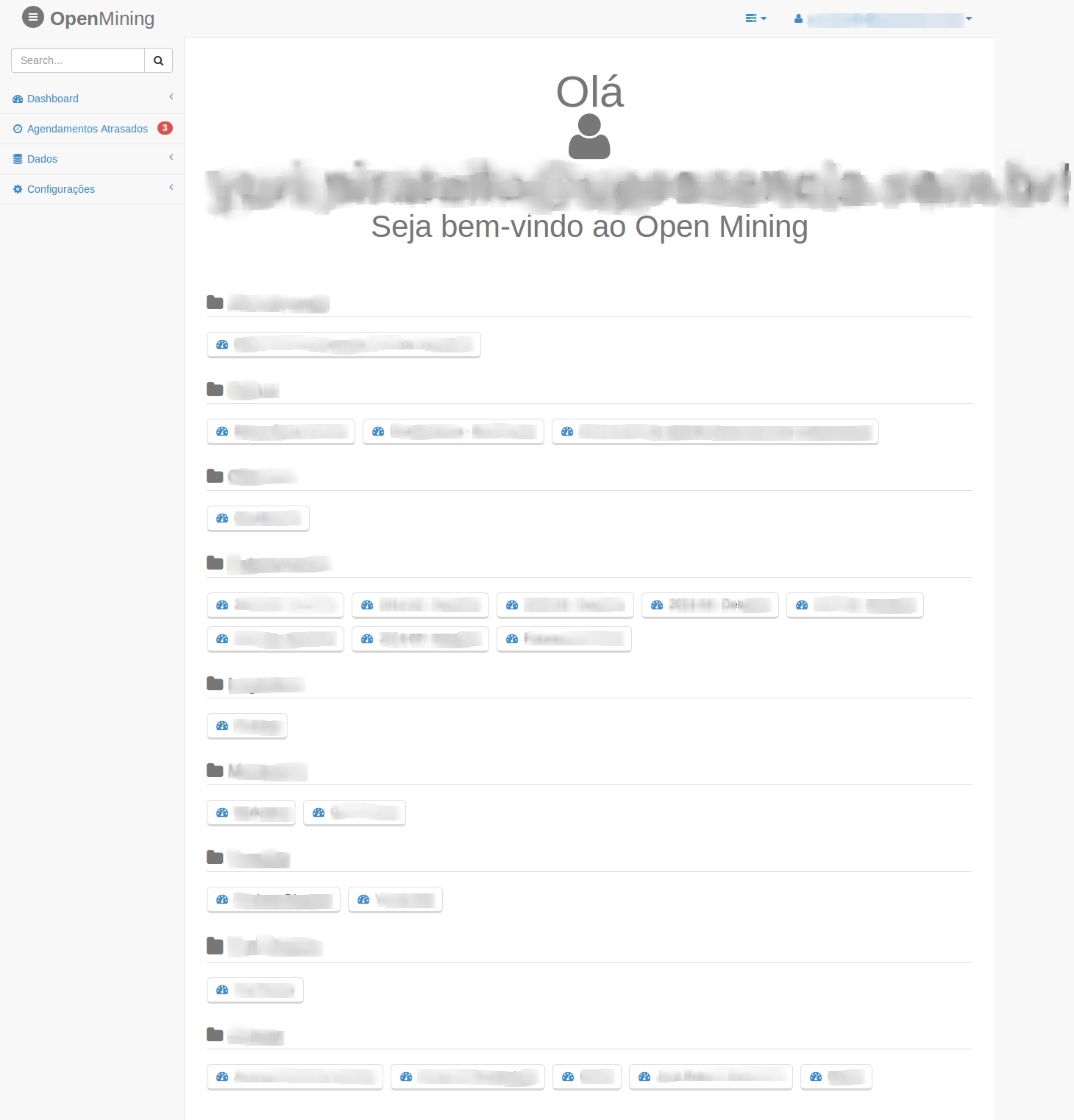
Dashboard OpenMining

Dashboard Charts OpenMining
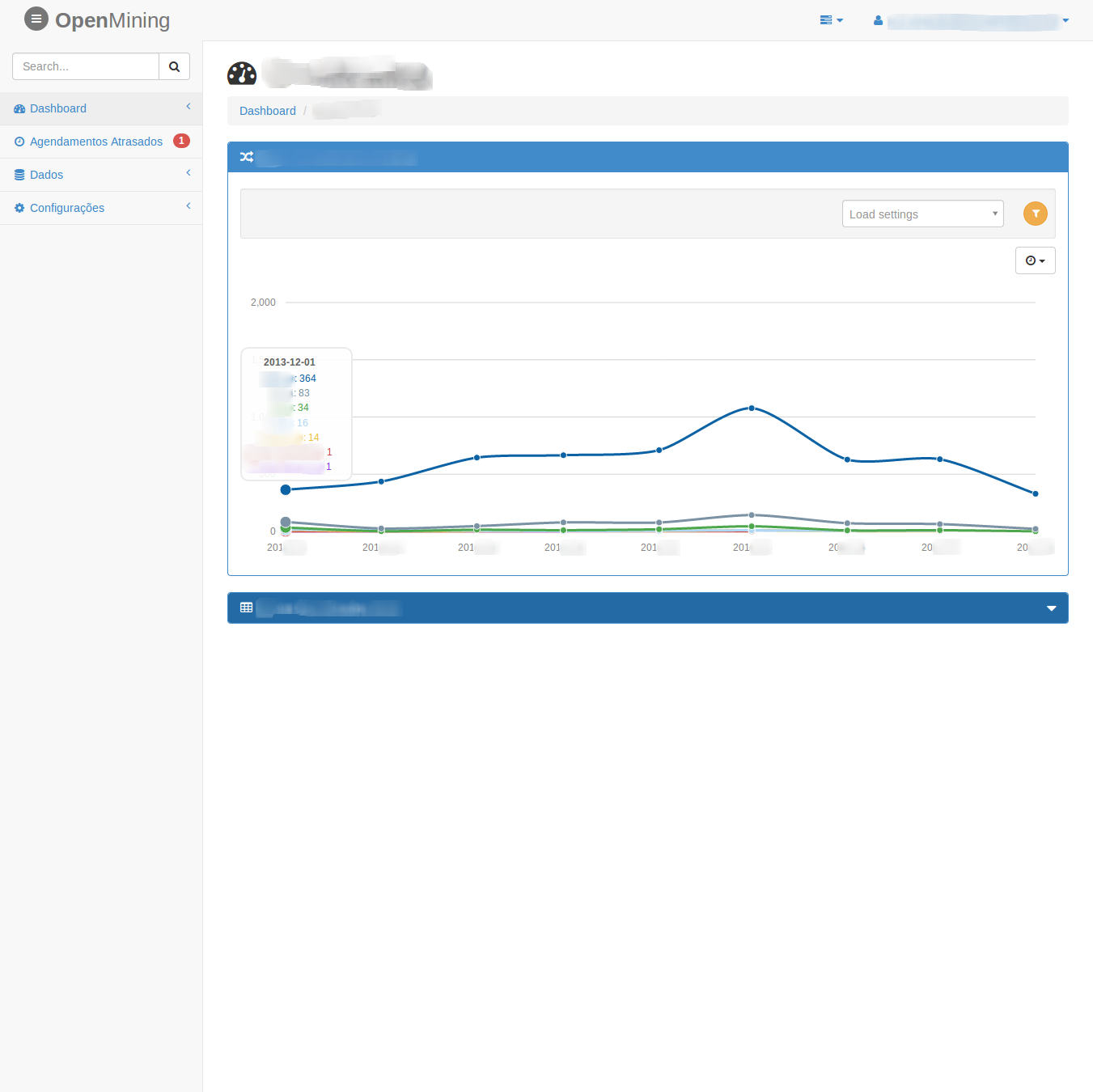
Dashboard Charts OpenMining
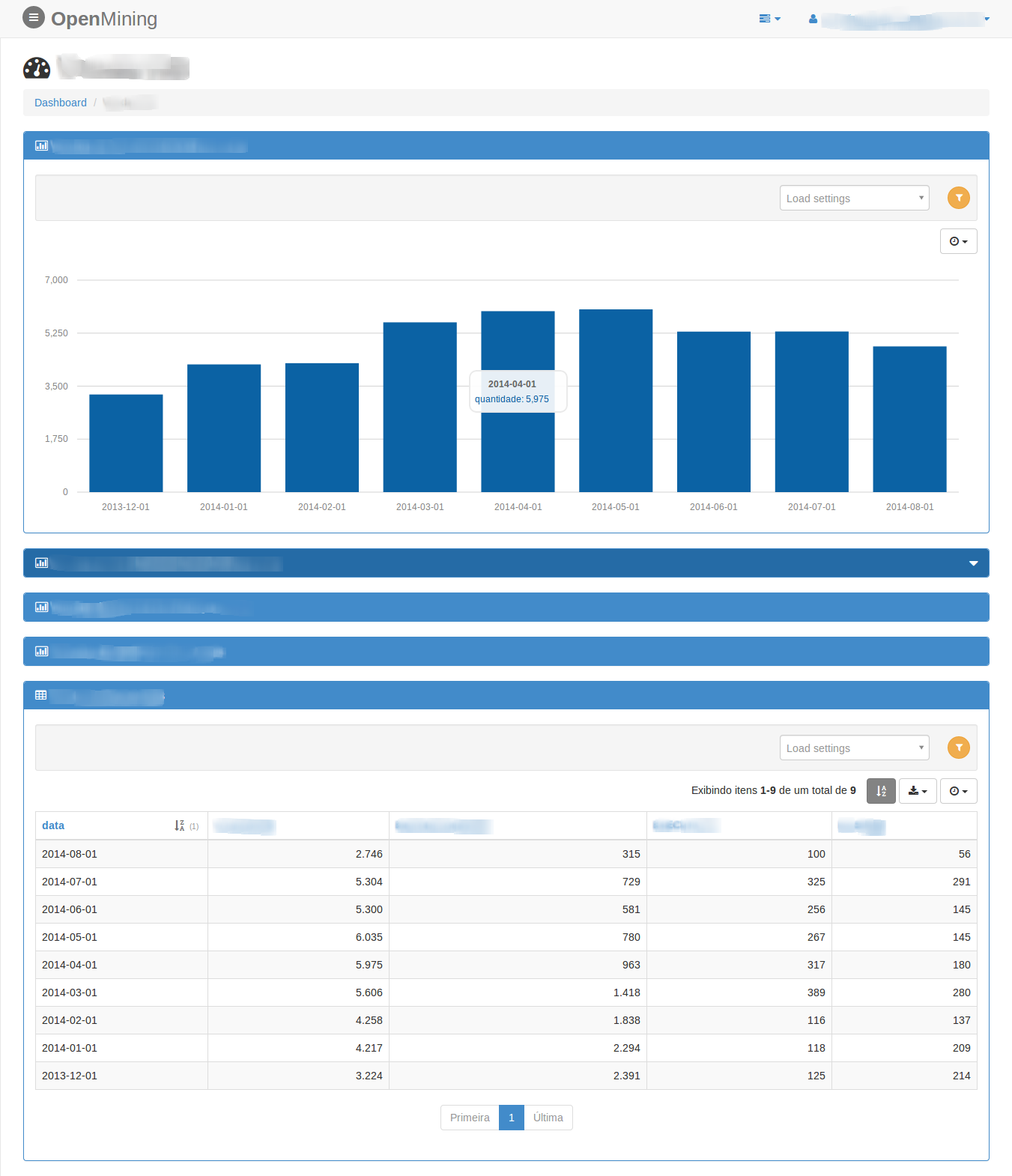
Dashboard Charts OpenMining

Dashboard Charts OpenMining

Dashboard Widgets OpenMining
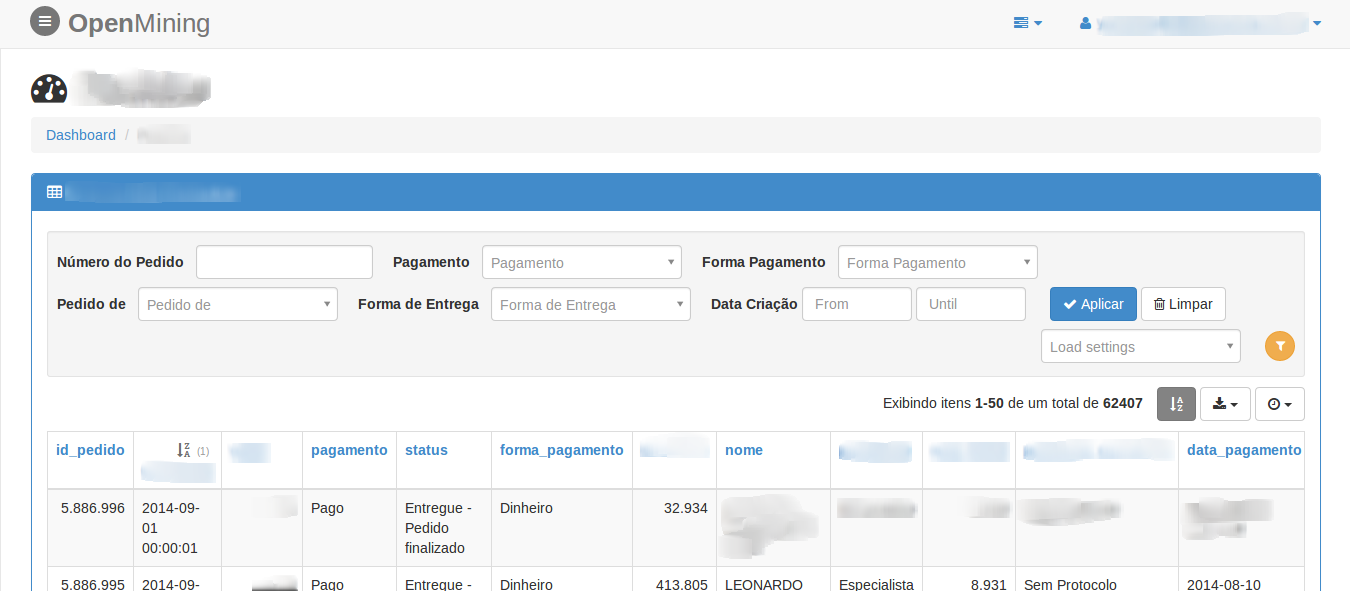
Dashboard Widgets OpenMining

Late Scheduler and running Cubes OpenMining
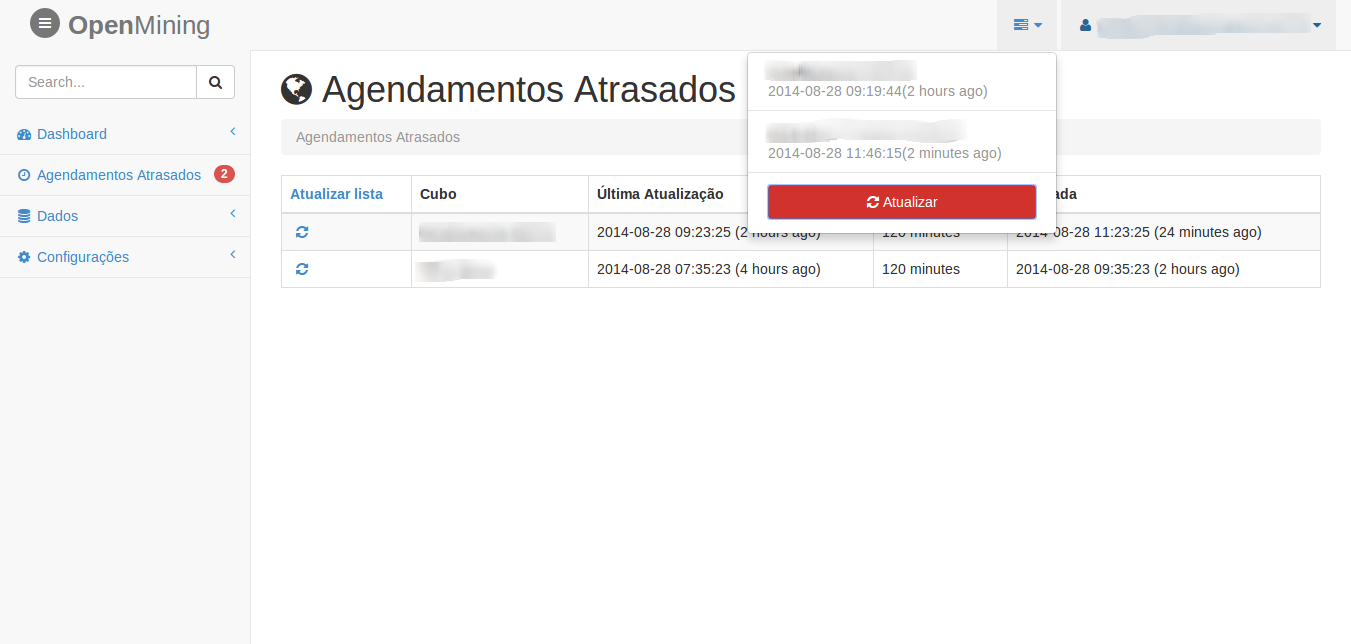
Late Scheduler and running Cubes OpenMining

Contribute

Join us on IRC at #openmining on freenode (web access).

Credits

Authors: Avelino and UP! Essência

Many thanks to all the contributors!

License

Licensed under the MIT license (see the (LICENSE file).

Comments
  • bower install error: bower angular-ui-select2-sortable#~0.0.2

    bower install error: bower angular-ui-select2-sortable#~0.0.2

    bower angular-ui-select2-sortable#~0.0.2 EMALFORMED Failed to read /var/folders/r2/zjhxzwfx01gctj5bvnk3qw3w0000gn/T/leroy/bower/angular-ui-select2-sortable-60805-yH6IkR/bower.json

    opened by lerrua 10
  • mining.ini within installed package

    mining.ini within installed package

    When build the mining for production, it doesn't copy the mining.ini file within the package.

    Suggestions:

    • Under setup(), include a static session "data_files" and add "mining.ini" to this.
    • A different default place for the conf files for production installs, that doesn't depend from PROJECT_PATH variable
    • Other?
    opened by ayr-ton 4
  • MS Sql server not connect

    MS Sql server not connect

    File "/usr/local/lib/python2.7/dist-packages/sqlalchemy/dialects/mssql/pymssql.py", line 72, in _get_server_version_info r"Microsoft SQL Server.*? - (\d+).(\d+).(\d+).(\d+)", vers) File "/usr/lib/python2.7/re.py", line 137, in match return _compile(pattern, flags).match(string) TypeError: expected string or buffer

    bug enhancement 
    opened by abuvanth 3
  • fatal error: Python.h: No such file or directory

    fatal error: Python.h: No such file or directory

    when i run make build shows

    mining/utils/_pandas.c:4:20: fatal error: Python.h: No such file or directory
     #include "Python.h"
                        ^
    compilation terminated.
    error: command 'gcc' failed with exit status 1
    make: *** [environment] Error 1
    

    what is meaning?

    opened by Susheldon 2
  • [WIP] Configure Dockerfile and docker-compose.yml

    [WIP] Configure Dockerfile and docker-compose.yml

    This is a work in progress

    I'm working on docker configuration of mining project. I used the Makefile as guide for building steps. We can't just RUN Makefile because that way Docker is unable to cache each step of building.

    I stumbled in some issues:

    • [ ] Two different ways of building the project (Makefile and Dockerfile)
    • [ ] Every time the code is changed setup.py will run again, which turn the development dull
    • [ ] python manage.py build_demo is not working
    • [ ] Add docker instructions in README

    Any idea how to solve this problems?

    I saw there is a separate repo for Dockerfile. Maybe I need to make this PR there?

    opened by gbmoretti 2
  • No such file or directory: 'mining/bin/demo/base.sql' on running build_demo command

    No such file or directory: 'mining/bin/demo/base.sql' on running build_demo command

    Guys,

    After following a first installation step-by-step I'm getting this error on running build_demo command.

    $ python manage.py build_demo
    OpenMining load demo system
    Traceback (most recent call last):
      File "manage.py", line 118, in <module>
        cmds(default_map=default_map)
      File "/Users/leroy/.virtualenvs/mining/lib/python2.7/site-packages/click/core.py", line 610, in __call__
        return self.main(*args, **kwargs)
      File "/Users/leroy/.virtualenvs/mining/lib/python2.7/site-packages/click/core.py", line 590, in main
        rv = self.invoke(ctx)
      File "/Users/leroy/.virtualenvs/mining/lib/python2.7/site-packages/click/core.py", line 936, in invoke
        return _process_result(sub_ctx.command.invoke(sub_ctx))
      File "/Users/leroy/.virtualenvs/mining/lib/python2.7/site-packages/click/core.py", line 782, in invoke
        return ctx.invoke(self.callback, **ctx.params)
      File "/Users/leroy/.virtualenvs/mining/lib/python2.7/site-packages/click/core.py", line 416, in invoke
        return callback(*args, **kwargs)
      File "manage.py", line 112, in build_demo
        build(level)
      File "/Users/leroy/.virtualenvs/mining/lib/python2.7/site-packages/mining-0.2.0-py2.7-macosx-10.10-x86_64.egg/mining/bin/demo/build_admin.py", line 18, in build
        f = open('{}'.format(os.path.join(demo_path, 'base.sql')), 'r')
    IOError: [Errno 2] No such file or directory: '/Users/leroy/.virtualenvs/mining/lib/python2.7/site-packages/mining-0.2.0-py2.7-macosx-10.10-x86_64.egg/mining/bin/demo/base.sql'
    
    opened by lerrua 2
  • Remove use of the frontend

    Remove use of the frontend

    The Open Mining will have "N" interface, we need to remove the mandatory use of the frontend and the installer put an option to select the front-end will be used.

    feature backend 
    opened by avelino 2
  • Export to xls big data

    Export to xls big data

    Traceback (most recent call last):
      File "/home/mining/.virtualenvs/mining/local/lib/python2.7/site-packages/bottle.py", line 862, in _handle
        return route.call(**args)
      File "/home/mining/.virtualenvs/mining/local/lib/python2.7/site-packages/bottle_mongo.py", line 160, in wrapper
        rv = callback(*a, **ka)
      File "/home/mining/mining/controllers/export.py", line 72, in data
        df.to_excel(file_name)
      File "/home/mining/.virtualenvs/mining/local/lib/python2.7/site-packages/pandas/core/frame.py", line 1204, in to_excel
        startrow=startrow, startcol=startcol)
      File "/home/mining/.virtualenvs/mining/local/lib/python2.7/site-packages/pandas/io/excel.py", line 653, in write_cells
        val, style)
      File "/home/mining/.virtualenvs/mining/local/lib/python2.7/site-packages/xlwt/Worksheet.py", line 1030, in write
        self.row(r).write(c, label, style)
      File "/home/mining/.virtualenvs/mining/local/lib/python2.7/site-packages/xlwt/Worksheet.py", line 1078, in row
        self.__rows[indx] = self.Row(indx, self)
      File "/home/mining/.virtualenvs/mining/local/lib/python2.7/site-packages/xlwt/Row.py", line 42, in __init__
        raise ValueError("row index (%r) not an int in range(65536)" % rowx)
    ValueError: row index (65536) not an int in range(65536)
    
    bug frontend 
    opened by yuripiratello 2
  • python manage.py runserver

    python manage.py runserver

    Traceback (most recent call last): File "manage.py", line 24, in from mining.bin.scheduler import scheduler_app File "D:\Python27\Lib\site-packages\gevent\builtins.py", line 93, in import result = import(*args, **kwargs) File "C:\Users\Documents\Visual Studio 2012\Projects\PythonProject\mining\mining\bin\scheduler.py", line 13, in log_it("START", "bin-scheduler") File "C:\Users\Documents\Visual Studio 2012\Projects\PythonProject\mining\mining\utils_init.py", line 50, in log_it with open("/tmp/openmining-{}.log".format(name), "a") as log:IOError: [Errno 2] No such file or directory: '/tmp/openmining-bin-scheduler.log

    opened by MORYis 0
  • Installation error: IOError: [Errno 2] No such file or directory: 'requirements.txt'

    Installation error: IOError: [Errno 2] No such file or directory: 'requirements.txt'

    Hi,

    I am trying to install it in Mac OS. And, I am getting error. Following are my command line readings:

    pip install mining Collecting mining Using cached https://files.pythonhosted.org/packages/7a/b6/8288426c4aa010222619105c3649b31a7814dde17f4d5383a29046d24a10/mining-0.2.0.tar.gz Complete output from command python setup.py egg_info: Traceback (most recent call last): File "", line 1, in File "/private/var/folders/rz/vcghnnsn59q032827bpqnvvm0000gn/T/pip-install-oiZray/mining/setup.py", line 7, in REQUIREMENTS = [i.strip() for i in open("requirements.txt").readlines() IOError: [Errno 2] No such file or directory: 'requirements.txt'

    ----------------------------------------
    

    Command "python setup.py egg_info" failed with error code 1 in /private/var/folders/rz/vcghnnsn59q032827bpqnvvm0000gn/T/pip-install-oiZray/mining/

    Please help.

    Regards

    opened by MiCodes2 3
  • Firefox can’t establish a connection to the server at 0.0.0.0:8888

    Firefox can’t establish a connection to the server at 0.0.0.0:8888

    [email protected]:~/work/mining# docker run 10f825960da2
    OpenMining start server at: 0.0.0.0:8888
    OpenMining start server at: 0.0.0.0:8888
    Bottle v0.12.7 server starting up (using GeventWebSocketServer())...
    Listening on http://0.0.0.0:8888/
    Hit Ctrl-C to quit.
    

    But I can't open the url:

    Unable to connect
    
    Firefox can’t establish a connection to the server at 0.0.0.0:8888.
    
        The site could be temporarily unavailable or too busy. Try again in a few moments.
        If you are unable to load any pages, check your computer’s network connection.
        If your computer or network is protected by a firewall or proxy, make sure that Firefox is permitted to access the Web.
    
    bug 
    opened by gclsoft 1
Releases(0.2.2)
Owner
Open Mining
Business Intelligence (BI) in Python (Pandas web interface)
Open Mining
Toolchest provides APIs for scientific and bioinformatic data analysis.

Toolchest Python Client Toolchest provides APIs for scientific and bioinformatic data analysis. It allows you to abstract away the costliness of runni

Toolchest 11 Jun 30, 2022
Tkinter Izhikevich Neuron Model With Python

TKINTER IZHIKEVICH NEURON MODEL WITH PYTHON Hodgkin-Huxley Model It is a mathematical model for the generation and transmission of action potentials i

Rabia KOÇ 8 Jul 16, 2022
Data science/Analysis Health Care Portfolio

Health-Care-DS-Projects Data Science/Analysis Health Care Portfolio Consists Of 3 Projects: Mexico Covid-19 project, analyze the patient medical histo

Mohamed Abd El-Mohsen 1 Feb 13, 2022
Analysis of a dataset of 10000 passwords to find common trends and mistakes people generally make while setting up a password.

Analysis of a dataset of 10000 passwords to find common trends and mistakes people generally make while setting up a password.

Aryan Raj 7 Sep 04, 2022
A 2-dimensional physics engine written in Cairo

A 2-dimensional physics engine written in Cairo

Topology 38 Nov 16, 2022
Udacity - Data Analyst Nanodegree - Project 4 - Wrangle and Analyze Data

WeRateDogs Twitter Data from 2015 to 2017 Udacity - Data Analyst Nanodegree - Project 4 - Wrangle and Analyze Data Table of Contents Introduction Proj

Keenan Cooper 1 Jan 12, 2022
BigDL - Evaluate the performance of BigDL (Distributed Deep Learning on Apache Spark) in big data analysis problems

Evaluate the performance of BigDL (Distributed Deep Learning on Apache Spark) in big data analysis problems.

Vo Cong Thanh 1 Jan 06, 2022
Weather analysis with Python, SQLite, SQLAlchemy, and Flask

Surf's Up Weather analysis with Python, SQLite, SQLAlchemy, and Flask Overview The purpose of this analysis was to examine weather trends (precipitati

Art Tucker 1 Sep 05, 2021
Geospatial data-science analysis on reasons behind delay in Grab ride-share services

Grab x Pulis Detailed analysis done to investigate possible reasons for delay in Grab services for NUS Data Analytics Competition 2022, to be found in

Keng Hwee 6 Jun 07, 2022
PCAfold is an open-source Python library for generating, analyzing and improving low-dimensional manifolds obtained via Principal Component Analysis (PCA).

PCAfold is an open-source Python library for generating, analyzing and improving low-dimensional manifolds obtained via Principal Component Analysis (PCA).

Burn Research 4 Oct 13, 2022
This is a python script to navigate and extract the FSD50K dataset

FSD50K navigator This is a script I use to navigate the sound dataset from FSK50K.

sweemeng 2 Nov 23, 2021
A Python Tools to imaging the shallow seismic structure

ShallowSeismicImaging Tools to imaging the shallow seismic structure, above 10 km, based on the ZH ratio measured from the ambient seismic noise, and

Xiao Xiao 9 Aug 09, 2022
4CAT: Capture and Analysis Toolkit

4CAT: Capture and Analysis Toolkit 4CAT is a research tool that can be used to analyse and process data from online social platforms. Its goal is to m

Digital Methods Initiative 147 Dec 20, 2022
TE-dependent analysis (tedana) is a Python library for denoising multi-echo functional magnetic resonance imaging (fMRI) data

tedana: TE Dependent ANAlysis TE-dependent analysis (tedana) is a Python library for denoising multi-echo functional magnetic resonance imaging (fMRI)

136 Dec 22, 2022
Tokyo 2020 Paralympics, Analytics

Tokyo 2020 Paralympics, Analytics Thanks for checking out my app! It was built entirely using matplotlib and Tokyo 2020 Paralympics data. This applica

Petro Ivaniuk 1 Nov 18, 2021
pyETT: Python library for Eleven VR Table Tennis data

pyETT: Python library for Eleven VR Table Tennis data Documentation Documentation for pyETT is located at https://pyett.readthedocs.io/. Installation

Tharsis Souza 5 Nov 19, 2022
Hangar is version control for tensor data. Commit, branch, merge, revert, and collaborate in the data-defined software era.

Overview docs tests package Hangar is version control for tensor data. Commit, branch, merge, revert, and collaborate in the data-defined software era

Tensorwerk 193 Nov 29, 2022
Hatchet is a Python-based library that allows Pandas dataframes to be indexed by structured tree and graph data.

Hatchet Hatchet is a Python-based library that allows Pandas dataframes to be indexed by structured tree and graph data. It is intended for analyzing

Lawrence Livermore National Laboratory 14 Aug 19, 2022
This module is used to create Convolutional AutoEncoders for Variational Data Assimilation

VarDACAE This module is used to create Convolutional AutoEncoders for Variational Data Assimilation. A user can define, create and train an AE for Dat

Julian Mack 23 Dec 16, 2022
Statistical Rethinking course winter 2022

Statistical Rethinking (2022 Edition) Instructor: Richard McElreath Lectures: Uploaded Playlist and pre-recorded, two per week Discussion: Online, F

Richard McElreath 3.9k Dec 31, 2022