🔆 A Python module for controlling power and brightness of the official Raspberry Pi 7

Overview

rpi-backlight

A Python module for controlling power and brightness of the official Raspberry Pi 7" touch display.


PyPI Python Version Downloads Documentation License Black Build Read the Docs Issues

Example

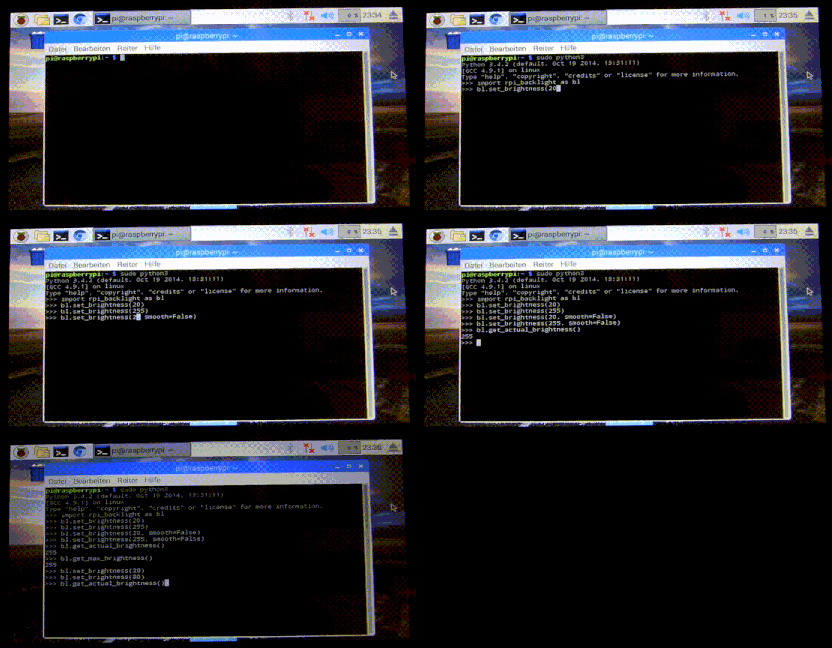
Note: This GIF was created using the old v1 API, so please don't use it as API reference 🙂

Features

  • Set the display brightness smoothly or abrupt
  • Set the display power on or off
  • Get the current brightness
  • Get the display power state (on/off)
  • Command line interface
  • Graphical user interface

Requirements

  • A Raspberry Pi or ASUS Tinker Board including a correctly assembled 7" touch display v1.1 or higher (look on the display's circuit board to see its version) running a Linux-based OS
  • Python 3.6+
  • Optional: Raspberry Pi: pygobject for the GUI, already installed on a recent Raspbian
  • Optional: Tinker Board: gir1.2-gtk-3.0 for the GUI install

Installation

Install from PyPI:

$ pip3 install rpi-backlight

Note: Create this udev rule to update permissions, otherwise you'll have to run Python code, the GUI and CLI as root when changing the power or brightness:

$ echo 'SUBSYSTEM=="backlight",RUN+="/bin/chmod 666 /sys/class/backlight/%k/brightness /sys/class/backlight/%k/bl_power"' | sudo tee -a /etc/udev/rules.d/backlight-permissions.rules

Emulator

For testing without a physical display (e.g. on your main Linux/macOS/Windows machine) you can use linusg/rpi-backlight-emulator.

Usage

API

Example in a Python shell:

>>> from rpi_backlight import Backlight
>>>
>>> backlight = Backlight()
>>> backlight.brightness
100
>>> backlight.brightness = 50
>>> backlight.brightness
50
>>>
>>> with backlight.fade(duration=1):
...     backlight.brightness = 0
...
>>> backlight.fade_duration = 0.5
>>> # subsequent `backlight.brightness = x` will fade 500ms
>>>
>>> backlight.power
True
>>> backlight.power = False
>>> backlight.power
False
>>>

For more details see docs.

CLI

Open a terminal and run rpi-backlight.

$ rpi-backlight -b 100
$ rpi-backlight --set-brightness 20 --duration 1.5
$ rpi-backlight --get-brightness
20
$ rpi-backlight --get-power
on
$ rpi-backlight -p off
$ rpi-backlight --get-power
off
$ rpi-backlight --set-power off :emulator:
$ rpi-backlight -p toggle
$ rpi-backlight -p toggle -d 1.5
$

For all available options see docs.

GUI

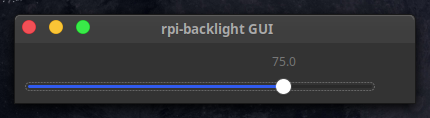
Open a terminal and run rpi-backlight-gui.
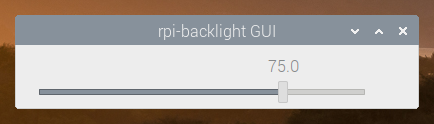
Graphical User Interface Graphical User Interface (2)

Adding a shortcut to the LXDE panel

Panel result

See docs.

Tests

Tests use pytest, install with pip3 install pytest.

Now, run from the repository root directory:

$ python3 -m pytest

Contributing

Please free to open an issue for bug reports and to discuss new features - pull requests for new features or bug fixes are welcome as well!

License

The source code and all other files in this repository are licensed under the MIT license, so you can easily use it in your own projects. See LICENSE for more information.

Comments
  • Add support for Tinker Board

    Add support for Tinker Board

    @linusg Hi, yes, that helps very much. I've been working on this for 2 hours so far and seem to hit a roadblock. I will keep this pull request open this time and we can work in this one, as I closed the last one

    First, I'd like to check in with you and make sure I am following your plan so far.

    Second, I can't seem to get this to work

    if((self._board_type == BoardType.TINKER_BOARD)
    

    Can you see if I am doing something bad with enum? I cant seem to get it to work unless I do

    if((self._board_type.name == "TINKER_BOARD")
    

    BTW, I couldnt use auto for enum, I think it is not supported on my Tinkerboard... Was not able to import it.

    opened by p1r473 19
  • Support for Asus Tinkerboard

    Support for Asus Tinkerboard

    I have added a new function, Toggle() I have also added support for Asus Tinkerboard and Asus Tinkerboard S Maybe you want to add a switch statement so support can be offered for both OS in 1 file. This pull request is in case you like any of my changes.

    opened by p1r473 18
  • This driver is amazing...! But is there a way to control it remotely?

    This driver is amazing...! But is there a way to control it remotely?

    Thank you so much for this great piece of work!

    It runs great on a small touch screen that I built as a clock for my mother who is getting old and keeps forgetting what day it is... I run AppDaemon with Home Assistant on the device. Unfortunately, Home Assistant and AppDaemon are running in dock images and cannot control the host system and hence have no control over the display. Home Assistant would have beentje perfect companion to dim the screen in the evenings... Is there a way to send the commands to the screen remotely? It is not possible to connect with ssh from docker image to host system. MQTT would be fine, for example...

    IMG_3819

    question 
    opened by filmgarage 12
  • rpi-backlight not working in debian bullseye.

    rpi-backlight not working in debian bullseye.

    rpi-backlight worked in debian buster, but not on bullseye. Installing gives this notification:

    Defaulting to user installation because normal site-packages is not writeable Looking in indexes: https://pypi.org/simple, https://www.piwheels.org/simple Collecting rpi-backlight Downloading https://www.piwheels.org/simple/rpi-backlight/rpi_backlight-2.4.1-py3-none-any.whl (9.8 kB) Installing collected packages: rpi-backlight Successfully installed rpi-backlight-2.4.1

    After installation i gave the command:"echo 'SUBSYSTEM=="backlight",RUN+="/bin/chmod 666 /sys/class/backlight/%k/brightness /sys/class/backlight/%k/bl_power"' | sudo tee -a /etc/udev/rules.d/backlight-permissions.rules" and a reboot, when i give the command backlight -b5 it is saying it doesn't excist. With rpi-backlight -b5 it is saying:"

    Traceback (most recent call last): File "/home/pi/.local/bin/rpi-backlight", line 8, in sys.exit(main()) File "/home/pi/.local/lib/python3.9/site-packages/rpi_backlight/cli.py", line 78, in main backlight = Backlight( File "/home/pi/.local/lib/python3.9/site-packages/rpi_backlight/init.py", line 75, in init self._max_brightness = self._get_value("max_brightness") # 255 File "/home/pi/.local/lib/python3.9/site-packages/rpi_backlight/init.py", line 92, in _get_value raise e File "/home/pi/.local/lib/python3.9/site-packages/rpi_backlight/init.py", line 84, in _get_value return int((self._backlight_sysfs_path / name).read_text()) File "/usr/lib/python3.9/pathlib.py", line 1255, in read_text with self.open(mode='r', encoding=encoding, errors=errors) as f: File "/usr/lib/python3.9/pathlib.py", line 1241, in open return io.open(self, mode, buffering, encoding, errors, newline, File "/usr/lib/python3.9/pathlib.py", line 1109, in _opener return self._accessor.open(self, flags, mode) FileNotFoundError: [Errno 2] No such file or directory: '/sys/class/backlight/rpi_backlight/max_brightness'

    In /sys/class there is a directory "backlight", but no directory "rpi_backlight". Only a directory "10-0045" Has this to do with a new video-driver in the debian bullseye?

    Thanks in advance.

    question 
    opened by pjmpessers 11
  • Implement automatic board detection

    Implement automatic board detection

    Hi Linus, I have taken a stab at implementation. It works!

    A few points for you to review -I am not sure if I did the enumeration to your liking. -I removed the part in the readme, now that it works out of the box. -After I blacked the files, it rearranged the whitespace on your argument parser -I didnt know if I should put the _get_board in the Backlight class. I'm not very good with OOP, so I was not able to access it with self._get_board(). My guess is because it hasn't been init'd yet.

    Thanks,

    Fixes #30

    opened by p1r473 9
  • Add support for Tinkerboard 2

    Add support for Tinkerboard 2

    Hi Linus, been a while. Hope all is well. I have recently purchased a Tinkerboard 2 and am adding support for it. I'd like you to check over the changes and make sure its implemented how youd like. If not, I am happy to make any changes.

    opened by p1r473 7
  • Screen power supply emitting noise

    Screen power supply emitting noise

    Hey everyone,

    I managed to run the code to change screen brightness and every thing works fine.

    However for low brightness values (<100) the screen power supply starts emitting some noise. Any one knows why ? Could it be related to brightness being the screen turning on et off quickly so the power supply becomes some kind of square signal ?

    question 
    opened by max-circlefade 7
  • Fix for Bullseye new KMS path

    Fix for Bullseye new KMS path

    The path to the backlight is now /sys/class/backlight/10-0045/brightness due to the swap to KMS in Bullseye, which resulted in a file not found error when executing a command.

    This is a quick and dirty fix to dynamically fix the control path.

    opened by tonymorello 6
  • Automatic board detection for initiation

    Automatic board detection for initiation

    Further fleshing out our discussion of automatic board detection/initiation so hopefully we don't need to manually initiate the board, in both init and CLI files.

    I suppose if there's a reliable way to detect the board type, we could have automatic detection if no board type is explicitly provided - perhaps by checking the existence of each path in _BACKLIGHT_SYSFS_PATHS?

    I was thinking of using /proc/device-tree/model

    [email protected]:~# cat /proc/device-tree/model
    ASUS Tinker Board 2 (Linux Opensource)
    

    What is the output on the Pi?

    enhancement 
    opened by p1r473 5
  • GUI Permissions

    GUI Permissions

    Hi Linus! I have ran the following command:

    echo 'SUBSYSTEM=="backlight",RUN+="/bin/chmod 666 /sys/class/backlight/%k/brightness /sys/class/backlight/%k/bl_power /sys/devices/platform/ff150000.i2c/i2c-3/3-0045/tinker_mcu_bl
    "' | sudo tee -a /etc/udev/rules.d/backlight-permissions.rules
    

    Note, I ran for both the TinkerBoard and the Pi files, as all files exist on my OS. This does not fix the permissions for me.

    Sidenote, I actually had to replace the %k with rpi_backlight:

    echo 'SUBSYSTEM=="backlight",RUN+="/bin/chmod 666 /sys/class/backlight/rpi_backlight/brightness /sys/class/backlight/rpi_backlight/bl_power /sys/devices/platform/ff150000.i2c/i2c-3/3-0045/tinker_mcu_bl
    > "' | sudo tee -a /etc/udev/rules.d/backlight-permissions.rules
    

    as I got:

    chmod: cannot access '/sys/class/backlight/%k/brightness': No such file or directory
    chmod: cannot access '/sys/class/backlight/%k/bl_power': No such file or directory
    

    Just wondering if you have any idea why both the udev rule wouldn't work, nor the %k in that rule?

    question 
    opened by p1r473 5
  • Fix setting brightness to max value and brightness fading loop condition

    Fix setting brightness to max value and brightness fading loop condition

    • Function _denormalize_brightness does not clamp the output to the normal 0-255 int() range. Force-clamped 0-255 now.
    • Function _normalize_brightness does not clamp the output to the normal 0-100 percent range. Force-clamped 0-100 now.
    • In @brightness.setter, the while loop looks only for current_value != value. In some circumstances, it won't stop incrementing. Hard-clamped to 0-100 percent range.
    opened by Martin-HiPi 4
  • Power on with duration, power on if brightness > 0

    Power on with duration, power on if brightness > 0

    Hi Linus, On my Pi4, I am able to successfully fade with a duration with rpi-backlight -b 0 -d 3. However, I cant power on/off with a duration rpi-backlight -p off -d 3. I can, however, toggle with a duration just fine rpi-backlight -p toggle -d 3 I believe we should be able to power on/off with a duration based on this line in the code, showing the intention that power setting may indeed be set with a duration. parser.error("-p/--set-power may only be used with -d/--duration")

    After checking the code, I found that powering on/off with a duration wasn't actually implemented yet So, I added it as a feature: -Power on/off is now supported with duration

    Additionally, I found that if you set the brightness to 100 while the power is off, nothing happens. So, I added an extra 2 features: -If setting brightness >0, turn the power on first. (This will better the user experience) -If setting brightness to 0, turn the power off once brightness is 0. (Perhaps $ energy savings?)

    I also added a quick check to the code. -Do not try to power on if already on (This will prevent the brightness from setting to 100 if brightness is already turned up (i.e. 40) and you try to power on) which fixes #44

    opened by p1r473 1
  • Toggle CLI turns brightness up to 100%

    Toggle CLI turns brightness up to 100%

    If the screen is on and the command power off is sent, the screen is back to the former brightness when turned on again.

    For example:

    // Brightness 20%
    rpi-backlight --p off //screen blank
    rpi-backlight --p on // screen 20%
    

    Toggle does not remember the former brightness:

    // Brightness 20%
    rpi-backlight --p toggle //screen blank
    rpi-backlight --p toggle // screen 100%
    

    Is this intentional? I would prefer the previous setting to be remembered.

    opened by filmgarage 3
Releases(v2.6.0)
This application works with serial communication. Use a simple gui to send and receive serial data from arduino and control leds and motor direction

This application works with serial communication. Use a simple gui to send and receive serial data from arduino and control leds and motor direction

ThyagoKZKR 2 Jul 18, 2022
SPI driven CircuitPython driver for PCA9745B constant current LED driver.

Introduction THIS IS VERY MUCH ALPHA AND IN ACTIVE DEVELOPMENT. THINGS WILL BREAK! THIS MAY ALSO BREAK YOUR THINGS! SPI driven CircuitPython driver fo

Andrew Ferguson 1 Jan 14, 2022
Pure micropython ESP32 SPI driver for sdcard and screen at the same SPI bus

micropython-esp32-spi-sdcard-and-screen-driver Proof of concept of Pure micropython espidf SPI driver for sdcard with screen at the same SPI bus (exam

Thomas Favennec 7 Mar 14, 2022
3d printable macropad

Pico Mpad A 3D printable macropad for automating frequently repeated actions. Hardware To build this project you need access to a 3d printer. The mode

Dmytro Panin 94 Jan 07, 2023
Pi-hole with Inky pHAT ePaper display

Pi-hole with Inky pHAT ePaper display This is my Pi-hole with an ePaper display.

11 Sep 13, 2022
Detic ros - A simple ROS wrapper for Detic instance segmentation using pre-trained dataset

Detic ros - A simple ROS wrapper for Detic instance segmentation using pre-trained dataset

Hirokazu Ishida 12 Nov 19, 2022
Интеграция Home Assistant с ЛК "Интер РАО"

ЕЛК ЖКХ «Интер РАО» для Home Assistant Предоставление информации о текущем состоянии ваших аккаунтов в ЕЛК ЖКХ. Введение @ TODO @ Установка Посредство

Alexander Ryazanov 27 Nov 05, 2022
Pinion — Nice-looking interactive diagrams for KiCAD PCBs

Pinion — Nice-looking interactive diagrams for KiCAD PCBs Pinion is a simple tool that allows you to make a nice-looking pinout diagrams for your PCBs

Jan Mrázek 297 Jan 06, 2023
a weather application for the raspberry pi and the Pimorioni Inky pHAT.

raspi-weather a weather application for the raspberry pi and the Inky pHAT

Derek Caelin 59 Oct 24, 2022
Alarm Control Panel component for Zigbee Keypads using action_transaction field

hass_transaction_alarm_panel Alarm Control Panel component for Zigbee Keypads using action_transaction field. Works together with zigbee2mqtt Supporte

Konstantin 4 Jun 09, 2022
Python application, displaying currently played track from Spotify on OLED display connected via I2C

RaspberryPi Spotify OLED Display This application will display currently played track on SSD1306 OLED display connected to RaspberryPi. Displayed stuf

Wojciech Olech 2 Dec 30, 2021
Tools and documentation to aid in modifying the ADI ADALM Pluto firmware

Pluto firmware modifications This repository contains tools and documentation to aid in modifying the ADI ADALM Pluto firmware. Extraction of the Plut

Daniel Estévez 28 Dec 21, 2022
New armachat based on Raspberry Pi PICO an Circuitpython code

Armachat-circuitpython New Armachat based on Raspberry Pi PICO an Circuitpython code Software working features: send message with header and store to

Peter Misenko 44 Dec 24, 2022
Sensor of Temperature Feels Like for Home Assistant.

Please ⭐ this repo if you find it useful Sensor of Temperature Feels Like for Home Assistant Installation Install from HACS (recommended) Have HACS in

Andrey 60 Dec 25, 2022
Connect a TeslaMate instance to Home Assistant, using MQTT

TeslaBuddy Connect a TeslaMate instance to Home Assistant, using MQTT. It allows basic control of your Tesla vehicle via Home Assistant (currently, ju

4 May 23, 2022
My self-hosting infrastructure, fully automated from empty disk to operating services

Khue's Homelab Current status: ALPHA This project utilizes Infrastructure as Code to automate provisioning, operating, and updating self-hosted servic

Khue Doan 6.4k Dec 31, 2022
Setup DevTerm to be a cool non-GUI device

DevTerm hobby project I bought this amazing device: DevTerm A-0604. It has a beefy ARM processor, runs a custom version of Armbian, embraces Open Sour

Alex Shteinikov 9 Nov 17, 2022
Monitor Live USB Plug In & Plug Out Events

I/O - Live USB Monitoring Author: Jonathan Scott @jonathandata1 Date: 3/13/2021 CURRENT VERSION 1.0 This is just a simple bash script that calls a pyt

Jonathan Scott 17 Dec 03, 2022
Automatic Watering System using Soil Moisture Sensor and RTC Timer with Arduino

Automatic-Watering-System - Technical Answers to Real-World Problems. Evolution of Watering Manually to Watering Automatically.

Vaishnavi Pothugunta 4 Dec 31, 2021
Easyeda2kicad.py - Convert any LCSC components (including EasyEDA) to KiCad library

easyeda2kicad.py A Python script that convert any electronic components from LCSC or EasyEDA to a Kicad library Installation git clone https://github.

uPesy Electronics 150 Jan 06, 2023