tokei-pie
Render tokei results to charts.

Installation
pip install tokei-pie
Usage
$ tokei -o json | tokei-pie

(This is how django looks like!)
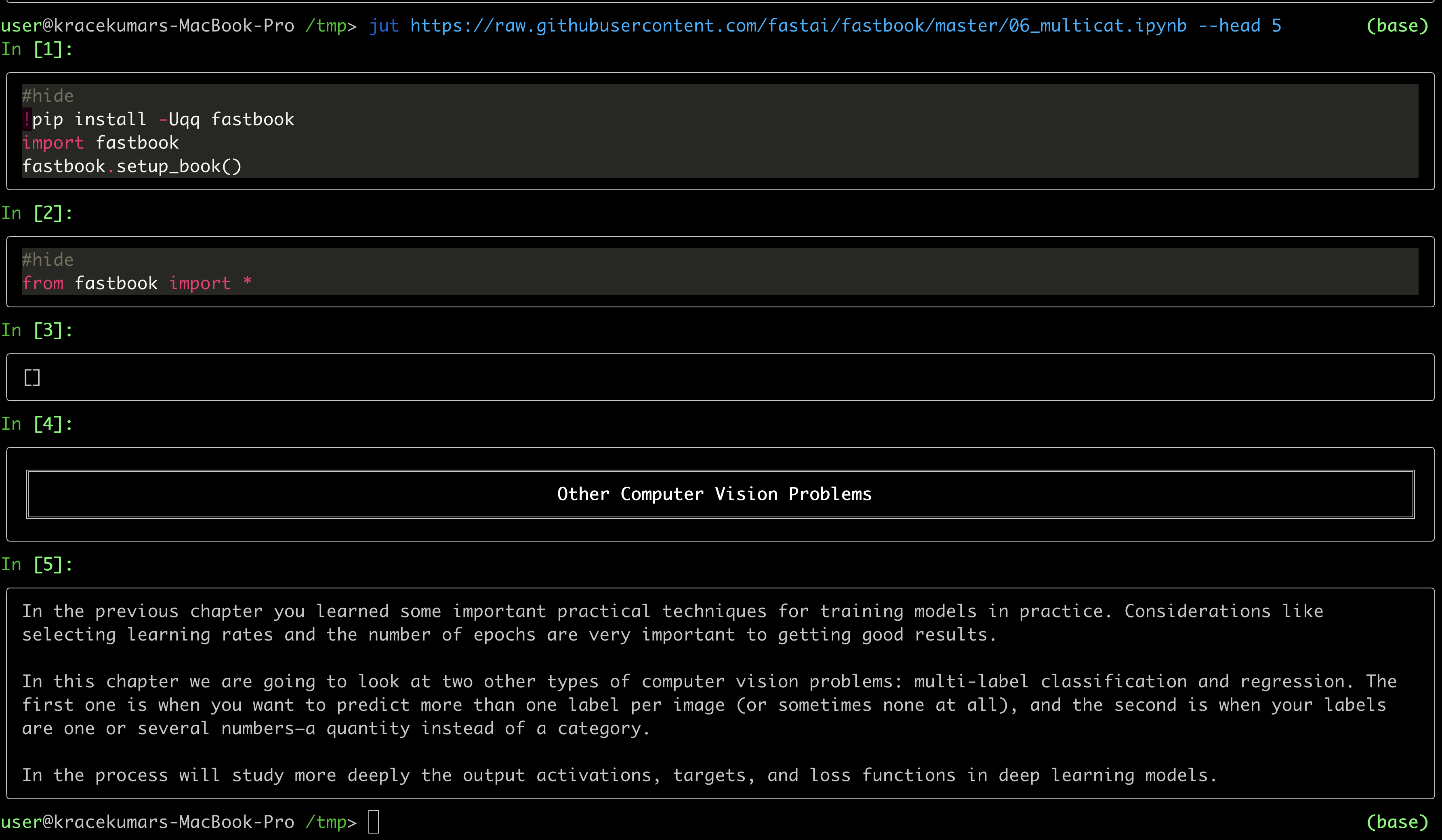
jut - JUpyter notebook Terminal viewer. The command line tool view the IPython/Jupyter notebook in the terminal. Install pip install jut Usage $jut --
ColorShell ─ 1.5 Planned for v2: setup.sh for setup alias This script converts HEX and RGB code to x1b x1b is code for colorize outputs, works on ou
Bokeh is an interactive visualization library for modern web browsers. It provides elegant, concise construction of versatile graphics, and affords hi
whiteboxgui An interactive GUI for WhiteboxTools in a Jupyter-based environment GitHub repo: https://github.com/giswqs/whiteboxgui Documentation: http
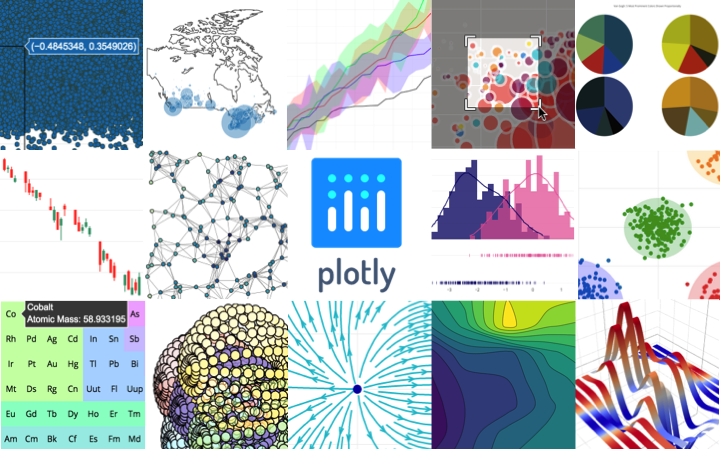
plotly.py Latest Release User forum PyPI Downloads License Data Science Workspaces Our recommended IDE for Plotly’s Python graphing library is Dash En
Bokeh is an interactive visualization library for modern web browsers. It provides elegant, concise construction of versatile graphics, and affords hi
nx_altair Draw NetworkX graphs with Altair nx_altair offers a similar draw API to NetworkX but returns Altair Charts instead. If you'd like to contrib
pdvega: Vega-Lite plotting for Pandas Dataframes pdvega is a library that allows you to quickly create interactive Vega-Lite plots from Pandas datafra
plotly.py Latest Release User forum PyPI Downloads License Data Science Workspaces Our recommended IDE for Plotly’s Python graphing library is Dash En
Currently when trying to run on any directory on Windows gives the following error.
Traceback (most recent call last):
  File "C:\Users\AppData\Local\Programs\Python\Python310\lib\runpy.py", line 196, in _run_module_as_main
    return _run_code(code, main_globals, None,
  File "C:\Users\AppData\Local\Programs\Python\Python310\lib\runpy.py", line 86, in _run_code
    exec(code, run_globals)
  File "C:\Users\AppData\Local\Programs\Python\Python310\Scripts\tokei-pie.exe\__main__.py", line 7, in <module>
  File "C:\Users\AppData\Local\Programs\Python\Python310\lib\site-packages\tokei_pie\main.py", line 227, in main
    sectors = read_root(data)
  File "C:\Users\AppData\Local\Programs\Python\Python310\lib\site-packages\tokei_pie\main.py", line 197, in read_root
    sectors.extend(read_reports(reports, key))
  File "C:\Users\erin.power\AppData\Local\Programs\Python\Python310\lib\site-packages\tokei_pie\main.py", line 176, in read_reports
    sectors = convert2sectors(tree, dict_reports, parent_id)
  File "C:\Users\AppData\Local\Programs\Python\Python310\lib\site-packages\tokei_pie\main.py", line 168, in convert2sectors
    dir2sector(".", dirs, reports, sectors, language)
  File "C:\Users\AppData\Local\Programs\Python\Python310\lib\site-packages\tokei_pie\main.py", line 112, in dir2sector
    subdirs = dirs[dirname]
KeyError: '.'
Reproduce:
$ tokei -o json /path/to/my_code | tokei-pie
Traceback (most recent call last):
  File "/Users/fming/wkspace/github/tokei-pie-plate/venv/bin/tokei-pie", line 8, in <module>
    sys.exit(main())
  File "/Users/fming/wkspace/github/tokei-pie-plate/venv/lib/python3.10/site-packages/tokei_pie/main.py", line 227, in main
    sectors = read_root(data)
  File "/Users/fming/wkspace/github/tokei-pie-plate/venv/lib/python3.10/site-packages/tokei_pie/main.py", line 197, in read_root
    sectors.extend(read_reports(reports, key))
  File "/Users/fming/wkspace/github/tokei-pie-plate/venv/lib/python3.10/site-packages/tokei_pie/main.py", line 176, in read_reports
    sectors = convert2sectors(tree, dict_reports, parent_id)
  File "/Users/fming/wkspace/github/tokei-pie-plate/venv/lib/python3.10/site-packages/tokei_pie/main.py", line 168, in convert2sectors
    dir2sector(".", dirs, reports, sectors, language)
  File "/Users/fming/wkspace/github/tokei-pie-plate/venv/lib/python3.10/site-packages/tokei_pie/main.py", line 140, in dir2sector
    _blanks, _code, _comments = dir2sector(
  File "/Users/fming/wkspace/github/tokei-pie-plate/venv/lib/python3.10/site-packages/tokei_pie/main.py", line 140, in dir2sector
    _blanks, _code, _comments = dir2sector(
  File "/Users/fming/wkspace/github/tokei-pie-plate/venv/lib/python3.10/site-packages/tokei_pie/main.py", line 140, in dir2sector
    _blanks, _code, _comments = dir2sector(
  [Previous line repeated 1 more time]
  File "/Users/fming/wkspace/github/tokei-pie-plate/venv/lib/python3.10/site-packages/tokei_pie/main.py", line 118, in dir2sector
    stats = reports[item]
KeyError: './lib/python3.10/site-packages/jinja2/compiler.py'
There seems to be something wrong with the relative path calculation.
When I pass folders as arguments to token I get a key error in tokei-pie
# in tokei repo
token src -o json | tokei-pie
Traceback (most recent call last):
  File "/opt/homebrew/bin/tokei-pie", line 8, in <module>
    sys.exit(main())
  File "/opt/homebrew/lib/python3.9/site-packages/tokei_pie/main.py", line 213, in main
    sectors = read_root(data)
  File "/opt/homebrew/lib/python3.9/site-packages/tokei_pie/main.py", line 194, in read_root
    sectors.extend(read_reports(reports, key))
  File "/opt/homebrew/lib/python3.9/site-packages/tokei_pie/main.py", line 173, in read_reports
    sectors = convert2sectors(tree, dict_reports, parent_id)
  File "/opt/homebrew/lib/python3.9/site-packages/tokei_pie/main.py", line 165, in convert2sectors
    dir2sector(".", dirs, reports, sectors, language)
  File "/opt/homebrew/lib/python3.9/site-packages/tokei_pie/main.py", line 115, in dir2sector
    stats = reports[item]
KeyError: './input.rs'
. by @laixintao in https://github.com/laixintao/tokei-pie/pull/4Full Changelog: https://github.com/laixintao/tokei-pie/compare/v1.1.2...v1.2.0
Source code(tar.gz)polyprotein_stats A small tool to test and visualize protein embeddings and amino acid proportions. Currently deployed on streamlit.io. Given a set of
mini-map-maker A tool for automatically generating 3D printable STLs from freely available lidar scan data. Screenshots Tutorial To use this script, g
blender_freestyle_line_drawing This is simply repo for line drawing rendering using freestyle in Blender. how to use blender2935 --background --python
Numerical methods Numerical methods for ordinary differential equations are methods used to find numerical approximations to the solutions of ordinary
Training-Curve-Vis Visualize the training curve from the *.csv file (tensorboard format). Feature Custom labels Curve smoothing Support for multiple c
PinOut A Python package that generates hardware pinout diagrams as SVG images. The package is designed to be quite flexible and works well for general
Statistics and Visualization of acceptance rate, main keyword of CVPR 2021 accepted papers for the main Computer Vision conference (CVPR)
UMAP Uniform Manifold Approximation and Projection (UMAP) is a dimension reduction technique that can be used for visualisation similarly to t-SNE, bu
This package creates clean and beautiful matplotlib plots that work on light and dark backgrounds. Inspired by the work of Edward Tufte.
Insert SVGs into matplotlib
Table of contents Overview Installation Usage Document Try PyCM in Your Browser Issues & Bug Reports Todo Outputs Dependencies Contribution References
Leyna's Visualizing Data Below is information on the number of bilingual students in three school districts in Massachusetts. You will also find infor
Your Gitlab's contributions in a 3D Skyline gitlab-skyline is a Python command to generate a skyline figure from Gitlab contributions as Github did at
bqplot 2-D plotting library for Project Jupyter Introduction bqplot is a 2-D visualization system for Jupyter, based on the constructs of the Grammar
Tweets your monthly GitHub Contributions as Wordle grid
nx_altair Draw NetworkX graphs with Altair nx_altair offers a similar draw API to NetworkX but returns Altair Charts instead. If you'd like to contrib
About Sometimes you just want to compute simple 1D or 2D histograms with regular bins. Fast. No nonsense. Numpy's histogram functions are versatile, a
StockBot is a Python application for designing and testing your own daily stock trading algorithms. Installation Use the
Germline Mutation Calling This Snakemake workflow follows the GATK best-practice recommandations to call small germline variants. The pipeline require
The HIST framework for stock trend forecasting The implementation of the paper "HIST: A Graph-based Framework for Stock Trend Forecasting via Mining C
 169 Dec 27, 2022

 4 Oct 31, 2021
 17.1k Dec 31, 2022
 105 Dec 15, 2022
 12.7k Jan 5, 2023

 206 Dec 12, 2022

 342 Oct 26, 2022


 2 Jan 07, 2023
 51 Nov 06, 2022
 3 Jul 02, 2022
 5 Apr 29, 2022
 7 Feb 23, 2022
 336 Dec 20, 2022
 78 Aug 23, 2022
 6k Jan 08, 2023
 205 Jan 07, 2023
 35 Dec 29, 2022
 1.3k Dec 31, 2022
 11 Oct 28, 2021
 70 Dec 22, 2022
 3.4k Dec 30, 2022
 5 Feb 16, 2022
 237 Dec 18, 2022
 280 Dec 19, 2022
 12 Dec 24, 2022
 111 Jan 03, 2023