
APKLeaks - Scanning APK file for URIs, endpoints & secrets.
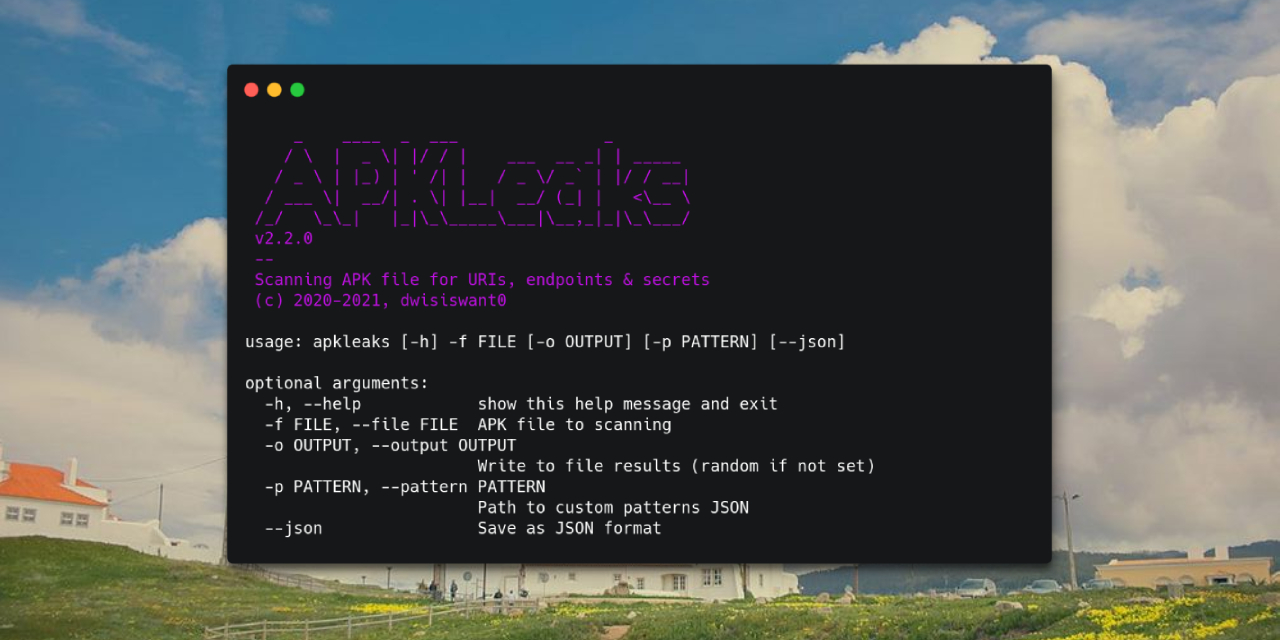
Overview

APKLeaks

version contributions

Scanning APK file for URIs, endpoints & secrets.

APKLeaks


Installation

It's fairly simple to install APKLeaks:

from PyPi

$ pip3 install apkleaks

from Source

Clone repository and install requirements:

$ git clone https://github.com/dwisiswant0/apkleaks
$ cd apkleaks/
$ pip3 install -r requirements.txt

from Docker

Pull the Docker image by running:

$ docker pull dwisiswant0/apkleaks:latest

Dependencies

APKLeaks using jadx disassembler to decompile APK file. If it doesn't exist in your environment, it'll ask you to download.

Usage

Simply,

$ apkleaks -f ~/path/to/file.apk
# from Source
$ python3 apkleaks.py -f ~/path/to/file.apk
# or with Docker
$ docker run -it --rm -v /tmp:/tmp dwisiswant0/apkleaks:latest -f /tmp/file.apk

Options

Here are all the options it supports.

Argument Description Example
-f, --file APK file to scanning apkleaks -f file.apk
-o, --output Write to file results (random if not set) apkleaks -f file.apk -o results.txt
-p, --pattern Path to custom patterns JSON apkleaks -f file.apk -p custom-rules.json
-a, --args Disassembler arguments apkleaks -f file.apk --args="--deobf --log-level DEBUG"
--json Save as JSON format apkleaks -f file.apk -o results.json --json

Output

In general, if you don't provide -o argument, then it will generate results file automatically.

NOTE: By default it will also save the results in text format, use --json argument if you want JSON output format.

Pattern

Custom patterns can be added with the following argument to provide sensitive search rules in the JSON file format: --pattern /path/to/custom-rules.json. If not set, it'll use default patterns from regexes.json file.

Example patterns file:

// custom-rules.json
{
  "Amazon AWS Access Key ID": "AKIA[0-9A-Z]{16}",
  ...
}
$ apkleaks -f /path/to/file.apk -p rules.json -o ~/Documents/apkleaks-results.txt

Arguments (disassembler)

We give user complete discretion to pass the disassembler arguments. For example, if you want to activate threads in jadx decompilation process, you can add it with -a/--args argument, example: --args="--threads-count 5".

$ apkleaks -f /path/to/file.apk -a "--deobf --log-level DEBUG"

NOTE: Please pay attention to the default disassembler arguments we use to prevent collisions.

License

apkleaks is distributed under Apache 2.

Acknowledments

Since this tool includes some contributions, and I'm not an asshole, I'll publically thank the following users for their helps and resources:

Comments
  • PermissionError: [WinError 32] The process cannot access the file because it is being used by another process:

    PermissionError: [WinError 32] The process cannot access the file because it is being used by another process:

    After issue #37 was fixed, I cloned the repo and tried testing it again.

    Here's the command I entered: python .\apkleaks.py -f <path-to-apk>\app-armeabi-v7a-release.apk

    Here's the output:

         _    ____  _  ___               _
        / \  |  _ \| |/ / |    ___  __ _| | _____
       / _ \ | |_) | ' /| |   / _ \/ _` | |/ / __|
      / ___ \|  __/| . \| |__|  __/ (_| |   <\__ \
     /_/   \_\_|   |_|\_\_____\___|\__,_|_|\_\___/
     v2.3.0
     --
     Scanning APK file for URIs, endpoints & secrets
     (c) 2020-2021, dwisiswant0
    
    ** Decompiling APK...
    The filename, directory name, or volume label syntax is incorrect.
    
    ** Scanning against 'com.<package-name>'
    Traceback (most recent call last):
      File ".\apkleaks.py", line 5, in <module>
        main()
      File "C:\Users\username\Documents\apkleaks\apkleaks\cli.py", line 38, in main
        init.cleanup()
      File "C:\Users\username\Documents\apkleaks\apkleaks\apkleaks.py", line 144, in cleanup
        os.remove(self.output)
    PermissionError: [WinError 32] The process cannot access the file because it is being used by another process: 'C:\\Users\\username\\AppData\\Local\\Temp\\apkleaks-fimv9xye.txt'
    
    bug 
    opened by masteradit 21
  • Empty results in Windows

    Empty results in Windows

    I just called python apkleaks.py -f app.apk -o app.txt and got:

    Scanning APK file for URIs, endpoints & secrets (c) 2020-2021, dwisiswant0 ←[0m ←[94m** Decompiling APK... ←[0mINFO - loading ... INFO - processing ... ERROR - finished with errors, count: 3

    The app.txt file is completly empty. What could be the problem?

    OS: Windows 10 Python: 3.8.0

    bug 
    opened by fuuman 8
  • ERROR:  No module named apk_parse.apk

    ERROR: No module named apk_parse.apk

    Hi, i'm having this error while trying to run the script:

    python2 apkleaks.py -h

    Traceback (most recent call last): File "apkleaks.py", line 2, in from apk_parse.apk import APK ImportError: No module named apk_parse.apk

    Where can i find this "apk_parse.apk" file ?

    Thanks

    question 
    opened by DIEGOD79 7
  • json.decoder.JSONDecodeError: Expecting property name enclosed in double quotes: line 62 column 1 (char 4619)

    json.decoder.JSONDecodeError: Expecting property name enclosed in double quotes: line 62 column 1 (char 4619)

    I ran apkleaks with this command: sudo python3 apkleaks.py -f ../myapp.apk but I got this error:

    ` ** Decompiling APK... ERROR - Incorrect arguments: File not found /usr/share/jadx/bin/../myapp.apk

    ** Scanning against 'com.flightio.app'

    ** Done with nothing. ¯_(ツ)_/¯ Traceback (most recent call last): File "/home/majidmc2/Desktop/apkleaks/apkleaks.py", line 5, in main() File "/home/majidmc2/Desktop/apkleaks/apkleaks/cli.py", line 36, in main init.scanning() File "/home/majidmc2/Desktop/apkleaks/apkleaks/apkleaks.py", line 124, in scanning regex = json.load(regexes) File "/usr/lib/python3.9/json/init.py", line 293, in load return loads(fp.read(), File "/usr/lib/python3.9/json/init.py", line 346, in loads return _default_decoder.decode(s) File "/usr/lib/python3.9/json/decoder.py", line 337, in decode obj, end = self.raw_decode(s, idx=_w(s, 0).end()) File "/usr/lib/python3.9/json/decoder.py", line 353, in raw_decode obj, end = self.scan_once(s, idx) json.decoder.JSONDecodeError: Expecting property name enclosed in double quotes: line 62 column 1 (char 4619) `

    bug 
    opened by majidmc2 5
  • Refactor code quality issues

    Refactor code quality issues

    Hey, I work at DeepSource, I ran DeepSource analysis on my fork of the repo and found some improvements in the codebase, opening this PR so you can assess if our platform is right and helpful for you; happy to provide the tweaks separately otherwise.

    Following are the changes-

    • Removed length check in favour of truthiness of the object
    • Removed unused imports
    • Removed unnecessary return statement
    • Use sys.exit() calls
    • Add .deepsource.toml file for continuous analysis on bug risks/performance/code-quality issues on new changes.

    Note: I've fixed a few issues for now. You can find and fix other issues here.

    opened by saif-deepsource 5
  • Issue with requirements.txt (numpy) installation

    Issue with requirements.txt (numpy) installation

    I've been trying to install APKLeaks but having some run time installation error while installing the requirement.text. It seems there's some error with numpy cause it's failing to build and clean wheel again and again.

    I even tried updating numpy to the latest version and re-installing too but there's no success. Please find the entire error here: https://ghostbin.co/paste/ojqknqs/raw

    opened by mdisrail2468 4
  • Can't create directory/permission denied

    Can't create directory/permission denied

    When i use --outpot, i get this error: PermissionError: [Errno 13] Permission denied: 'C:\\Users\\sezer\\Desktop\\folder'

    When use just -f file.apk, i get this one:

    ERROR - Error saving class: com.things.thing
    jadx.core.utils.exceptions.JadxRuntimeException: 
    Can't create directory C:\Users\sezer\AppData\Local\Temp\apkleaks-woqqyysy\sources\com\exampleapk\module\ui\main\api\data\aux
    ______________________________________________________________________________________________
    PermissionError: [WinError 32] The process cannot access the file because it is being used by another process: 'C:\\Users\\sezer\\AppData\\Local\\Temp\\apkleaks-3hmqctov.txt'
    

    I tried use on admin mode too but still same.

    opened by srzern 3
  • ApkLeaks does not decompile all DEX files

    ApkLeaks does not decompile all DEX files

    The code reveals that ApkLeaks only decompiles classes.dex, omitting any other DEX files: https://github.com/dwisiswant0/apkleaks/blob/master/apkleaks/apkleaks.py#L92

    Since jadx is able to decompile an entire APK file, I suggest to pass the following arguments to jadx:

    args = [self.jadx, self.file, "-d", self.tempdir, "--deobf"]
    
    opened by U039b 3
  • The filename, directory name, or volume label syntax is incorrect

    The filename, directory name, or volume label syntax is incorrect

    I used the following command,

    python apkleaks.py -f testapp.apk

    but it gives error :

    ←[0m ←[94m** Decompiling APK... ←[0mThe filename, directory name, or volume label syntax is incorrect.

    ** Scanning against 'instagram.photo.video.downloader.repost.insta'

    ** Done with nothing. ¯_(ツ)_/¯

    opened by adapana 3
  • Can't able to run apkleaks.py

    Can't able to run apkleaks.py

    Getting following Error first

    Traceback (most recent call last):
      File "apkleaks.py", line 2, in <module>
        from apkleaks.apkleaks import APKLeaks
      File "/mnt/f/InfoSec/Tools/apkleaks/apkleaks/apkleaks.py", line 2, in <module>
        from apkleaks.colors import clr
    ImportError: No module named colors
    
    opened by YashGoti 3
  • re.error: missing : at position 31

    re.error: missing : at position 31

    i am running my kali linux on wsl i am getting this type of error

    └─# apkleaks -f ../com.example.client.apk _ ____ _ ___ _ / \ | _ | |/ / | ___ __ | | _____ / _ \ | |) | ' /| | / _ / ` | |/ / __| / ___ | /| . | || __/ (| | <__
    // __| ||_____|_,|_|__/ v2.5.0

    Scanning APK file for URIs, endpoints & secrets (c) 2020-2021, dwisiswant0

    Can't find jadx binary. Do you want to download jadx? (Y/n) y

    ** Downloading jadx...

    ** Decompiling APK... INFO - loading ... INFO - processing ... ERROR - finished with errors, count: 17

    ** Scanning against 'com.example.client'

    ** Done with nothing. ¯_(ツ)_/¯ Traceback (most recent call last): File "/usr/local/bin/apkleaks", line 33, in sys.exit(load_entry_point('apkleaks==2.5.0', 'console_scripts', 'apkleaks')()) File "/usr/local/lib/python3.9/dist-packages/apkleaks-2.5.0-py3.9.egg/apkleaks/cli.py", line 36, in main init.scanning() File "/usr/local/lib/python3.9/dist-packages/apkleaks-2.5.0-py3.9.egg/apkleaks/apkleaks.py", line 132, in scanning thread = threading.Thread(target = self.extract, args = (name, util.finder(pattern, self.tempdir))) File "/usr/local/lib/python3.9/dist-packages/apkleaks-2.5.0-py3.9.egg/apkleaks/utils.py", line 18, in finder matcher = re.compile(pattern) File "/usr/lib/python3.9/re.py", line 252, in compile return _compile(pattern, flags) File "/usr/lib/python3.9/re.py", line 304, in _compile p = sre_compile.compile(pattern, flags) File "/usr/lib/python3.9/sre_compile.py", line 764, in compile p = sre_parse.parse(p, flags) File "/usr/lib/python3.9/sre_parse.py", line 948, in parse p = _parse_sub(source, state, flags & SRE_FLAG_VERBOSE, 0) File "/usr/lib/python3.9/sre_parse.py", line 443, in _parse_sub itemsappend(_parse(source, state, verbose, nested + 1, File "/usr/lib/python3.9/sre_parse.py", line 805, in _parse flags = _parse_flags(source, state, char) File "/usr/lib/python3.9/sre_parse.py", line 913, in _parse_flags raise source.error(msg, len(char)) re.error: missing : at position 31

    bug 
    opened by arijitdirghanji 2
  • Fixes #61, and other improvements.

    Fixes #61, and other improvements.

    • Fixes #61
    • This PR also makes it so that we automatically get the absolute path of the file that's passed as an argument with -f/--file. This makes apkleaks easier to use, since we now won't need to manually get the absolute path of the apk's we want to scan.
    • I also made the output of apkleaks easier to grep.

    When installing apkleaks from PyPi on Windows, jadx.bat was installed in the path C:\Program Files\Python39\Lib\site-packages\jadx\bin\jadx.bat. This caused #61, because apkleaks was trying to run C:/Program Files/Python39/Lib/site-packages/jadx/bin/jadx.bat Aurora.Droid.ver.1.0.8.build.8.apk -d C:\Users\REDACTED\AppData\Local\Temp\apkleaks-t996o3tz without quoting the jadx.bat path.

    opened by ItsIgnacioPortal 0
  • Update the docker (latest) to have 2.6.1

    Update the docker (latest) to have 2.6.1

    dwisiswant0/apkleaks:latest

    is 2.6.0, not the latest version

    I do not think I can PR this,

    If possible please update the docker file to run from 2.6.1 ❤️

    opened by cln-io 0
  • ERROR - finished with errors, count: 146

    ERROR - finished with errors, count: 146

    v2.6.1

    Scanning APK file for URIs, endpoints & secrets (c) 2020-2021, dwisiswant0  ** Decompiling APK... INFO - loading ... INFO - processing ... ERROR - finished with errors, count: 146

    opened by fhartavi 0
  • It's possible to make apkleaks save output of jadx instead of create Temporary Dir

    It's possible to make apkleaks save output of jadx instead of create Temporary Dir

    It's possible to make apkleaks save output of jadx , I tried using --output-dir-src and --output-dir-res with -a but apkleaks search only through -d dir and -d dir here is Temporary Dir so It's will be awesome if you make it not temporary dir so later we can use output of jadx

    opened by 0xAwali 1
  • 'C:/Program' is not recognized as an internal or external command, operable program or batch file.

    'C:/Program' is not recognized as an internal or external command, operable program or batch file.

    Issue exists on Apkleaks v2.6.1, running on Windows 10, with python 3.9.0.

    This is probably because of the space in name of the Program Files folder. The error message appears after ** Decompiling APK...

    opened by ItsIgnacioPortal 5
Releases(v2.6.1)
  • v2.6.1(Aug 10, 2021)

  • v2.6.0(Aug 9, 2021)

    Changelog

    Minor

    77a3fa49d3c3145d8f7e467fab8a102205082f33 Added patterns:

    • GitHub Access Token
    • Discord BOT Token
    • JSON Web Token
    • MAC Address
    • CTF Flags:
      • DEF CON (Order Of the Overflow)
      • HackerOne
      • TryHackMe
      • HackTheBox
    Source code(tar.gz)
    Source code(zip)
  • v2.5.2(Jun 27, 2021)

    Changelog

    Patch

    • Fix incompatible issue on Windows (#40)
    • Replace all inline-flags PCRE pattern
    • Remove Vault Token pattern due to false-positive
    • Add kotlin to blacklist LinkFinder as class name
    • Stripping secrets result of LinkFinder
    Source code(tar.gz)
    Source code(zip)
  • v2.5.1(Jun 16, 2021)

  • v2.5.0(Jun 12, 2021)

    DEPRECATED! USE THE ABOVE VERSION INSTEAD.


    Changelog

    Minor

    Added patterns:

    • Facebook Secret Key
    • Facebook ClientID
    • Twitter ClientID
    • Twitter Secret Key
    • Artifactory API Token
    • Artifactory Password
    • Authorization Basic
    • Authorization Bearer
    • Basic Auth Credentials
    • Cloudinary Basic Auth
    • Mailto
    • Vault Token

    Patch

    • Revert NotKeyHacks pattern (splitting into the different files: config/notkeyhacks.json).
    Source code(tar.gz)
    Source code(zip)
  • v2.4.0(Jun 10, 2021)

    Added patterns:

    • Sift
    • Sentry DSN
    • Intercom API Key
    • Singular Configuration
    • Adjust Configuration
    • Bitmovin API Key
    • Salesforce MarketingCloud Token
    • AppDynamics Key
    • AppCenter Secret

    Thanks to @dee__see - for curated potentially sensitive tokens, NotKeyHacks.

    Source code(tar.gz)
    Source code(zip)
Owner
dw1
Bashturbation
dw1
🍉一款基于Python-Django的多功能Web安全渗透测试工具,包含漏洞扫描,端口扫描,指纹识别,目录扫描,旁站扫描,域名扫描等功能。

Sec-Tools 项目介绍 系统简介 本项目命名为Sec-Tools,是一款基于 Python-Django 的在线多功能 Web 应用渗透测试系统,包含漏洞检测、目录识别、端口扫描、指纹识别、域名探测、旁站探测、信息泄露检测等功能。本系统通过旁站探测和域名探测功能对待检测网站进行资产收集,通过端

简简 300 Jan 07, 2023
C++ fully undetected shellcode launcher

charlotte c++ fully undetected shellcode launcher ;) releasing this to celebrate the birth of my newborn description 13/05/2021: c++ shellcode launche

894 Dec 25, 2022
CVE-2021-26855: PoC (Not a HoneyPoC for once!)

Exch-CVE-2021-26855 ProxyLogon is the formally generic name for CVE-2021-26855, a vulnerability on Microsoft Exchange Server that allows an attacker b

ZephrFish 24 Nov 14, 2022
List of S3 Hacks

s3-leaks List of AWS S3 Leaks Feel free to send in a PR if you know of other leaks Date Description Notes Aug2020 S3 bucket mess up exposed 182GB of s

Nag 291 Dec 28, 2022
Uncover the full name of a target on Linkedin.

Revealin Uncover the full name of a target on Linkedin. It's just a little PoC exploiting a design flaw. Useful for OSINT. Screenshot Usage $ git clon

mxrch 129 Dec 21, 2022
DepFine Is a tool to find the unregistered dependency based on dependency confusion valunerablility and lead to RCE

DepFine DepFine Is a tool to find the unregistered dependency based on dependency confusion valunerablility and lead to RCE Installation: You Can inst

Hossam mesbah 14 Nov 11, 2022
Natural Language Processing - Sommer Semester 2022

Natural Language Processing (DIS25a/NLP) This course can be taken for the Bachelor Programm Data and Information Science (DIS25a) or the Master Progra

Classrooms of IR Group at Technische Hochschule Köln 19 Sep 07, 2022
Rapidly enumerate subdomains and domains using rapiddns.io.

Description Simple python module (unofficial) allowing you to access data from rapiddns.io. You can also use it as a module. As mentioned on the rapid

27 Dec 31, 2022
vulnerable APIs

vulnerable-apis vulnerable APIs inspired by https://github.com/mattvaldes/vulnerable-api Setup Docker If, Out of the box docker pull kmmanoj/vulnerabl

9 Jun 01, 2022
Nmap scanner with python

Nmap_scanner Usage: sudo python3 nmap_ping.py -i Network List.txt -o Output Folder Location Program can Run Ping Scan Run Port Scan Run Nmap Vuln

Arshaad Mohiadeen 3 Apr 13, 2022
ONT Analysis Toolkit (OAT)

A toolkit for monitoring ONT MinION sequencing, followed by data analysis, for viral genomes amplified with tiled amplicon sequencing.

6 Jun 14, 2022
A tool to brute force a gmail account. Use this tool to crack multiple accounts

A tool to brute force a gmail account. Use this tool to crack multiple accounts. This tool is developed to crack multiple accounts

Saad 12 Dec 30, 2022
PoC encrypted diary in Python 3

Encrypted diary Sample program to store confidential data. Provides encryption in the form of AES-256 with bcrypt KDF. Does not provide authentication

1 Dec 25, 2021
信息收集自动化工具

水泽-信息收集自动化工具 郑重声明:文中所涉及的技术、思路和工具仅供以安全为目的的学习交流使用,任何人不得将其用于非法用途以及盈利等目的,否则后果自行承担。 0x01 介绍 作者:Ske 团队:0x727,未来一段时间将陆续开源工具,地址:https://github.com/0x727 定位:协助

0x727 2.7k Jan 09, 2023
DoSer.py - Simple DoSer in Python

DoSer.py - Simple DoSer in Python What is DoSer? DoSer is basically an HTTP Denial of Service attack that affects threaded servers. It works like this

8 Sep 02, 2022
JavaScript Raider is a coverage-guided JavaScript fuzzing framework designed for the v8 JavaScript engine

JavaScript Raider is a coverage-guided JavaScript fuzzing framework designed for the v8 JavaScript engine

105 Dec 05, 2022
A Modified version of TCC's Osprey poc framework......

fierce-fish fierce-fish是由TCC(斗象能力中心)出品并维护的开源漏洞检测框架osprey的改写,去掉臃肿功能的精简版本poc框架 PS:真的用不惯其它臃肿的功能,不过作为一个收集漏洞poc && exp的框架还是非常不错的!!! osprey For beginners fr

lUc1f3r11 10 Dec 30, 2022
Laravel RCE (CVE-2021-3129)

CVE-2021-3129 - Laravel RCE About The script has been made for exploiting the Laravel RCE (CVE-2021-3129) vulnerability. This script allows you to wri

Joshua van der Poll 21 Dec 27, 2022
NexScanner is a tool which allows you to scan a website and find the admin login panel and sub-domains

NexScanner NexScanner is a tool which helps you scan a website for sub-domains and also to find login pages in the website like the admin login panel

8 Sep 03, 2022
Mert Güvençli 142 Jan 05, 2023